

Marketing & loyalty
Advanced Product tags
Show product tags in your store and let customers find all products with a tag.
At a glance
- Tags on the product page
- A listing page per tag, good for SEO
- Translatable tags
Screenshots
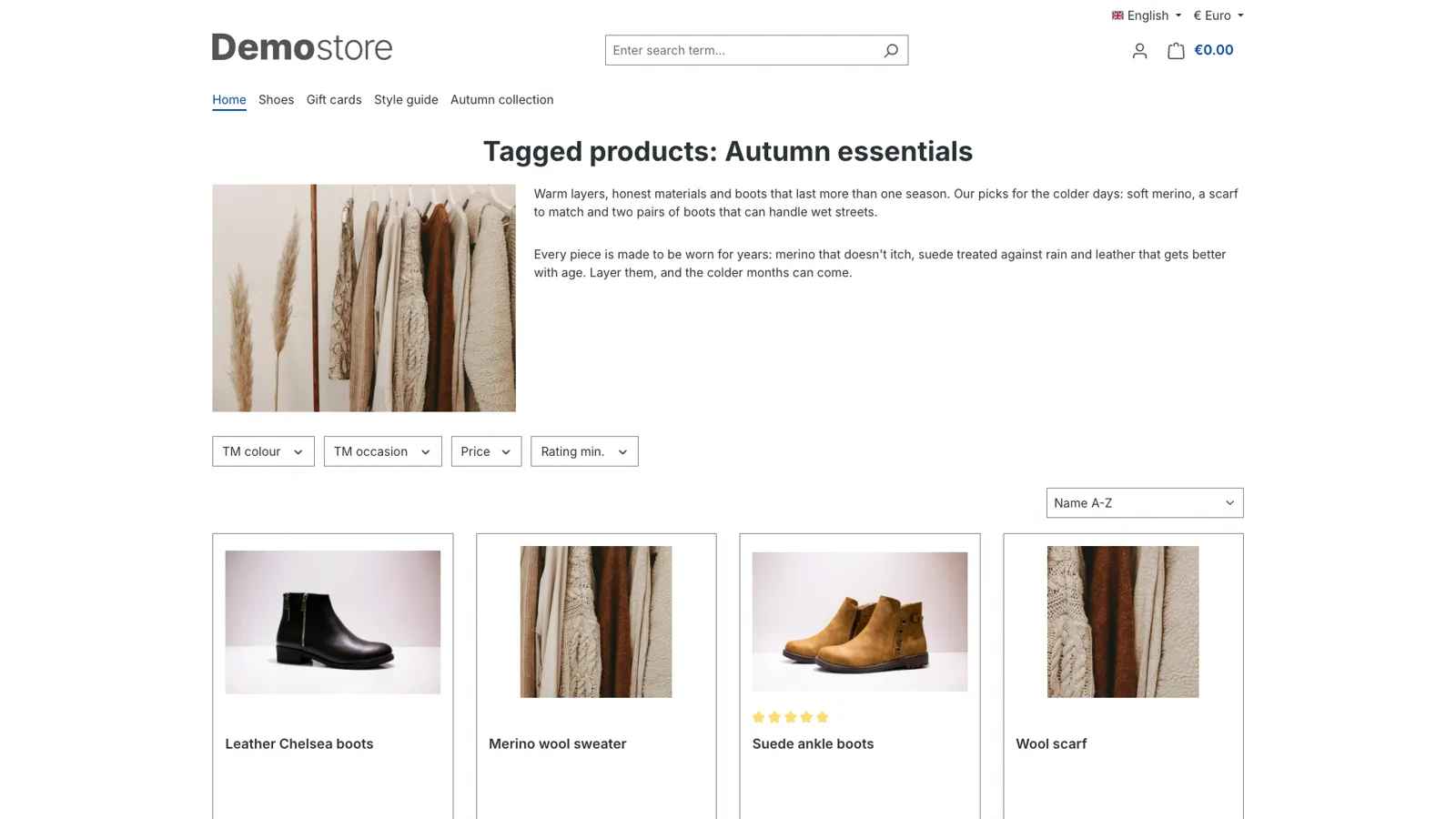
About Advanced Product tags
Turn your product tags into landing pages
Tags are a quick way to group products by theme, material or occasion, but in Shopware your customers never see them. Advanced Product Tags shows the tags you choose on the product page and gives every tag its own page with all its products. Each tag page has its own SEO URL, title and description, so you can rank for "wool sweaters" or "gift ideas" without building a category for every theme.
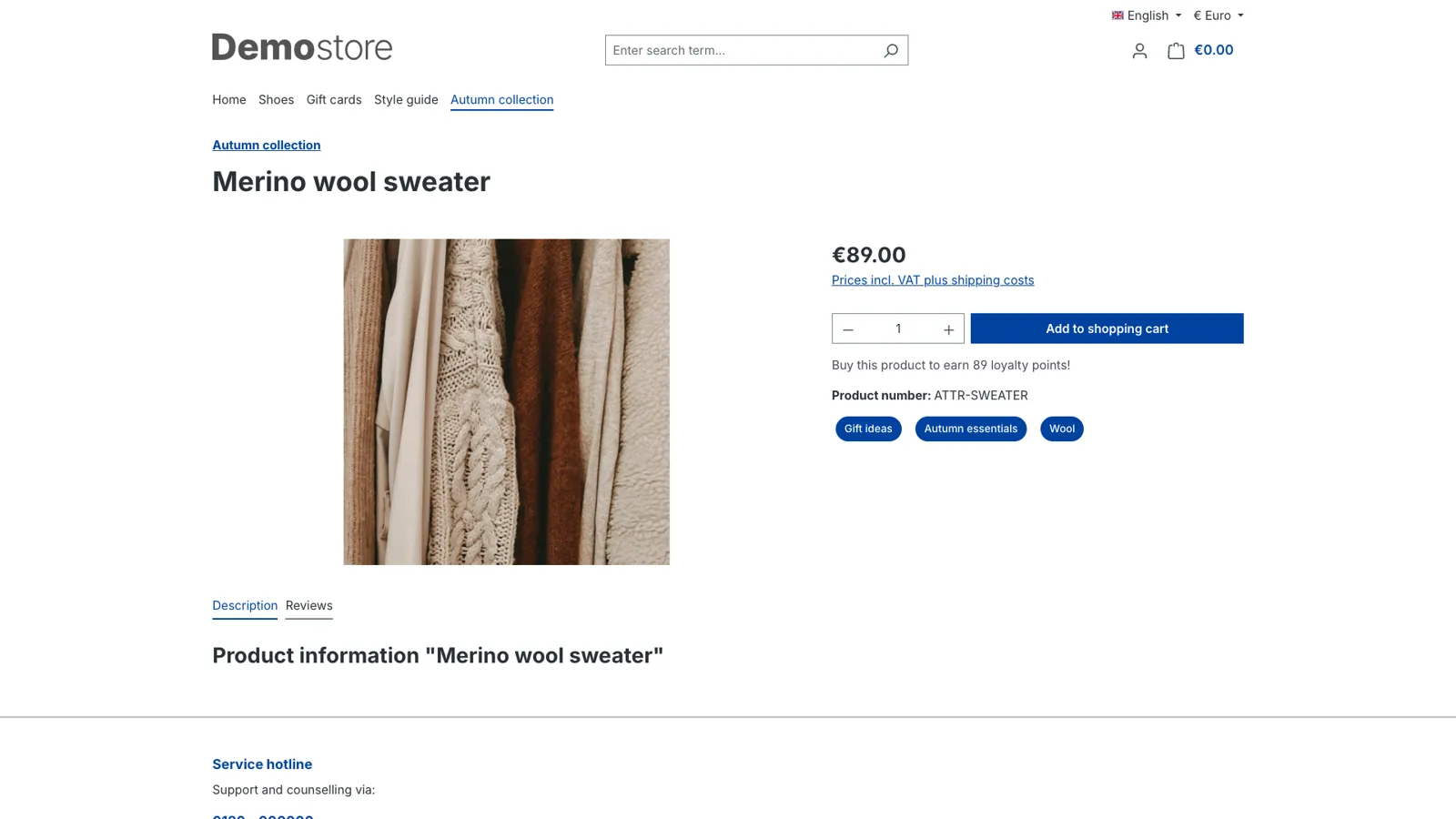
Tags on the product page
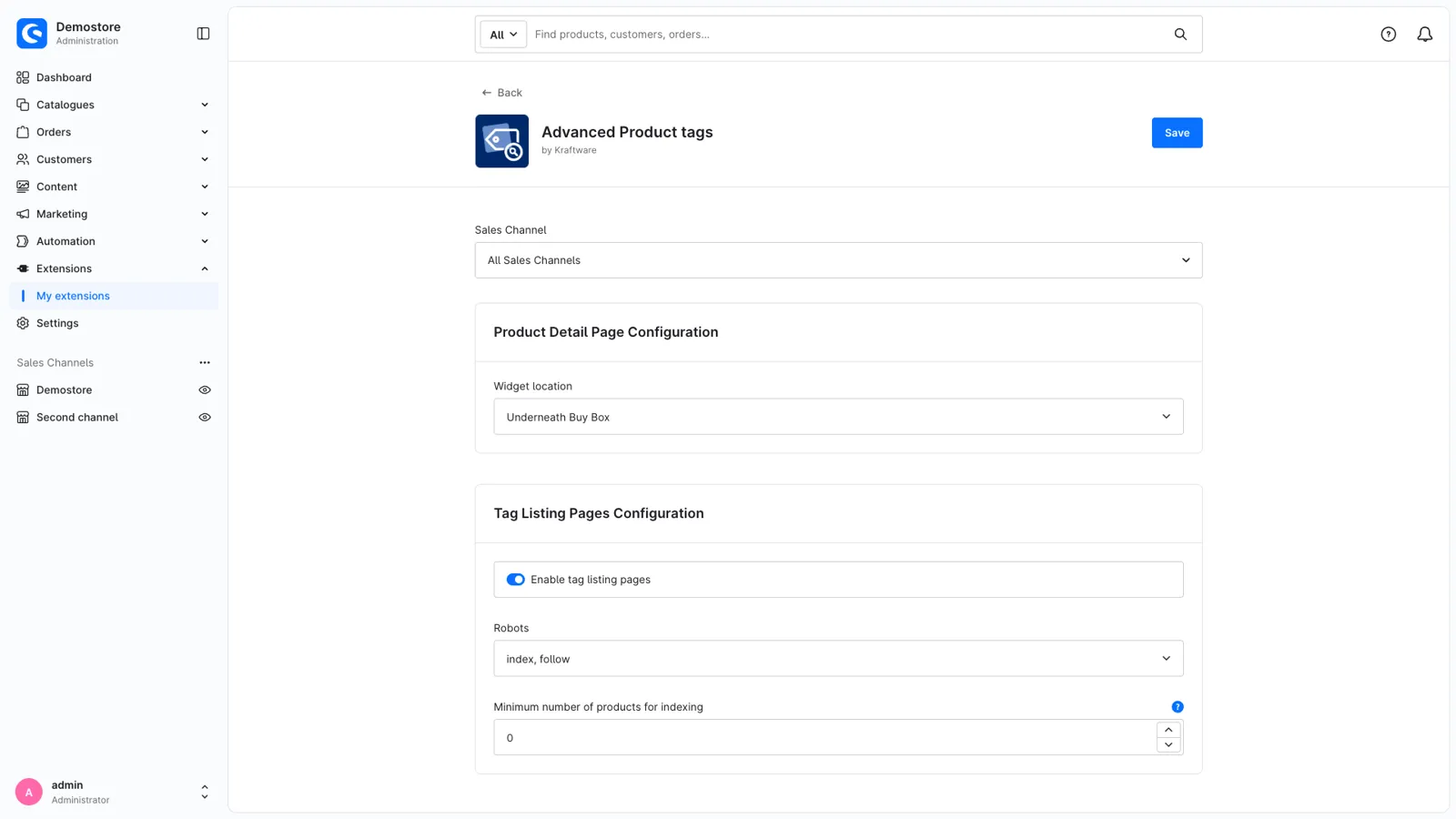
- Tags as links under the buy box, above or under the tabs.
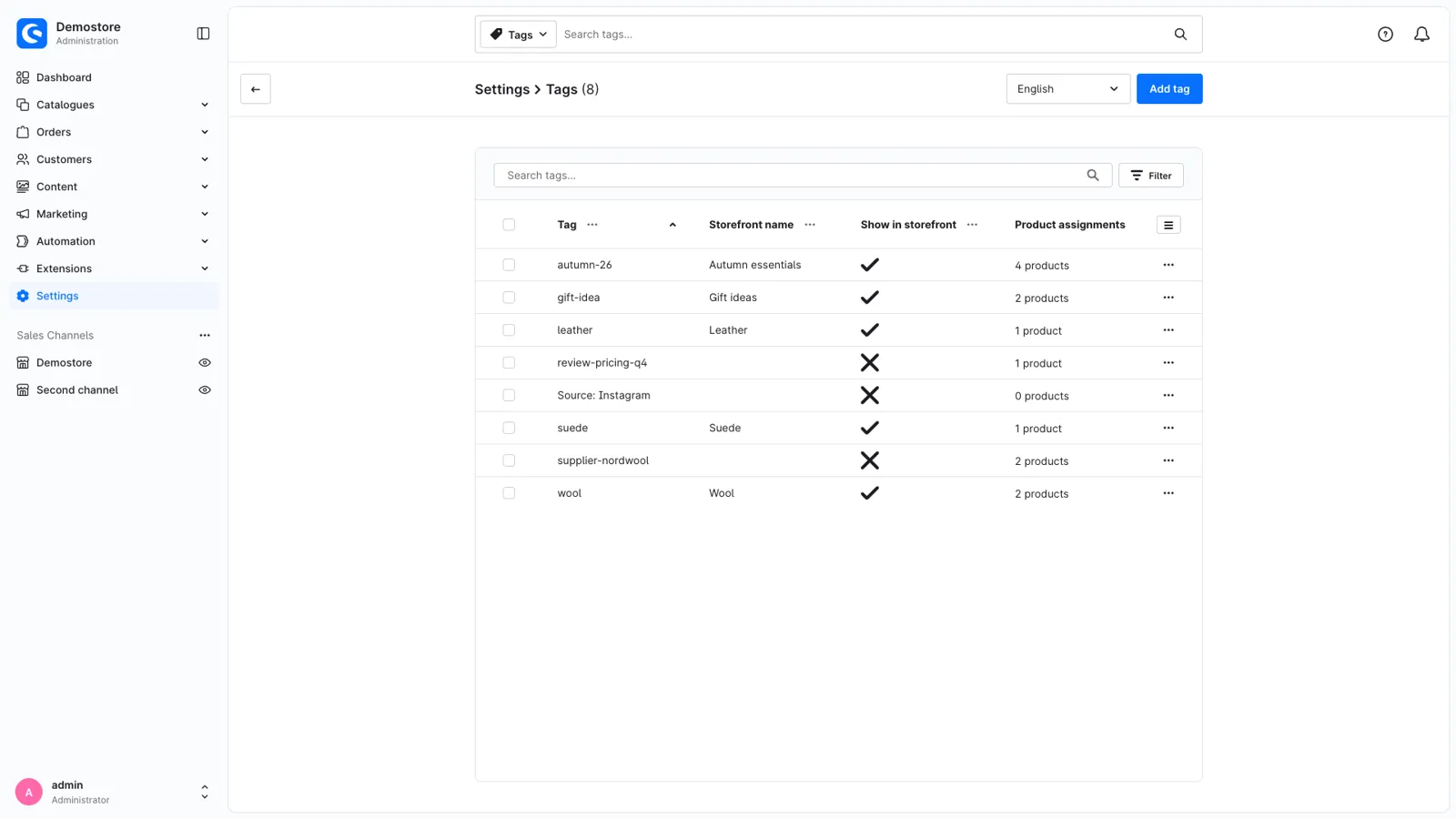
- You decide which tags customers see: "Show in storefront" per tag, so internal tags such as supplier or review tags stay internal.
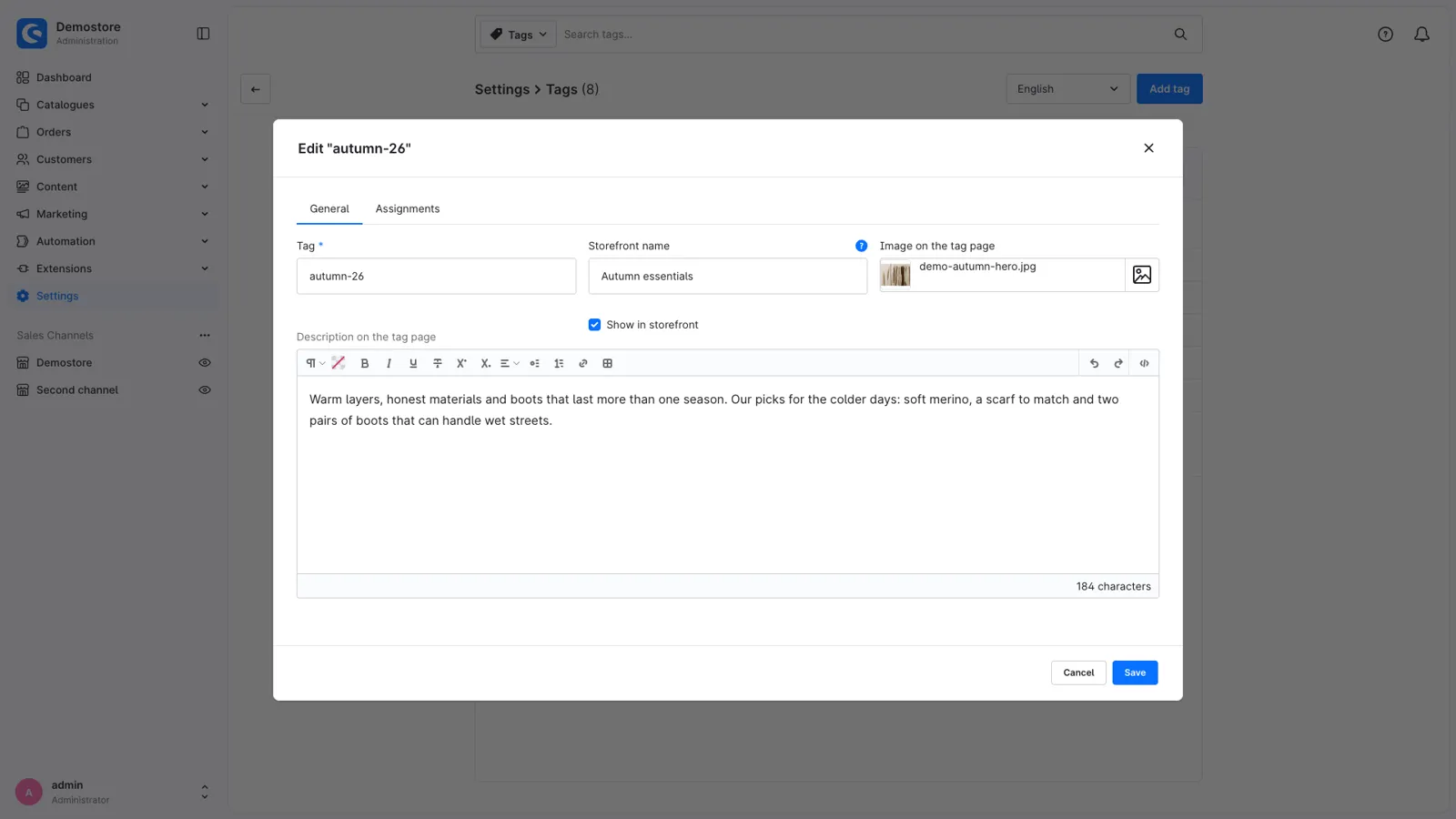
- A storefront name per language, for example "Autumn essentials" for the tag "autumn-26".
Tag pages that rank
- A listing page per tag with the filters, sorting and paging of your category pages.
- A description and an image per tag, in every language, so tag pages are more than a list of products.
- SEO URLs with a template you can change in Settings > SEO, plus meta title, meta description and canonical URLs.
- In the sitemap, without empty tags. Tags with only a few products can get "noindex" automatically.
- Robots setting per sales channel, or turn the tag pages off.
Good to know
- Uses the tags you already have: everything is edited in Settings > Tags.
- Tag changes clear the HTTP cache of the affected tag and product pages.
- Store API route for headless shops.
- Works with admin roles.
- Administration and storefront in English, German, Dutch, French, Spanish, Italian, Polish and Danish.
Support
Questions, ideas or something not working? Contact us through the Shopware Account ticket form. We read every message.
Documentation (English): https://docs.kraftware.be/docs/advanced-tags/intro
Get Advanced Product tags for your store
Install it from the Shopware Store. A question along the way? You get an answer from the developers who built it.