

Content & CMS
CMS Bootstrap Grid Section
A CMS section where you build your own grid, instead of a single fixed sidebar.
At a glance
- Standard 12-column Bootstrap grid
- Use all your existing CMS blocks and elements
- Works in every theme that uses Bootstrap
Screenshots
About CMS Bootstrap Grid Section
Your own columns in Shopping Experiences
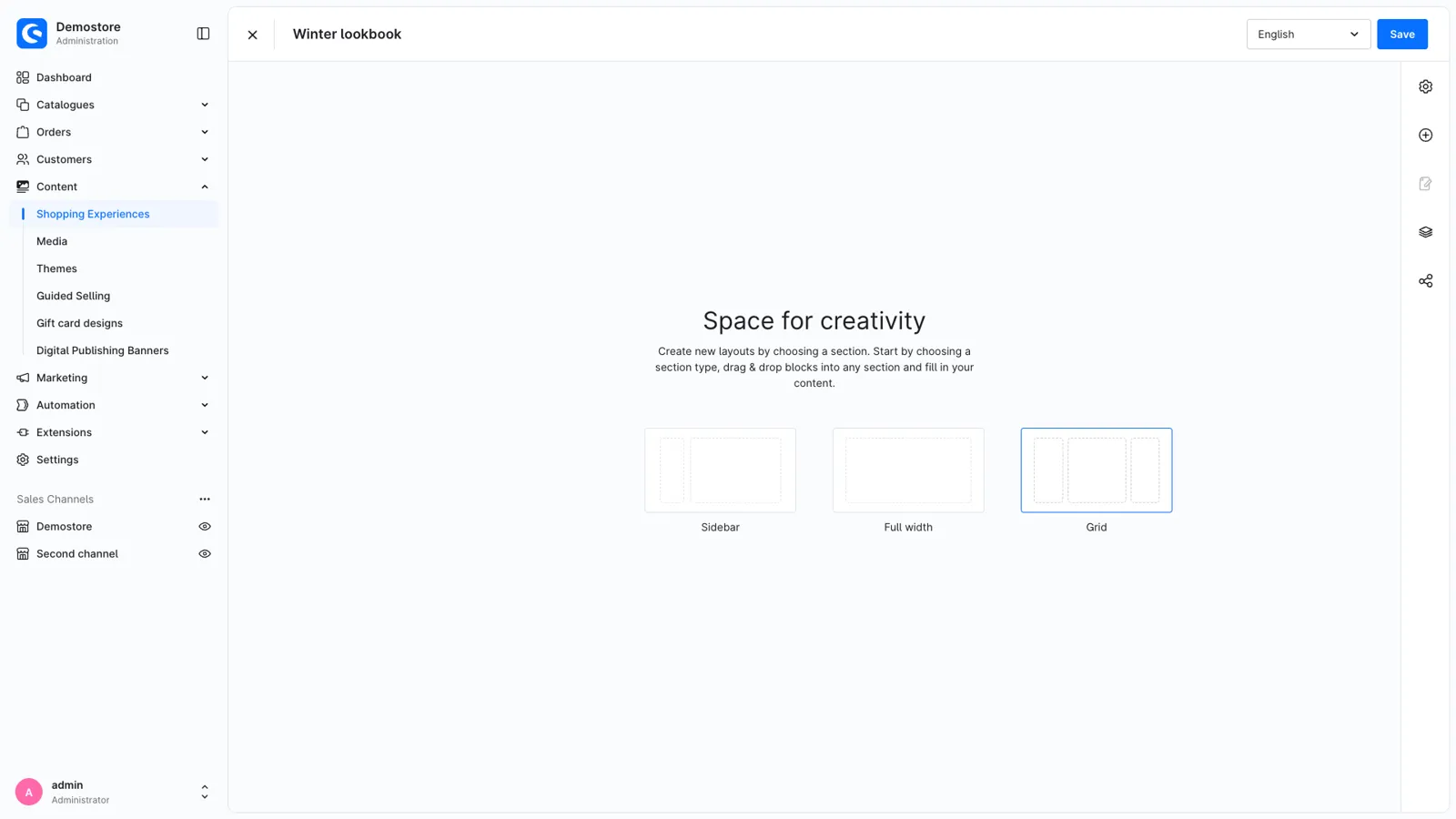
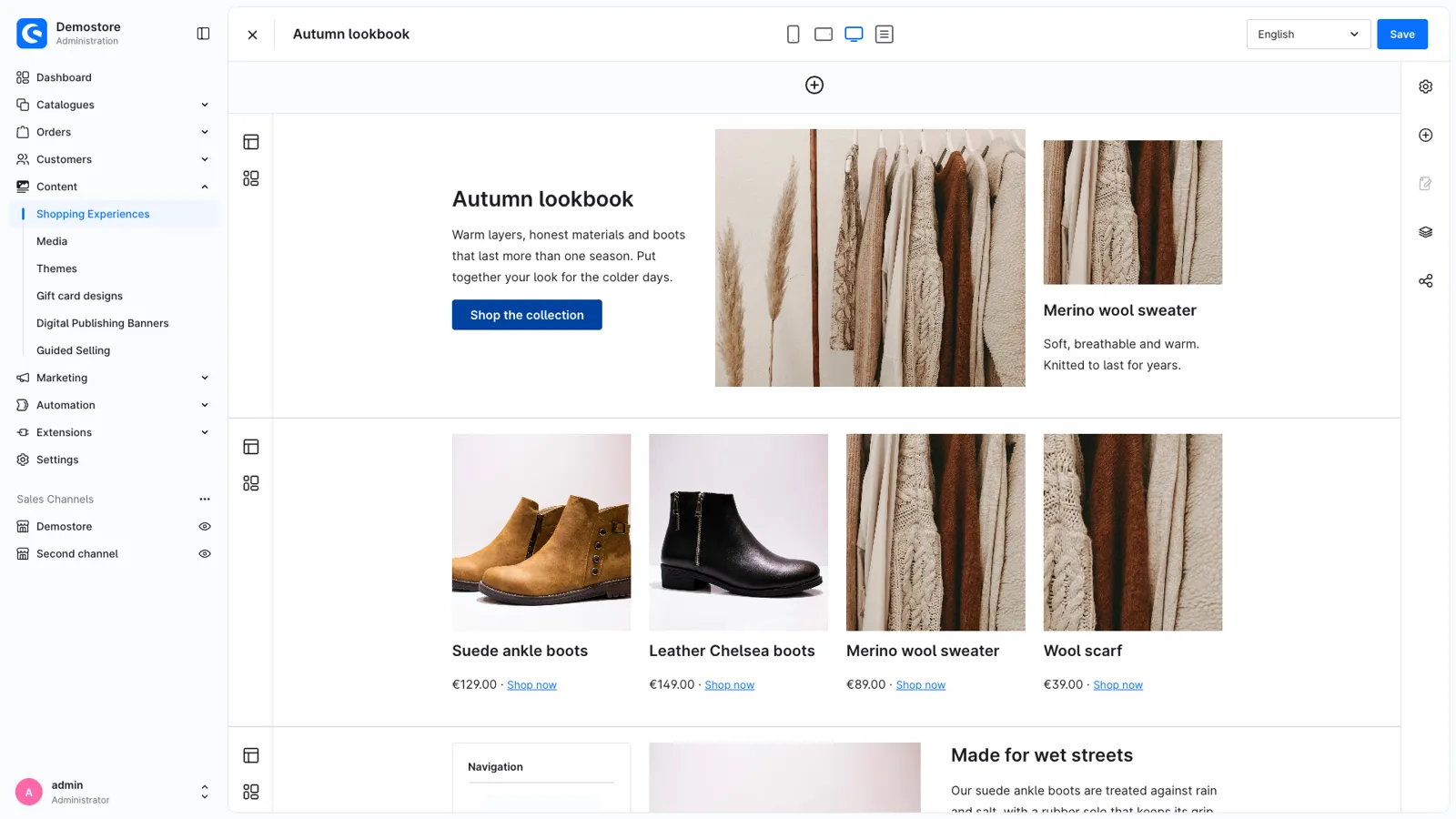
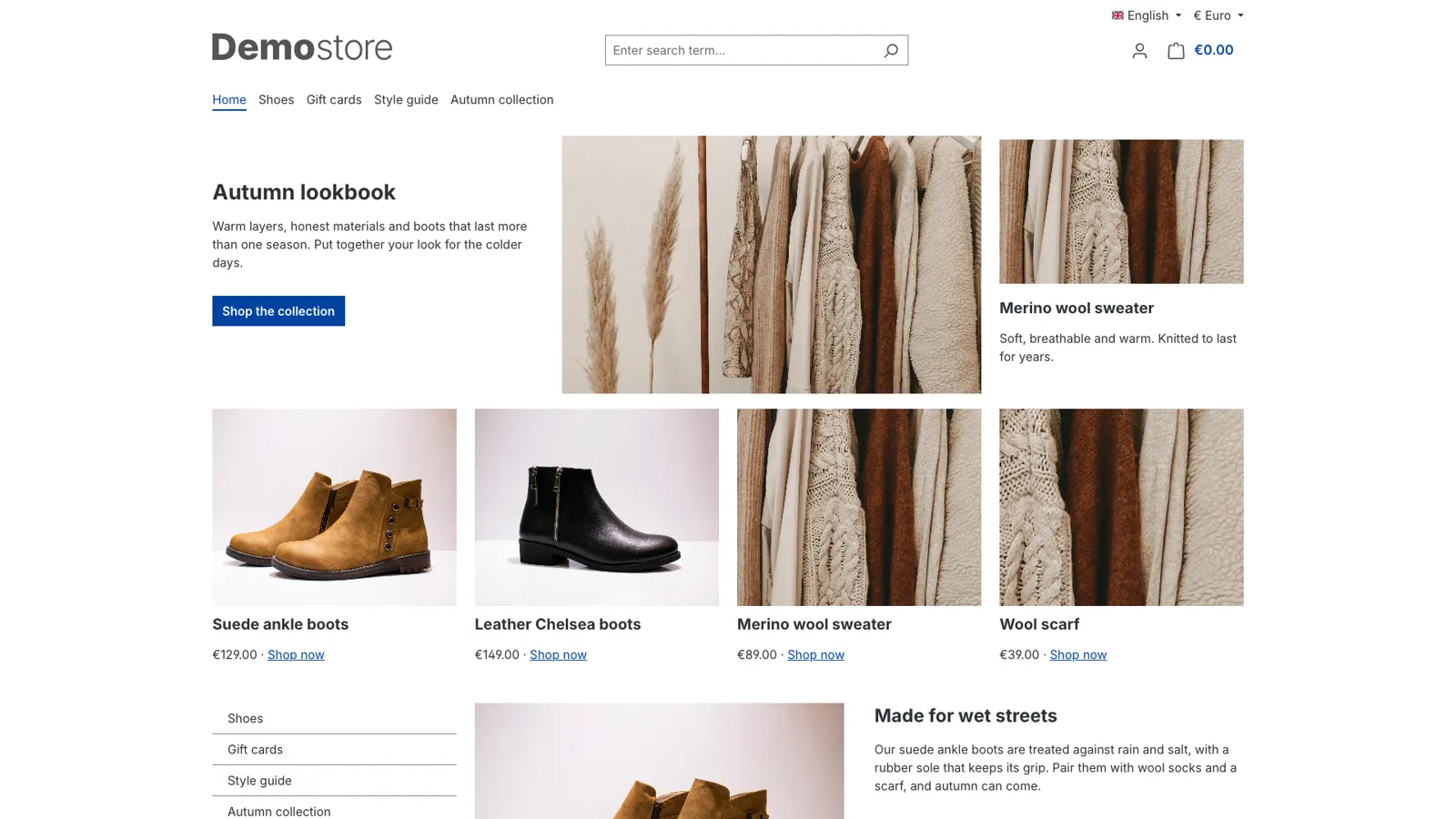
The layout editor gives you a full-width section and a sidebar section. Many layouts need more: text next to an image and a card, a row of four teasers, a sidebar on the right. The Grid section adds a section type with up to 12 columns, and every column holds as many blocks as you like: text, images, product sliders, forms or the blocks of other extensions.
Responsive, without code
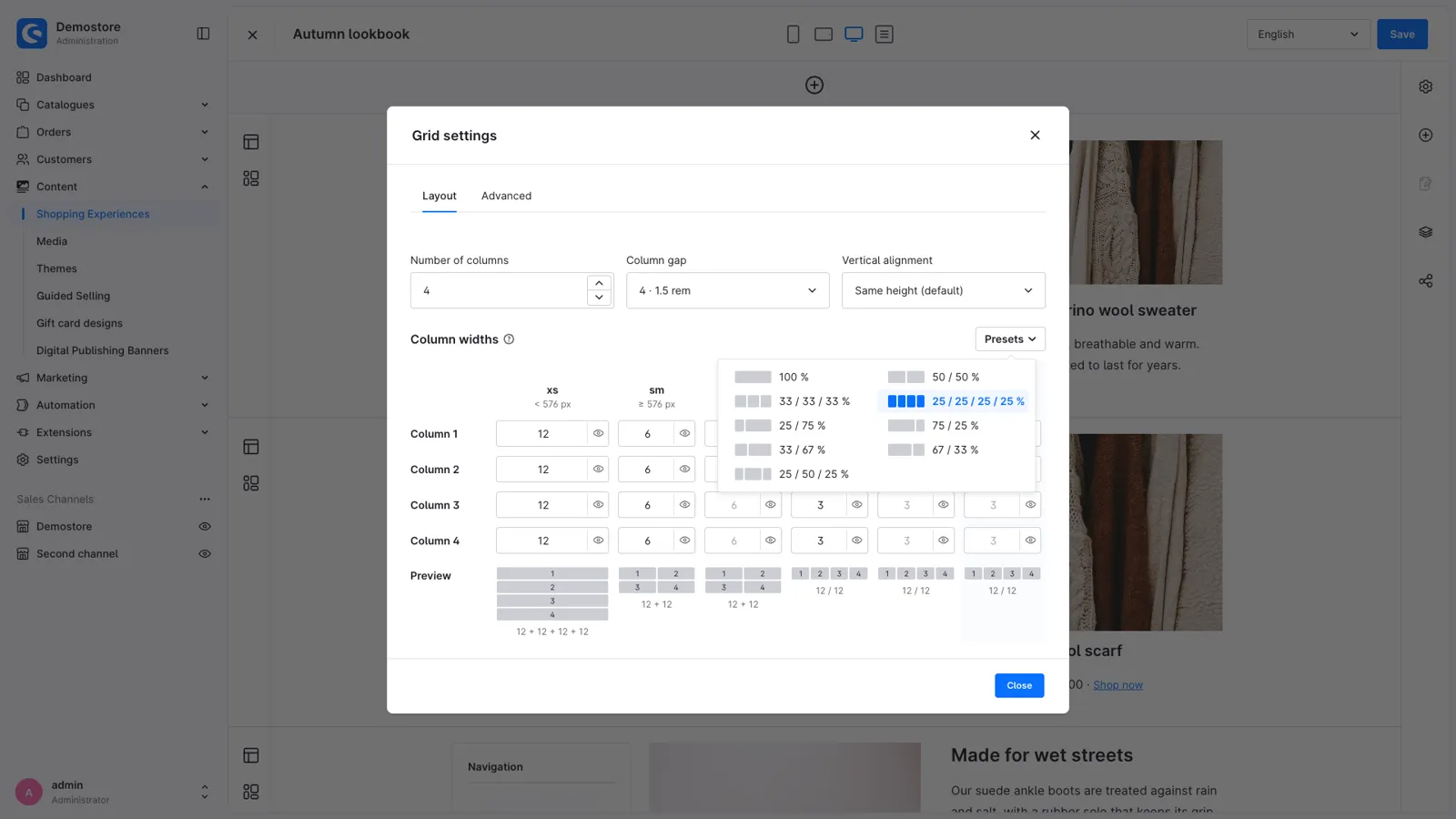
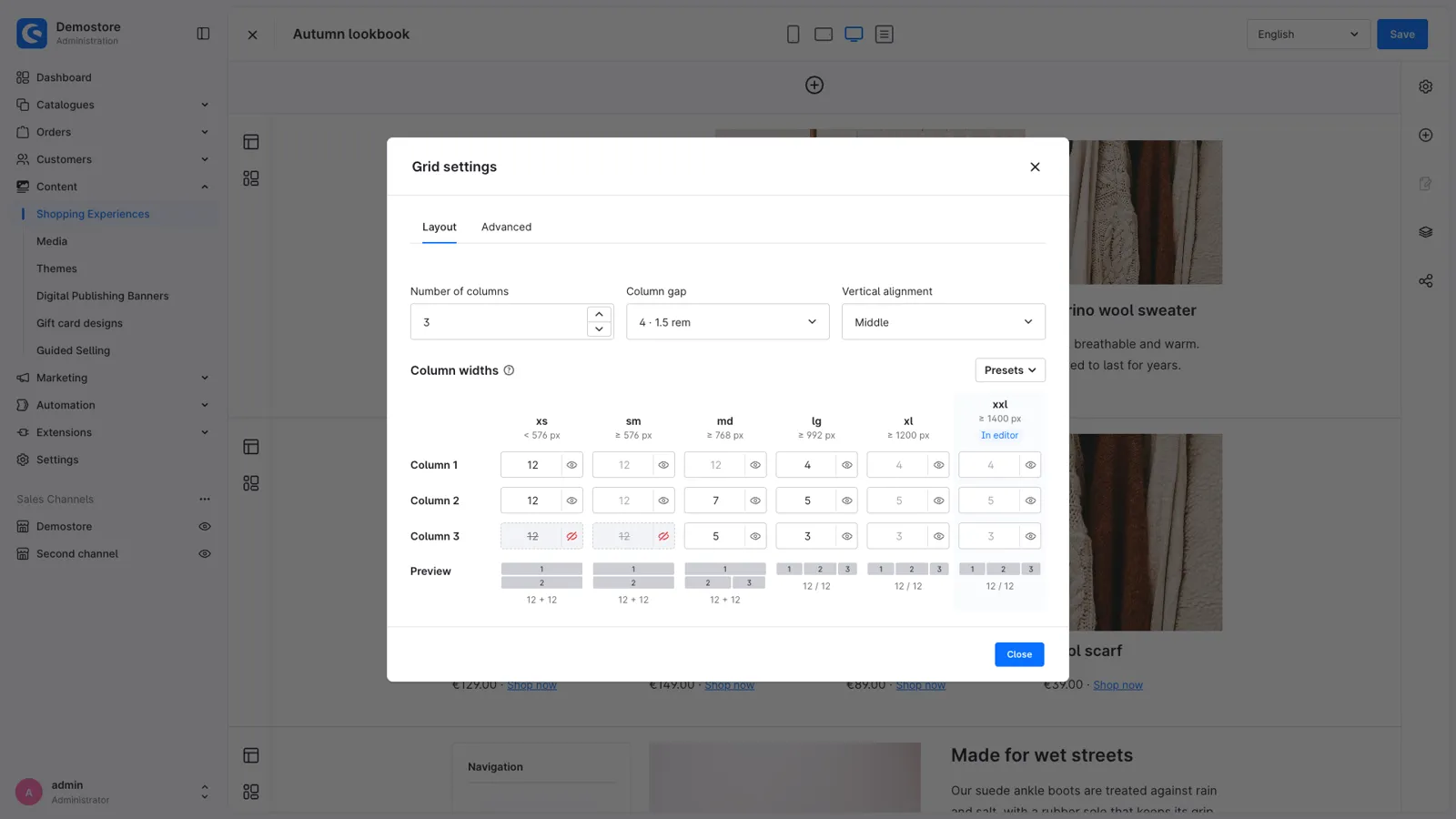
- Presets for common layouts: 50/50, 33/33/33, 4 × 25, 25/75, 25/50/25 and more.
- Widths per screen size on the 12-column Bootstrap grid, from phones (xs) to wide screens (xxl). An empty field takes the width of the smaller screen size, so you only fill in what changes.
- Live preview of every screen size in the settings, with a warning when columns don't fit on a line.
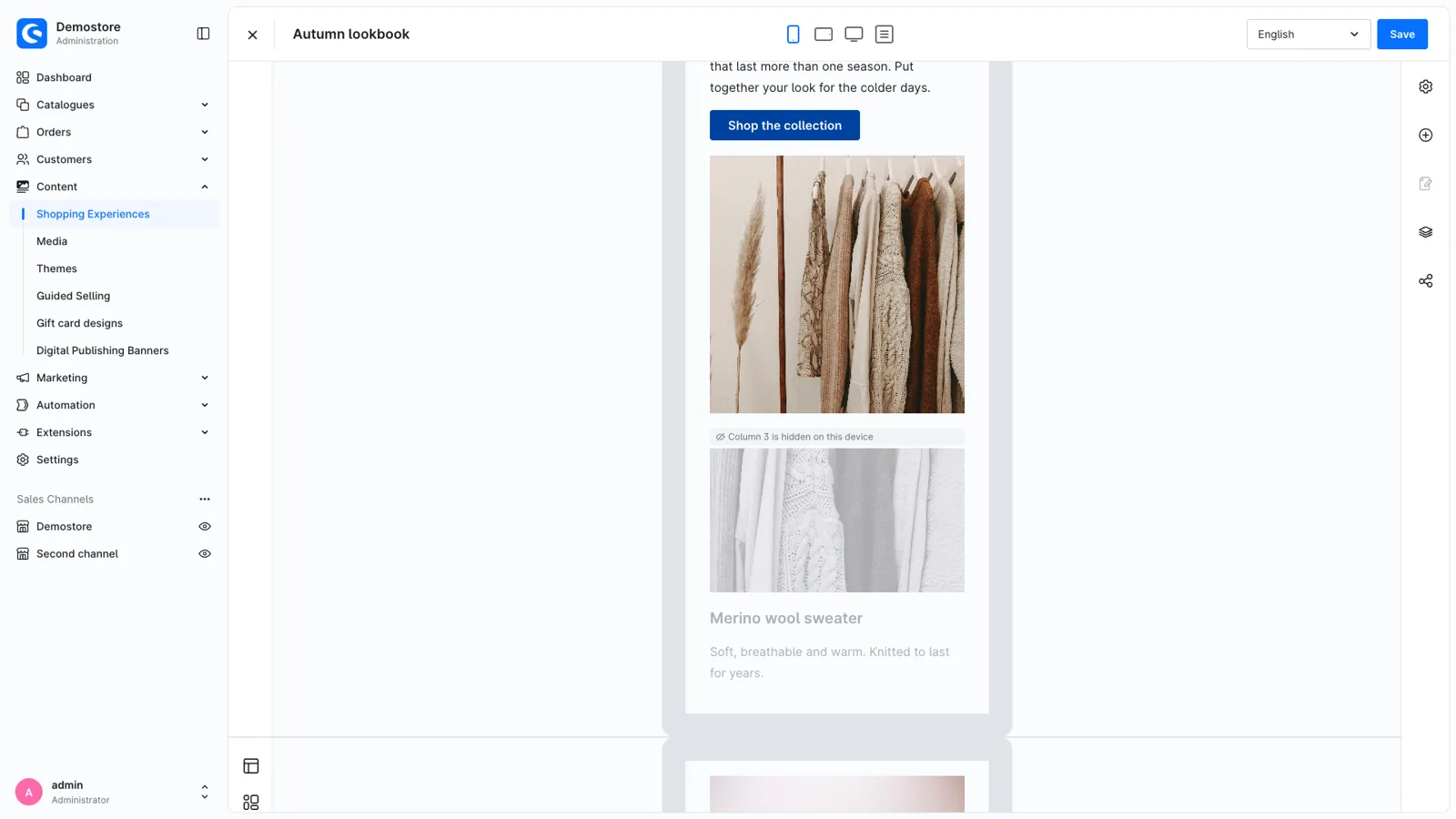
- Hide a column on some screen sizes, for example an extra image on phones.
- Column gap and vertical alignment per row.
Made for the layout editor
- The editor shows the grid like the storefront, for the device you preview. Columns hidden on that device are greyed out.
- Drop blocks into any column, and move them between columns in the navigator.
- Sidebar columns show their blocks as in a sidebar section. Add your own CSS classes per column.
- When you lower the number of columns, their blocks move to the last column: no content gets lost.
Good to know
- Uses the Bootstrap 5 grid of the Shopware storefront: works with the default theme and themes based on it, without extra CSS or JavaScript.
- Administration in English, German, Dutch, French, Spanish, Italian, Polish and Danish.
- Uninstalling without keeping data turns grid sections into normal sections, so your content stays.
Support
Questions, ideas or something not working? Contact us through the Shopware Account ticket form. We read every message.
Get CMS Bootstrap Grid Section for your store
Install it from the Shopware Store. A question along the way? You get an answer from the developers who built it.