

Marketing & loyalty
Giftcards / Vouchers
Sell and redeem gift cards in your Shopware store or any sales channel.
At a glance
- Remaining balance is remembered
- WYSIWYG editor for your gift cards
- API to connect your POS
Screenshots
About Giftcards / Vouchers
Gift cards that sell themselves
A forgotten birthday, a thank-you for a colleague, a December full of "I don't know what to give". Gift cards are the easy answer, and every one you sell brings a customer to your shop who might never have found it otherwise. With Gift Cards & Vouchers with Card Designer you sell them like any other product, in your shop's look and with a personal touch, and customers pay with them at checkout.
Sell
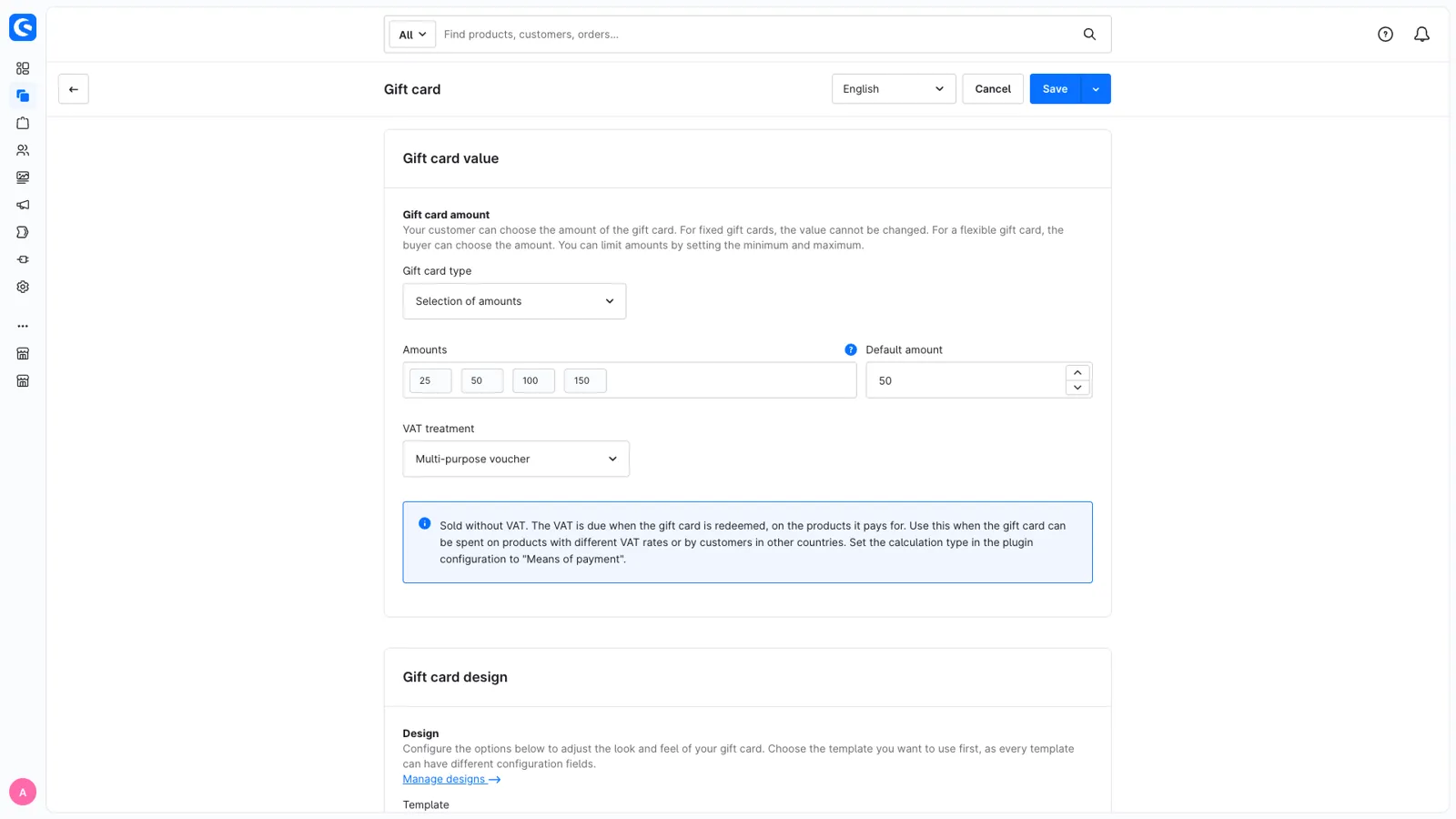
Open any product, switch on Is gift card product in its Gift card tab, and choose how the amount works:
- Fixed: €25, no questions asked.
- Flexible: the customer types an amount between your minimum and maximum.
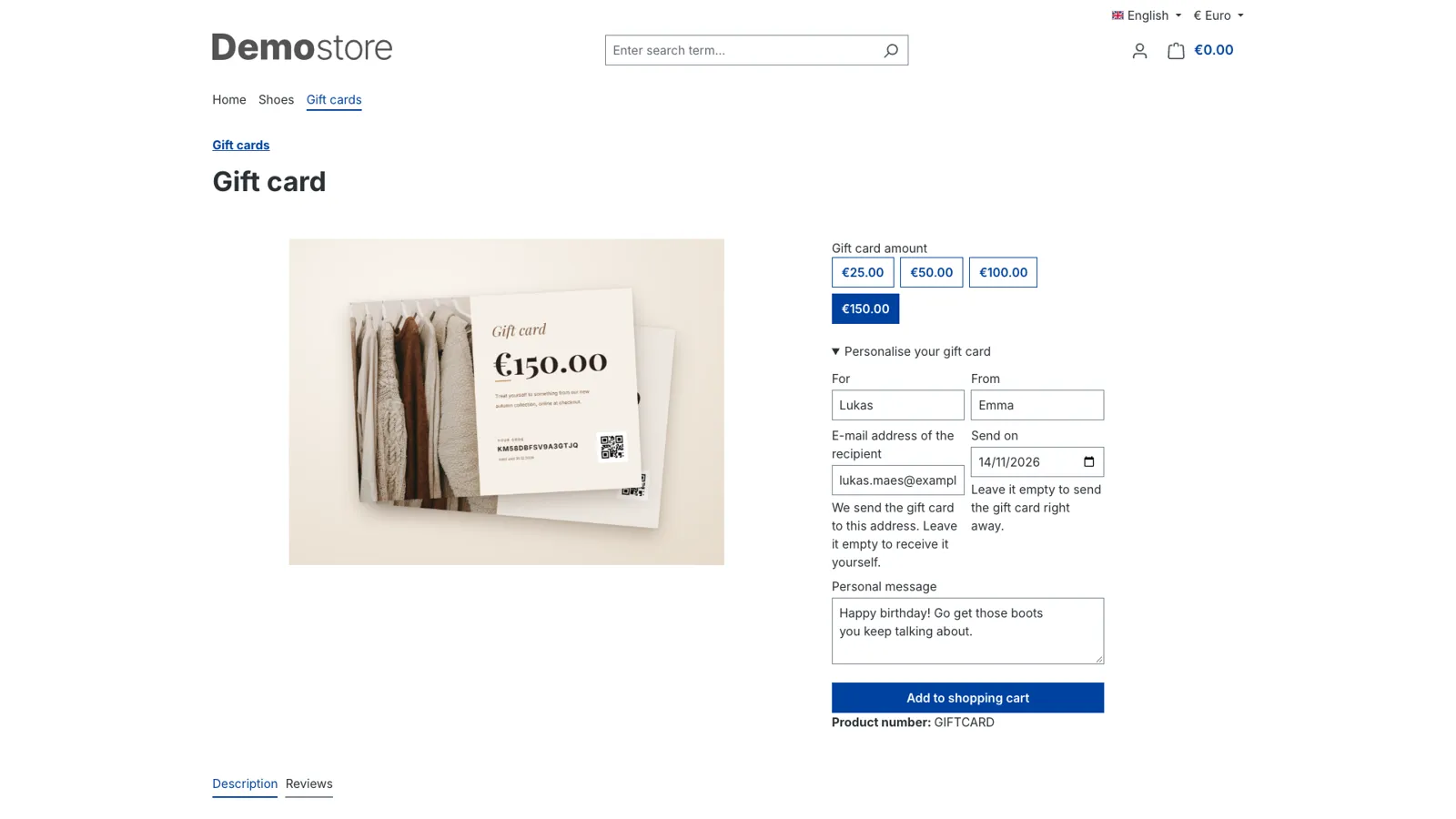
- A choice: €25, €50, €100 or €150, picked with one click.
Decide how long cards stay valid (forever, a number of days, or a rule like "last day of December +3 years"), whether a card is activated when the order is placed or once it's paid, which design the PDF uses, and how VAT works for it.
Personalise
Let buyers make it personal. They enter who the card is for, who it's from and a message, and for a digital card the recipient's e-mail address and the day it should arrive. Birthday next month? The card is e-mailed on the day itself, with a copy for the buyer.
Design
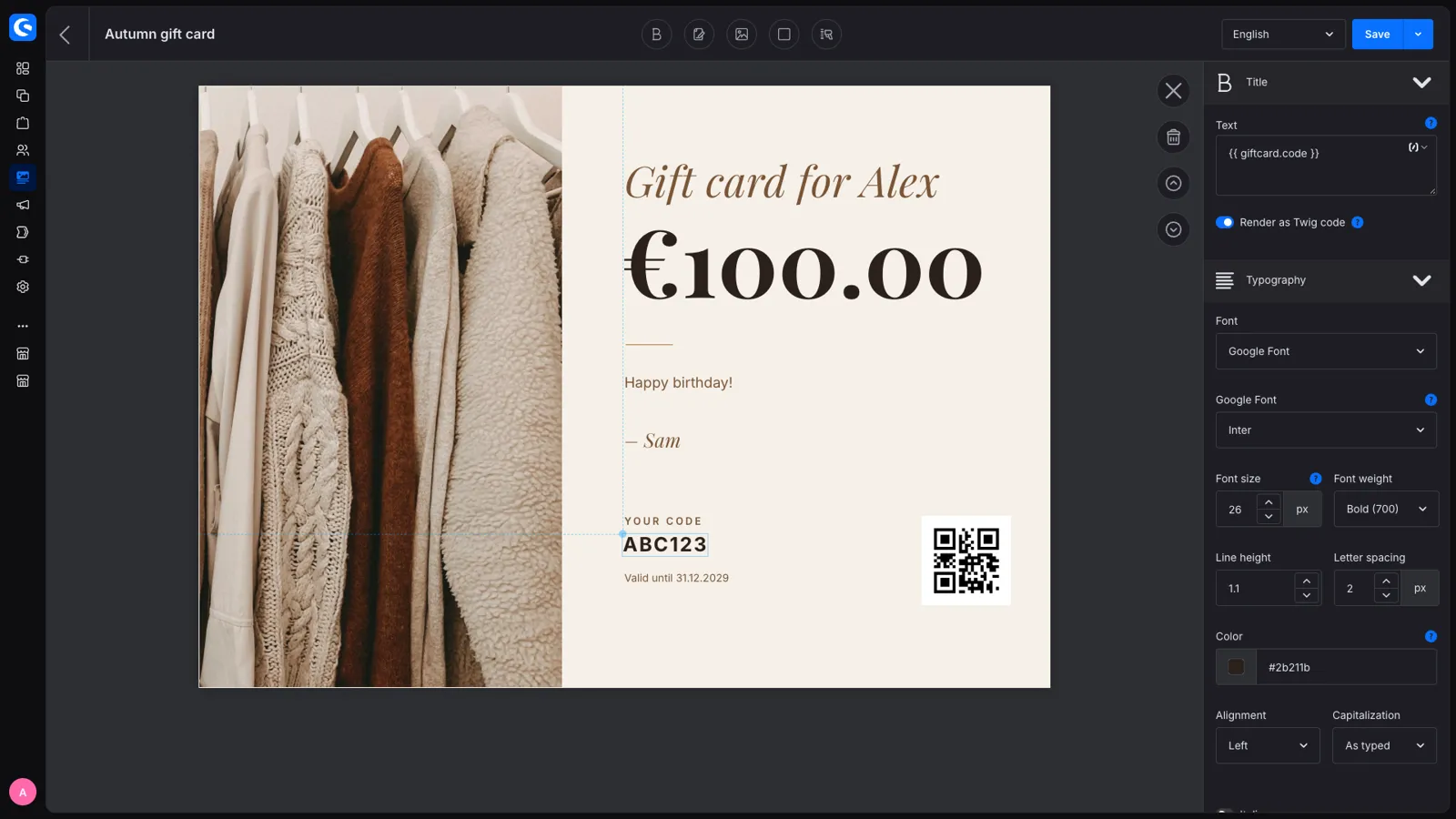
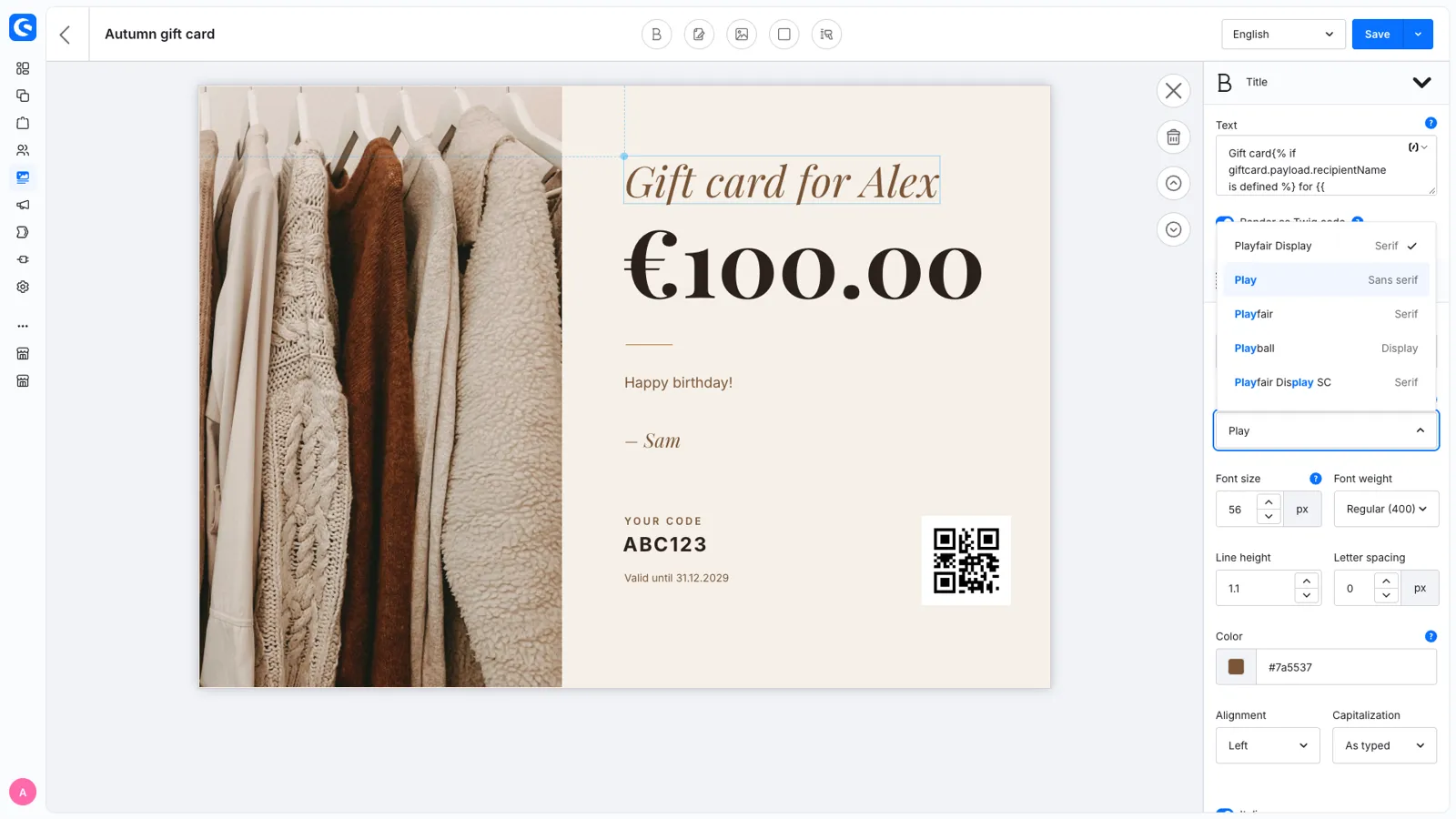
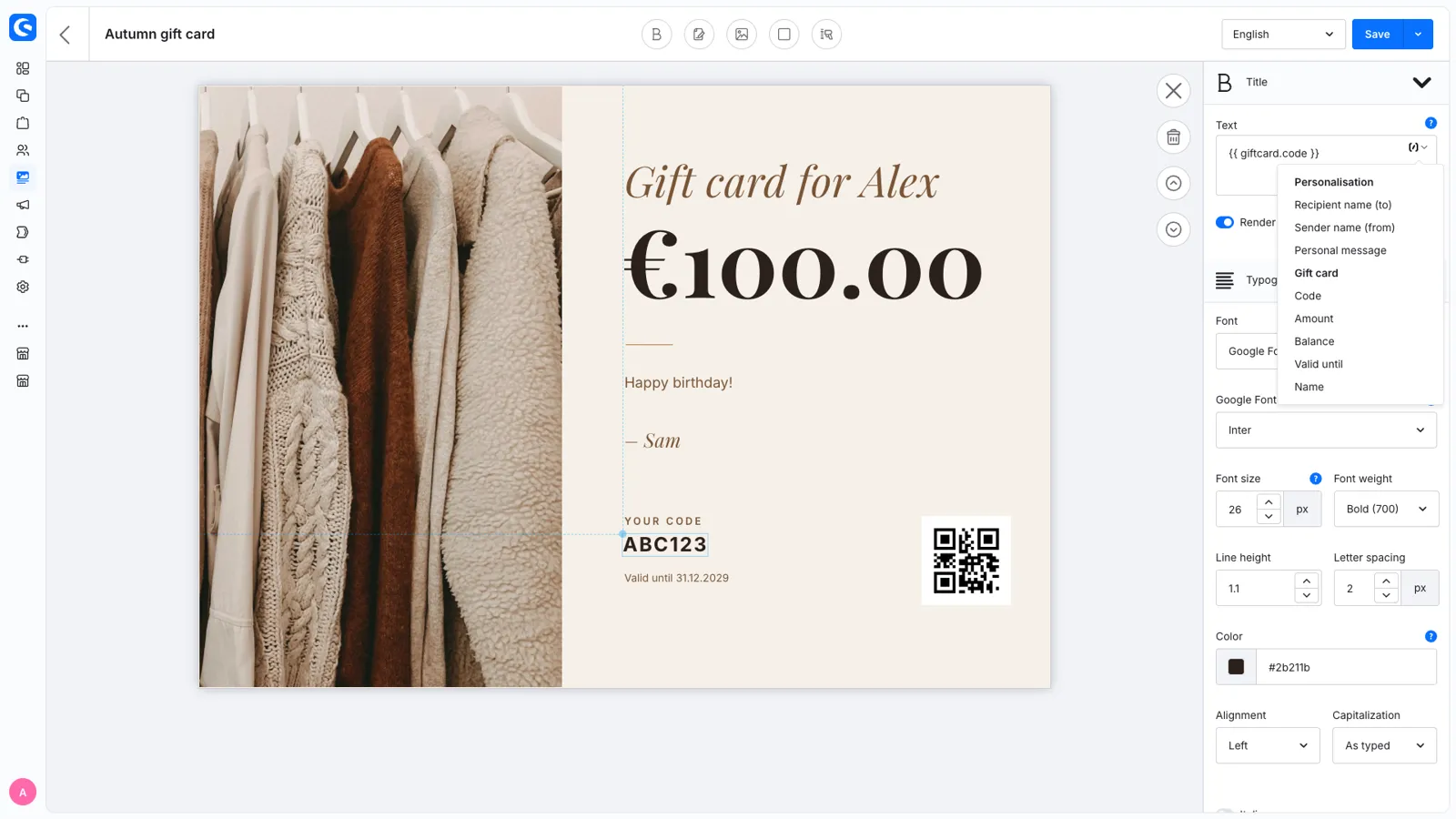
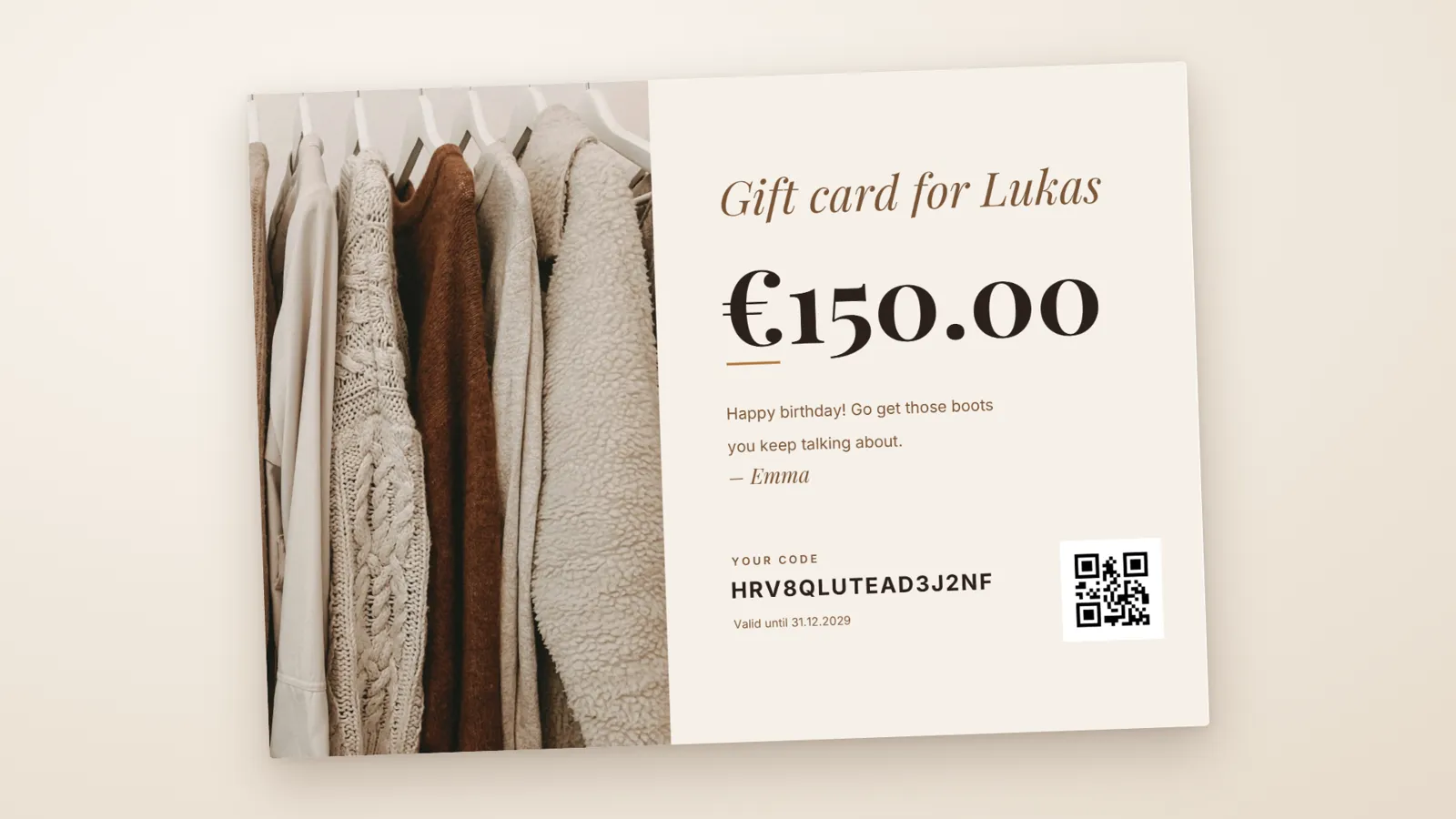
The gift card designer (Content > Gift card designs) lets you build the card in the Admin. Drag titles, text, images, colour shapes and a QR code onto an A4 page and pick any Google Font. The variables button puts the recipient, the sender, the message, the code or the amount on the card in one click, and the canvas shows them with sample values, so you see how much room they take. Save & preview PDF shows the result right away. Prefer something ready-made? Use the Simple or Just for you template with your own image and colours.
Translate the texts of a design per language, and every customer gets the card in their language. The plugin itself speaks English, German, Dutch, French, Italian, Spanish, Polish and Danish, in the storefront, the Admin and the ready-made templates.
Deliver
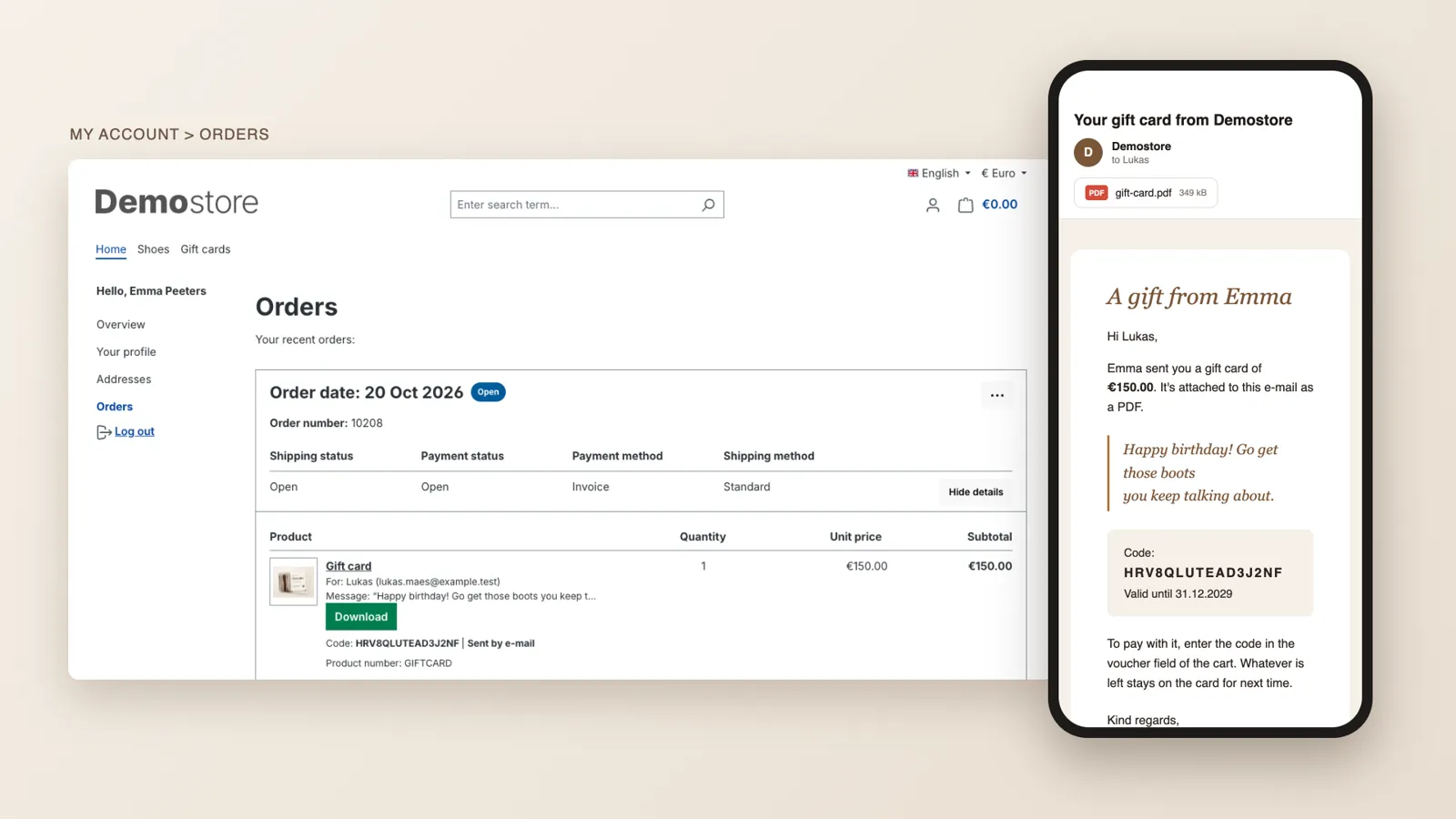
When the order is activated, the gift card is e-mailed as a PDF: to the buyer, or to the recipient they entered, now or on the chosen day. The buyer also finds it in My Account > Orders. Selling printed cards in a nice envelope? Mark the product as a physical gift card: no e-mail and no PDF, you ship it.
Redeem
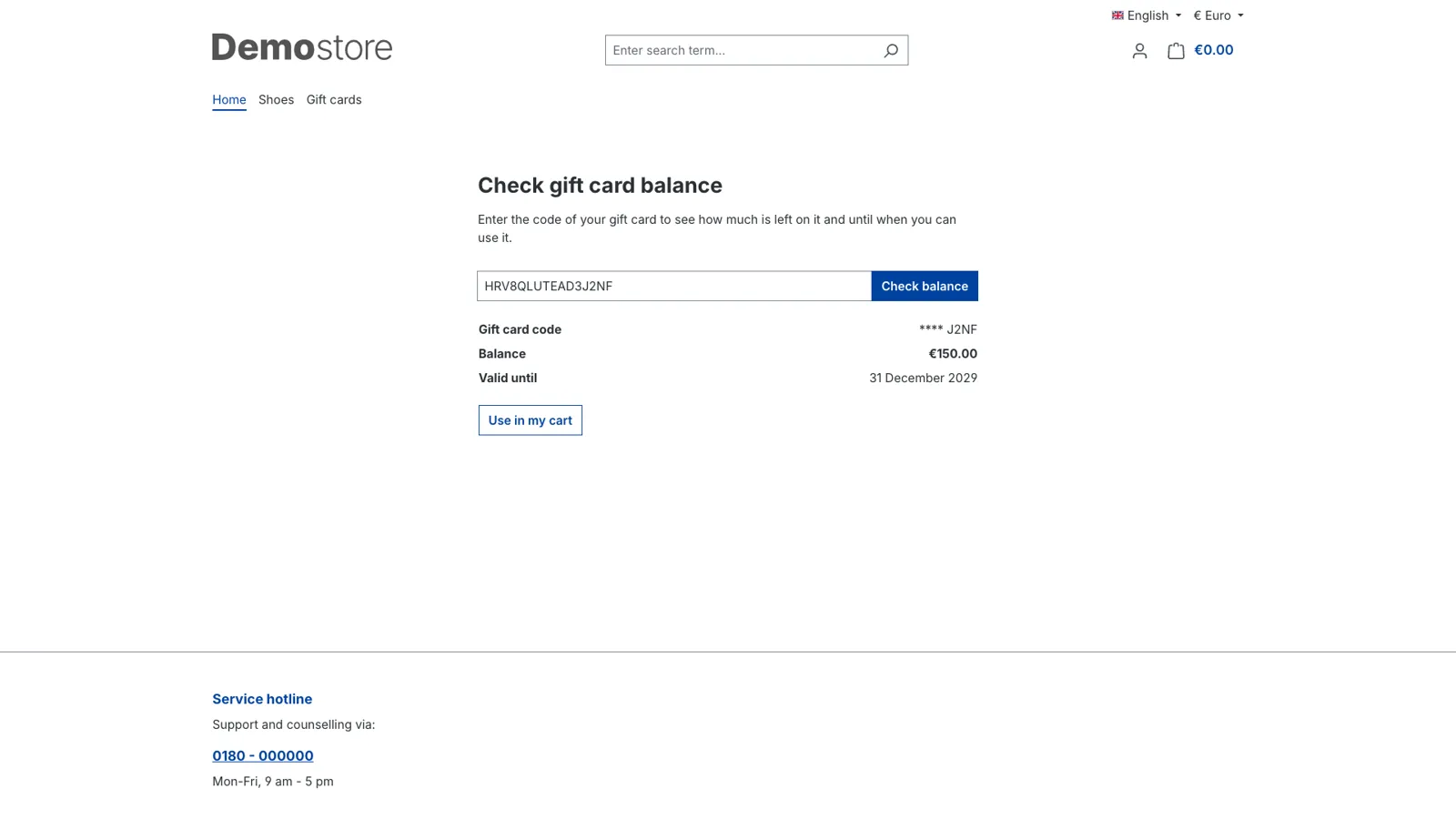
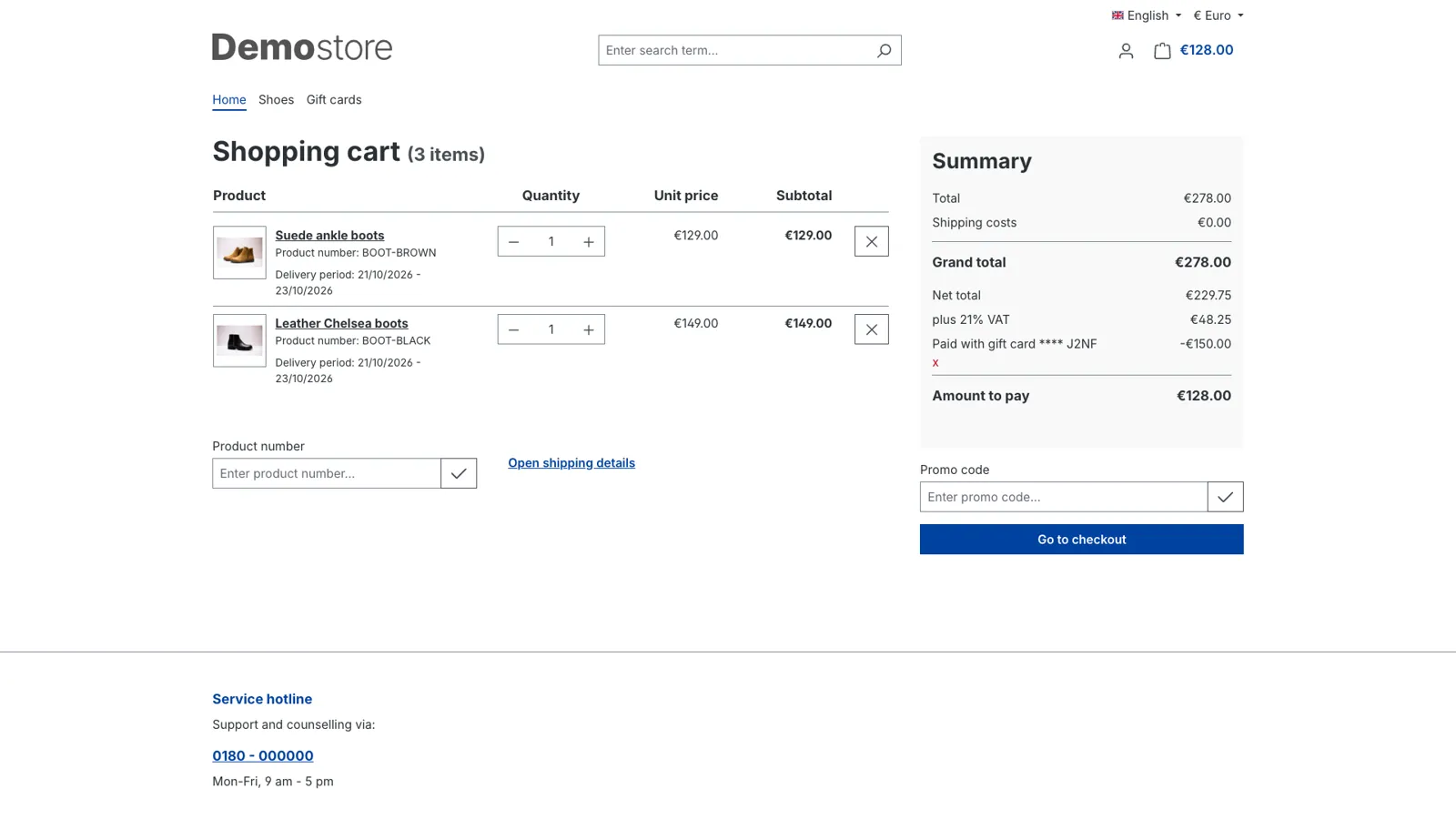
The recipient enters the code in the normal voucher field of the cart, or opens a link that puts the card in the cart. The gift card pays the order like money: the VAT of the products stays as it is, and the cart shows the card below the total, followed by what's left to pay. If the card covers everything, the "Gift card" payment method completes the order without a payment provider. If not, they pay the rest with any payment method. Whatever is left stays on the card for next time, and they can combine several cards in one order. A balance page lets anyone check what's left and until when.
Sell gift cards as multi-purpose vouchers (no VAT when they're sold, VAT on the products they pay for) or as single-purpose vouchers (VAT when they're sold), per product.
Manage
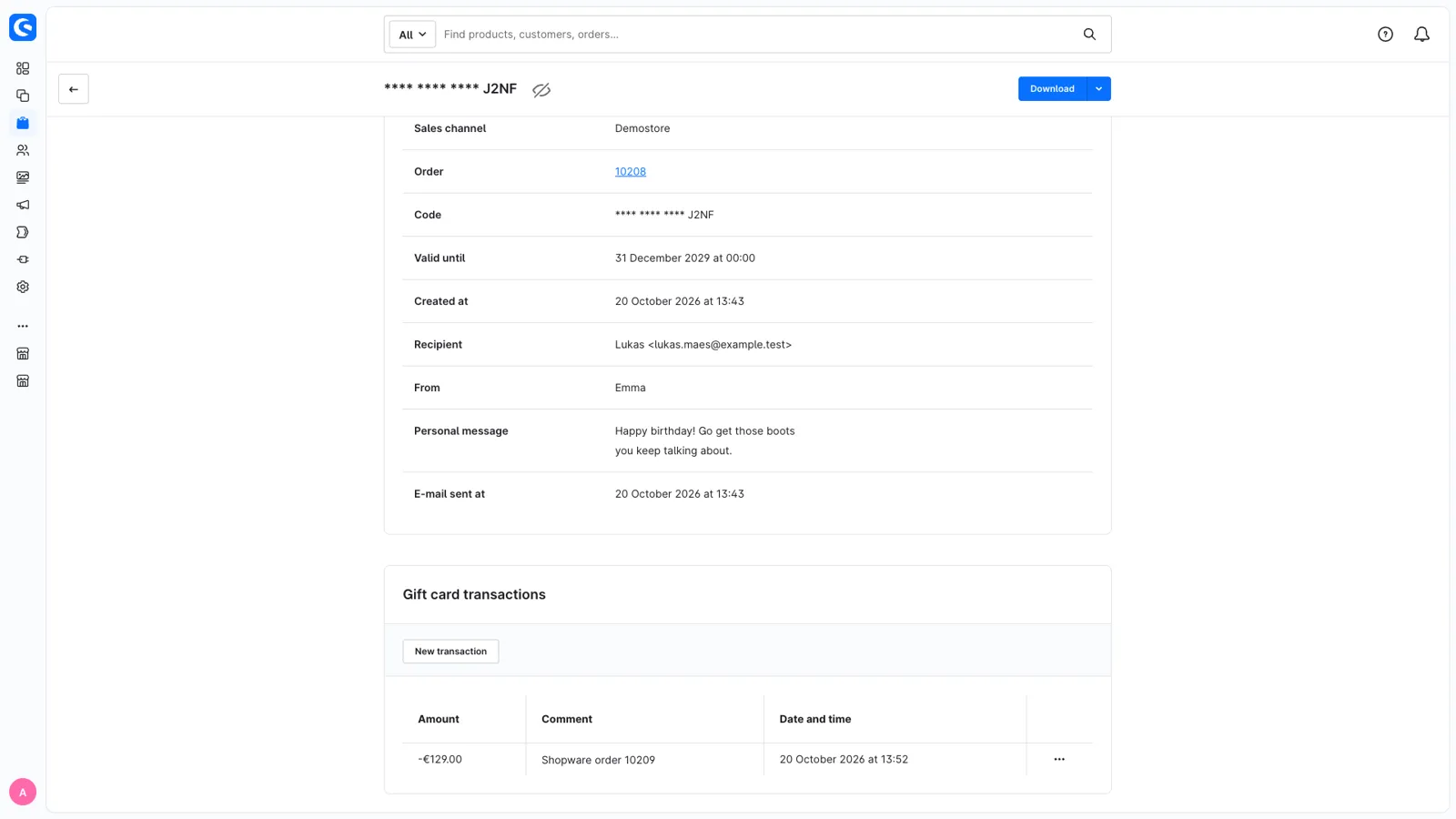
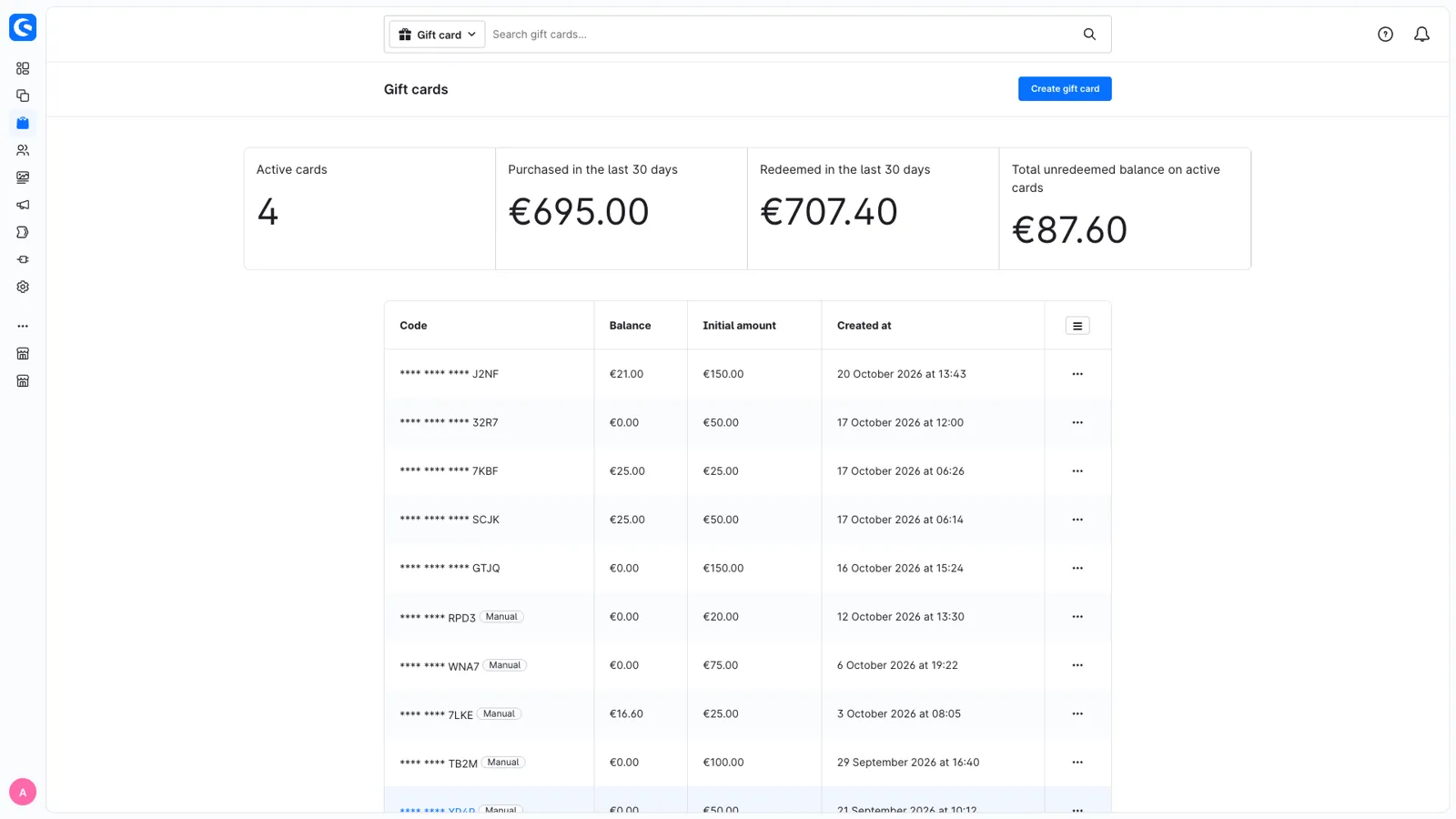
Orders > Gift cards shows what you sold and redeemed in the last 30 days and the balance that's still open. Open a card to see every transaction, who it's for, the message and when it was e-mailed, to download or resend the PDF, or create a card by hand, for example as a goodwill gesture from an order in the Admin. Moving from another system? Import your existing cards with Shopware's import/export.
Integrate
Gift cards and their transactions are regular entities in the Admin API, so your POS can create cards and book transactions on them too. Headless storefronts redeem through the Store API. E-invoices (XRechnung and ZUGFeRD) show gift cards so the totals add up. Developers can replace the code generator, listen to events when cards are created or taken out of a cart, and add their own data to the PDF. The redeem line item carries the product number, which ERPs like Xentral need.
Full documentation: https://docs.kraftware.be/docs/giftcards/intro
Get Giftcards / Vouchers for your store
Install it from the Shopware Store. A question along the way? You get an answer from the developers who built it.