
Checkout & conversion
One Page Checkout
A revamped checkout with better UX, to reduce cart abandonment.
At a glance
- Smooth for existing customers, new customers and guests
- Shipping costs shown on the confirm page
- Compatible with most shipping and payment plugins
Screenshots
About One Page Checkout
One page from address to order
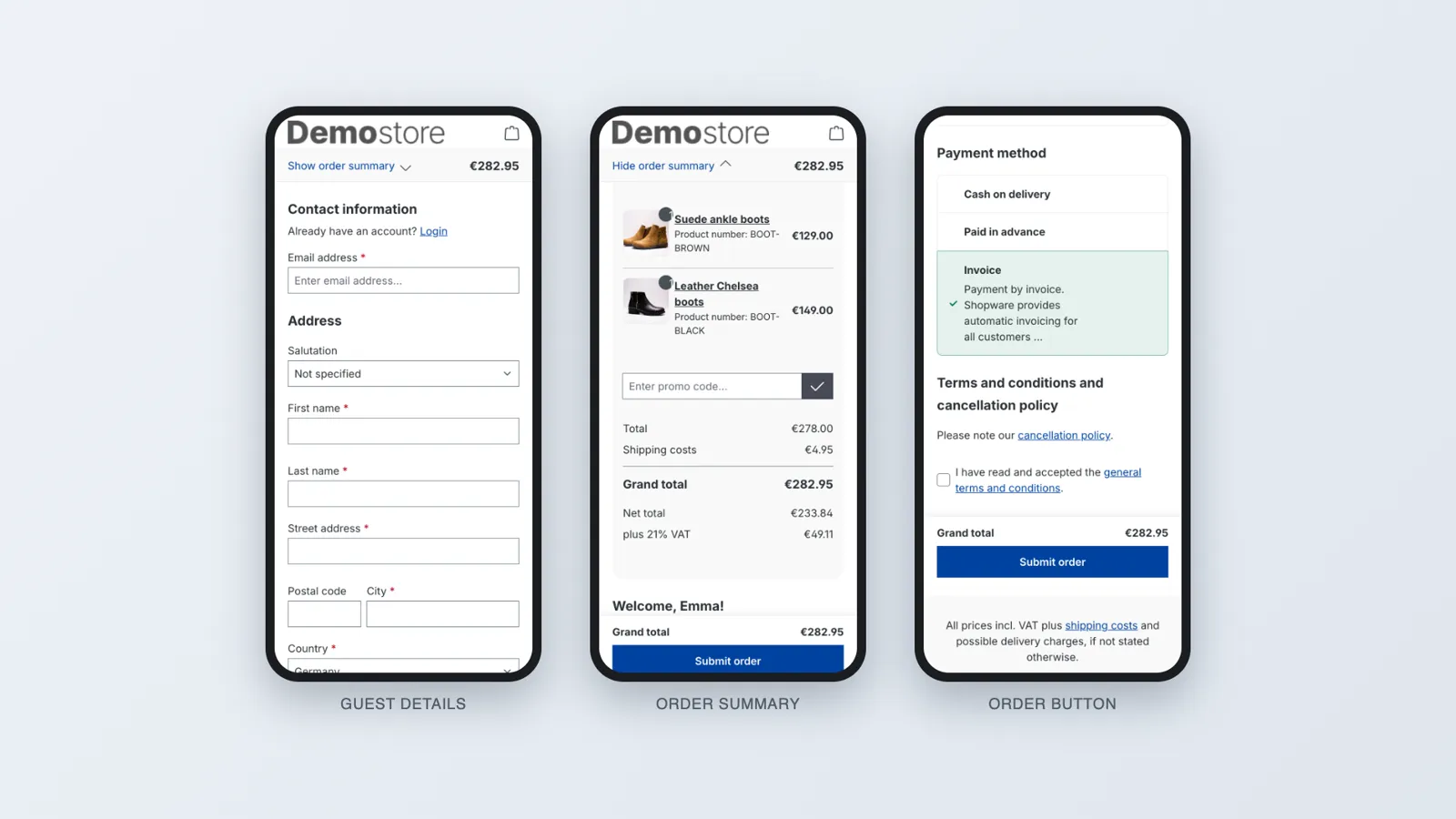
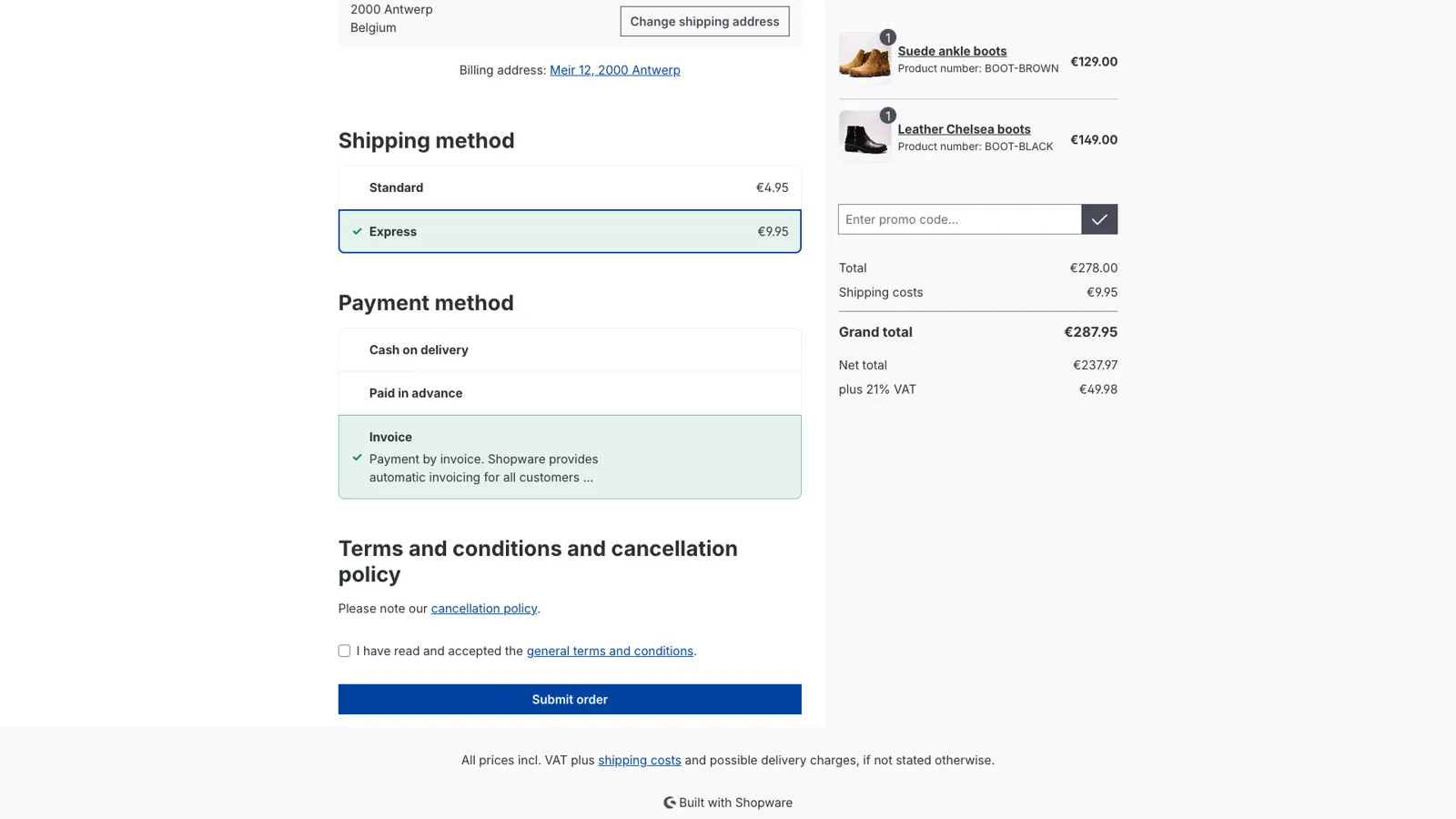
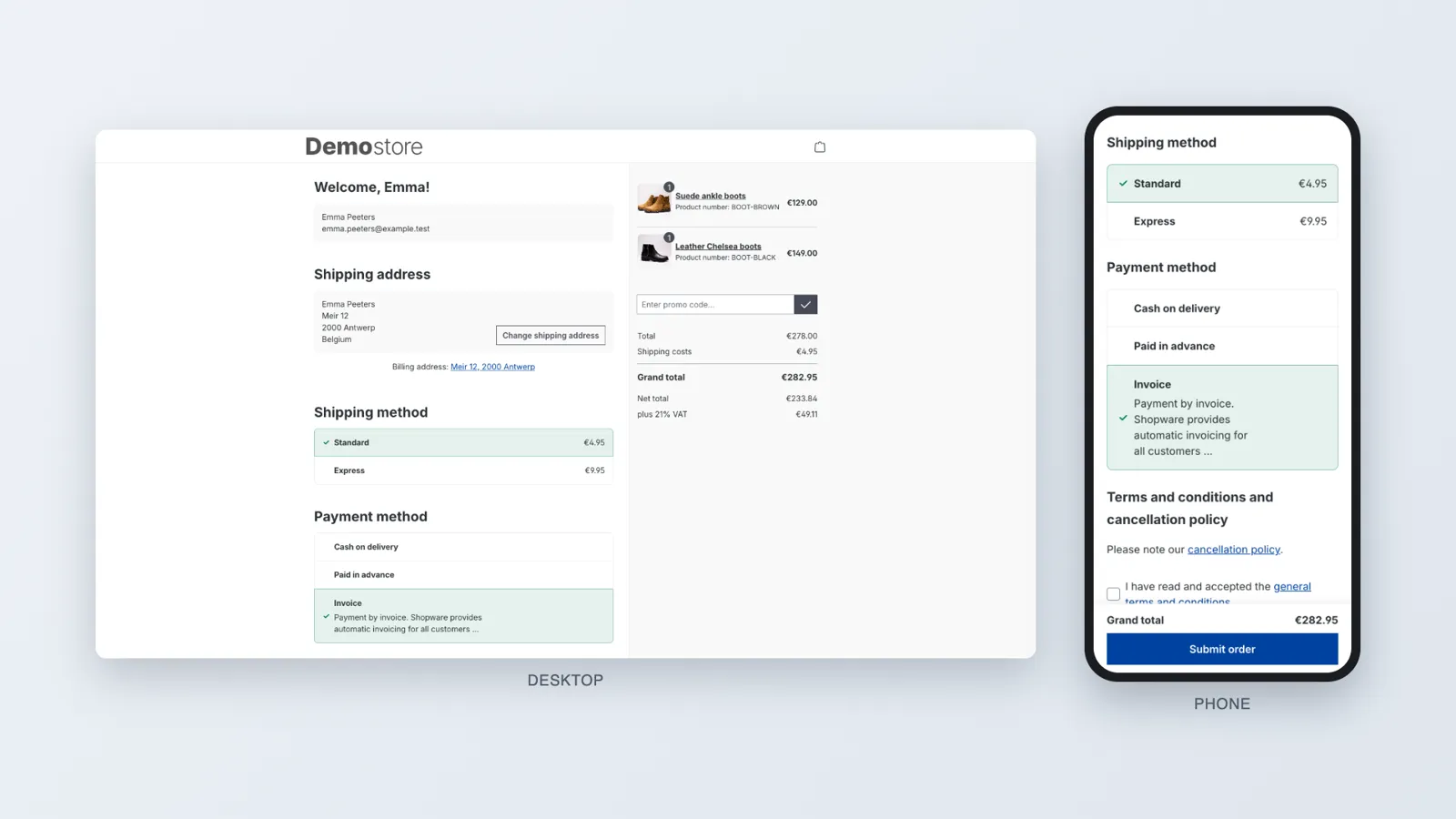
Every extra page in the checkout is a moment to give up. One Page Checkout puts the address, the shipping method, the payment method and the order button on one page, next to an order summary with the total and the promo code field. No navigation, no distractions, just your logo and what the customer needs to finish the order.
Guests
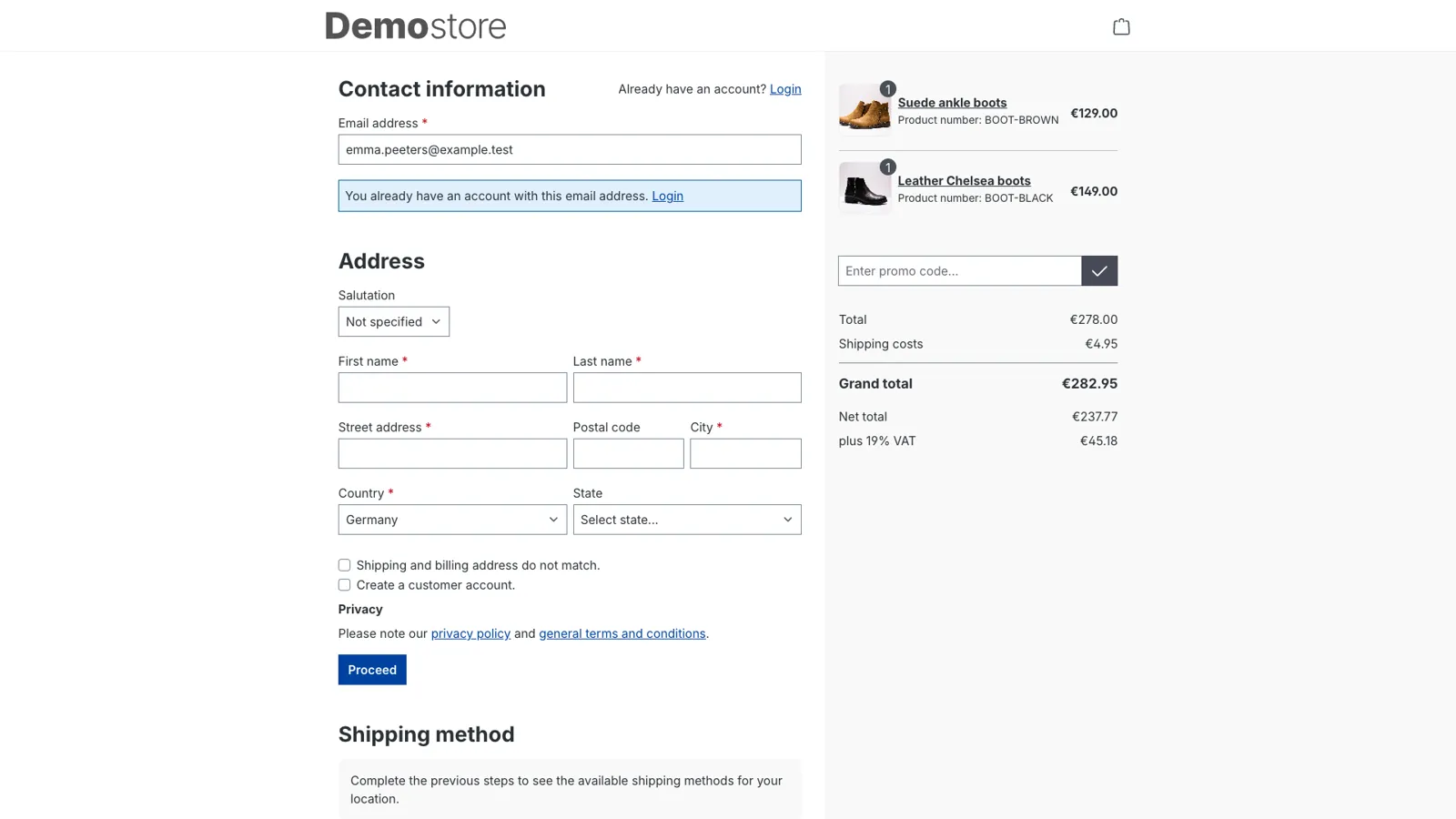
Guests enter their email address and address, and as soon as everything is filled in, the shipping and payment methods appear. No "Next" button, no extra page. If the email address already has an account, the checkout says so and offers to log in, right there in a pop-up. Customers who want an account tick one box and choose a password.
Shipping and payment
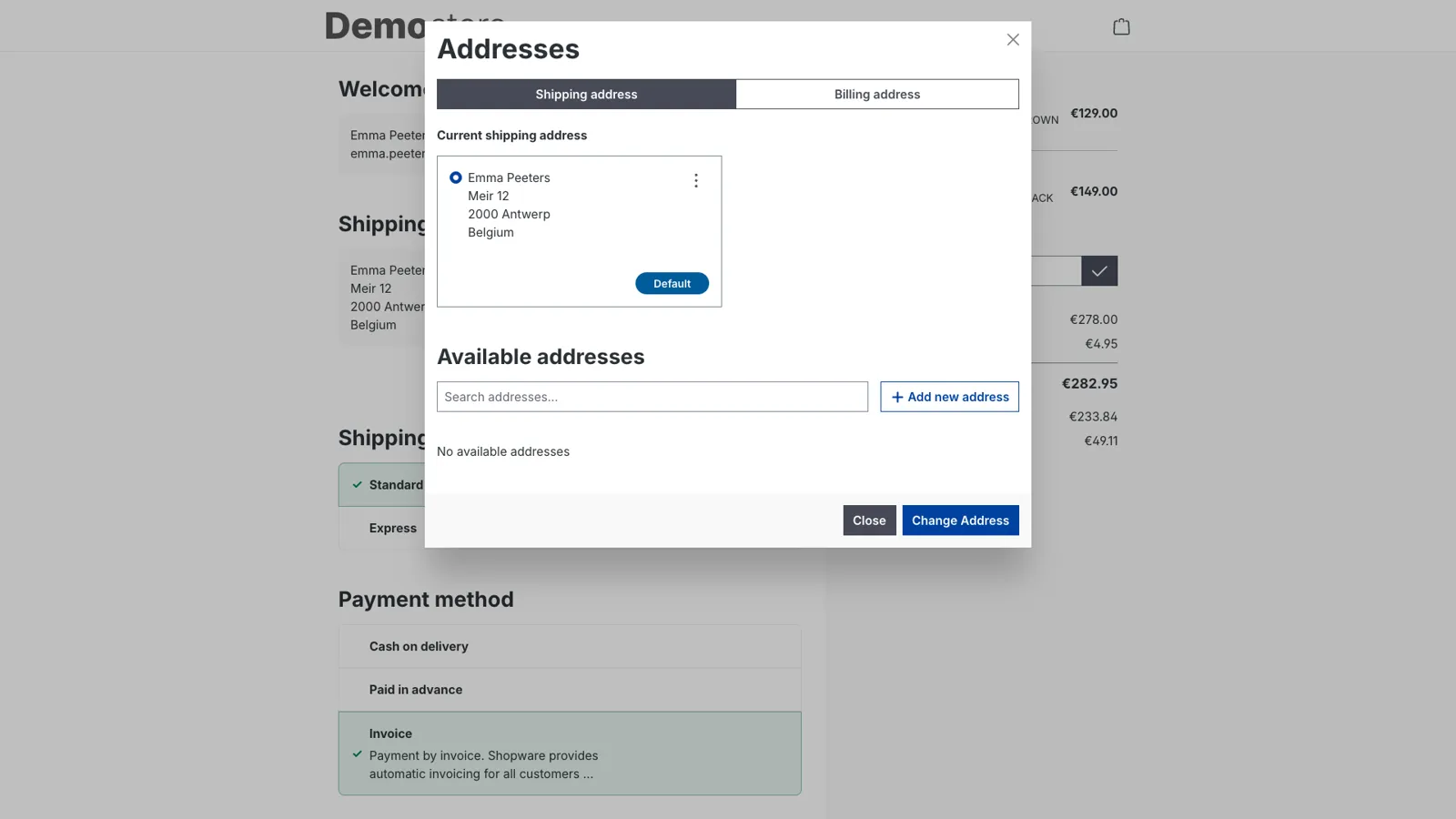
Every shipping method shows its price, calculated the same way as the cart: weight, quantities, free shipping products and promotions included. Choosing another shipping or payment method updates the page without reloading it. Addresses are changed in Shopware's address pop-up, without leaving the checkout.
Made for phones
On a phone, the order summary folds away behind a button that shows the total. The total and the order button stay at the bottom of the screen while scrolling, so they're always in reach. Full-width fields and buttons and large tap targets make the form easy to fill in with a thumb.
Accessible
The checkout works with the keyboard and with screen readers. After a failed submit, a list at the top names every field to correct, with a link to each one. Screen readers hear the selected method and the new total when they change, and the selected method is marked with a check, not only with a colour. Built with the European Accessibility Act in mind.
Settings
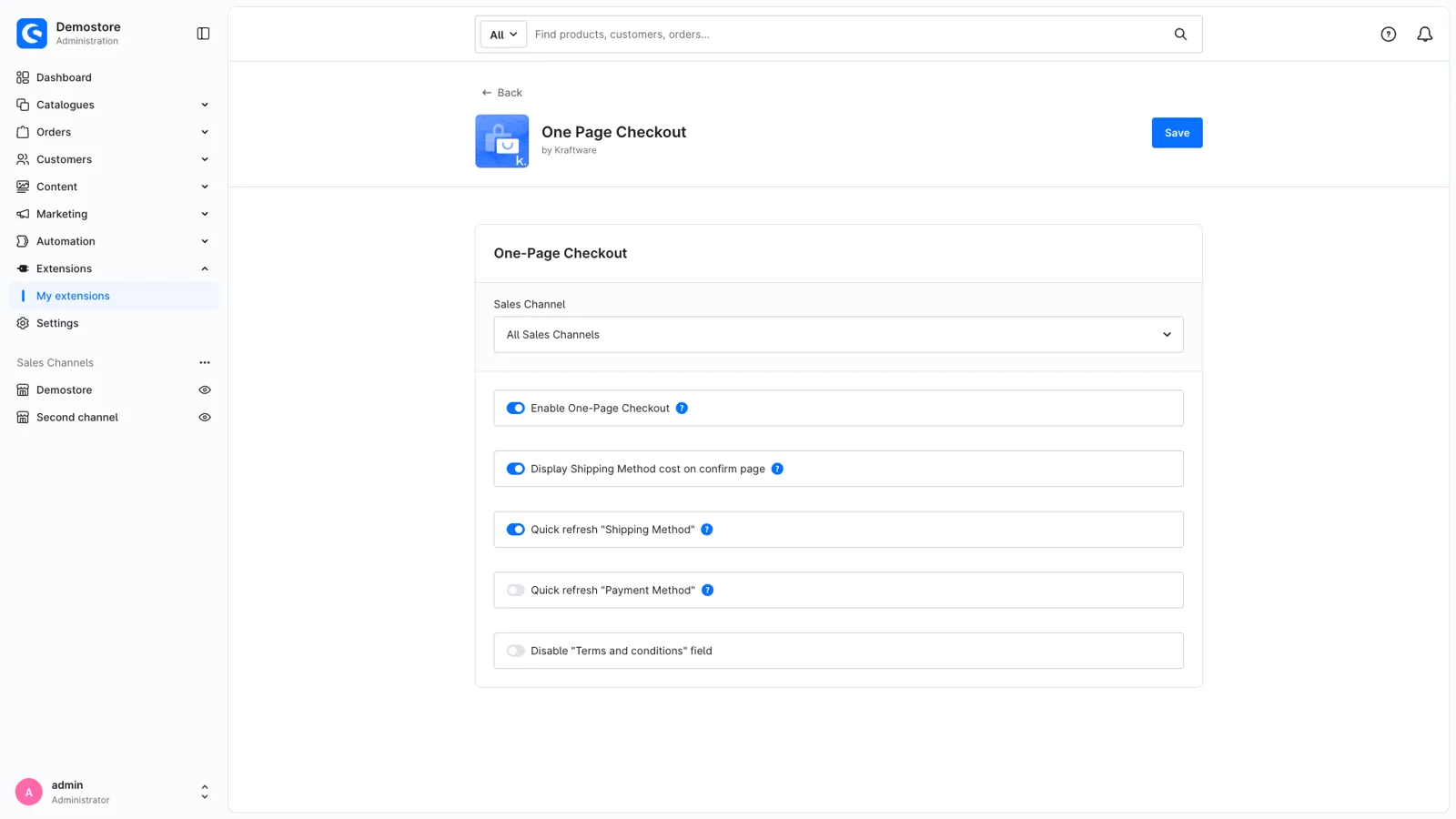
Switch the one-page checkout on or off per sales channel, and turn the shipping prices and the quick refresh of shipping and payment on or off. Switched off, your shop uses the standard Shopware checkout again.
The checkout keeps Shopware's own checkout addresses (/checkout/confirm) and app script hooks, and comes in 8 languages: English, German, Dutch, French, Italian, Spanish, Polish and Danish.
Get One Page Checkout for your store
Install it from the Shopware Store. A question along the way? You get an answer from the developers who built it.