

Store management
Product Studio: Bulk Editing, Data Quality & Translations
Edit your catalogue in a sheet that works like Excel, change prices in bulk with a check first, and find missing data and translations.
In review at Shopware, coming soon to the Shopware Store
At a glance
- Edit many products at once, paste from Excel
- Price rules you check before they are saved
- Every change can be reverted later
Screenshots
About Product Studio: Bulk Editing, Data Quality & Translations
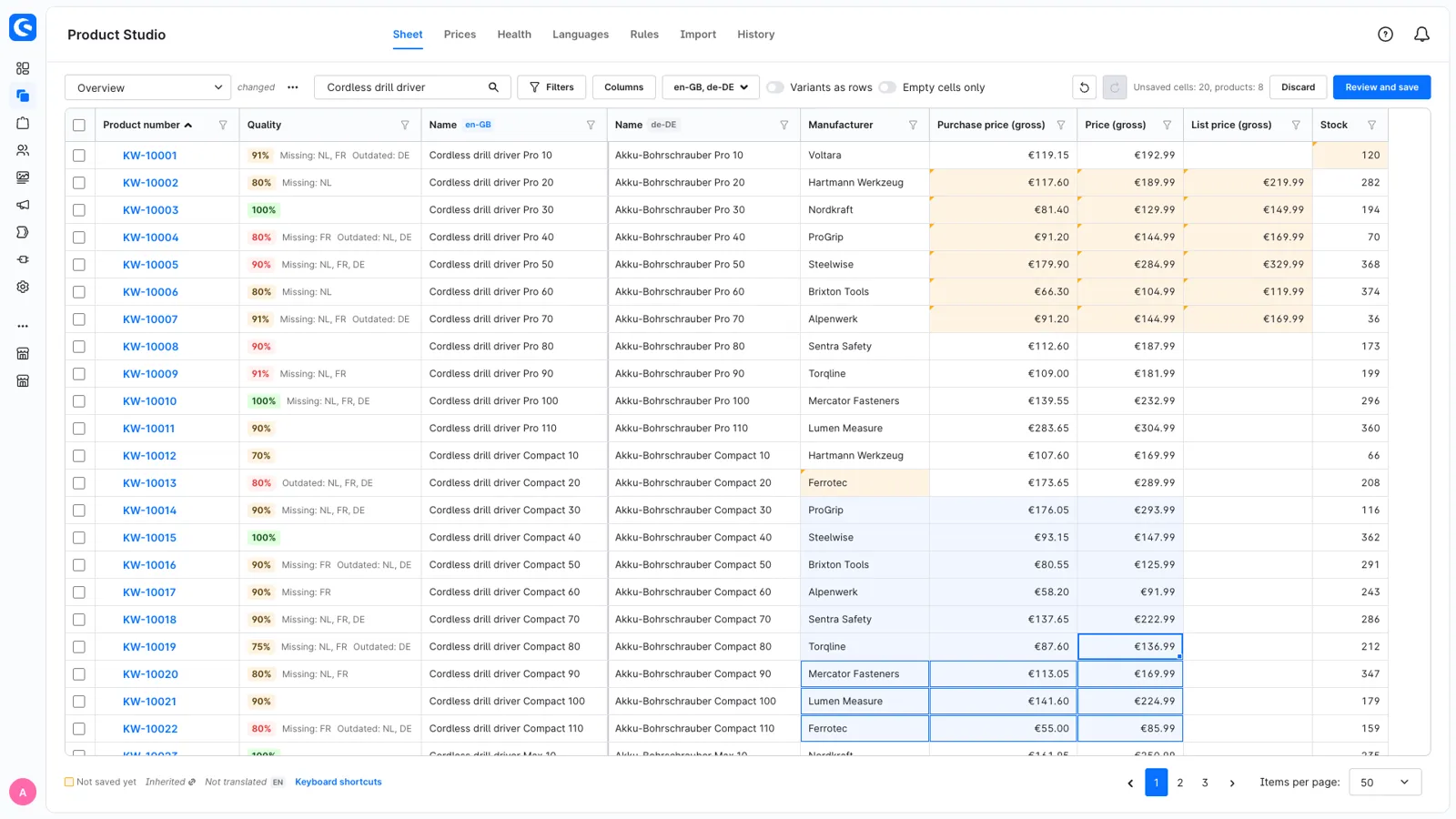
Product Studio adds a spreadsheet view of your catalogue to the Shopware administration. You edit many products at once, change prices with rules that you check before they are saved, and see which products miss data or translations. Every change is shown before it is saved and can be reverted later. All data stays in Shopware; there is no second catalogue to keep in sync.
The sheet
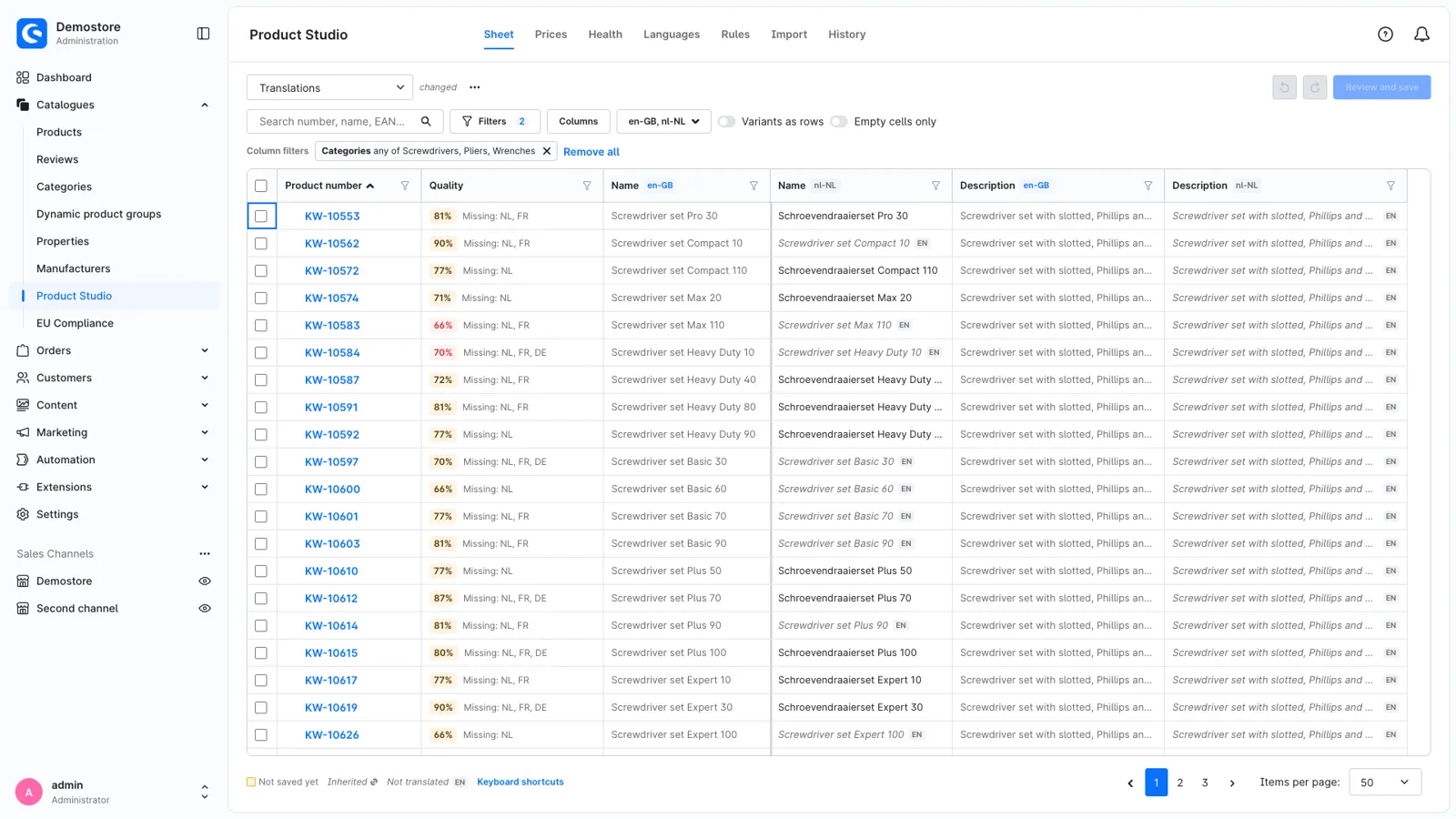
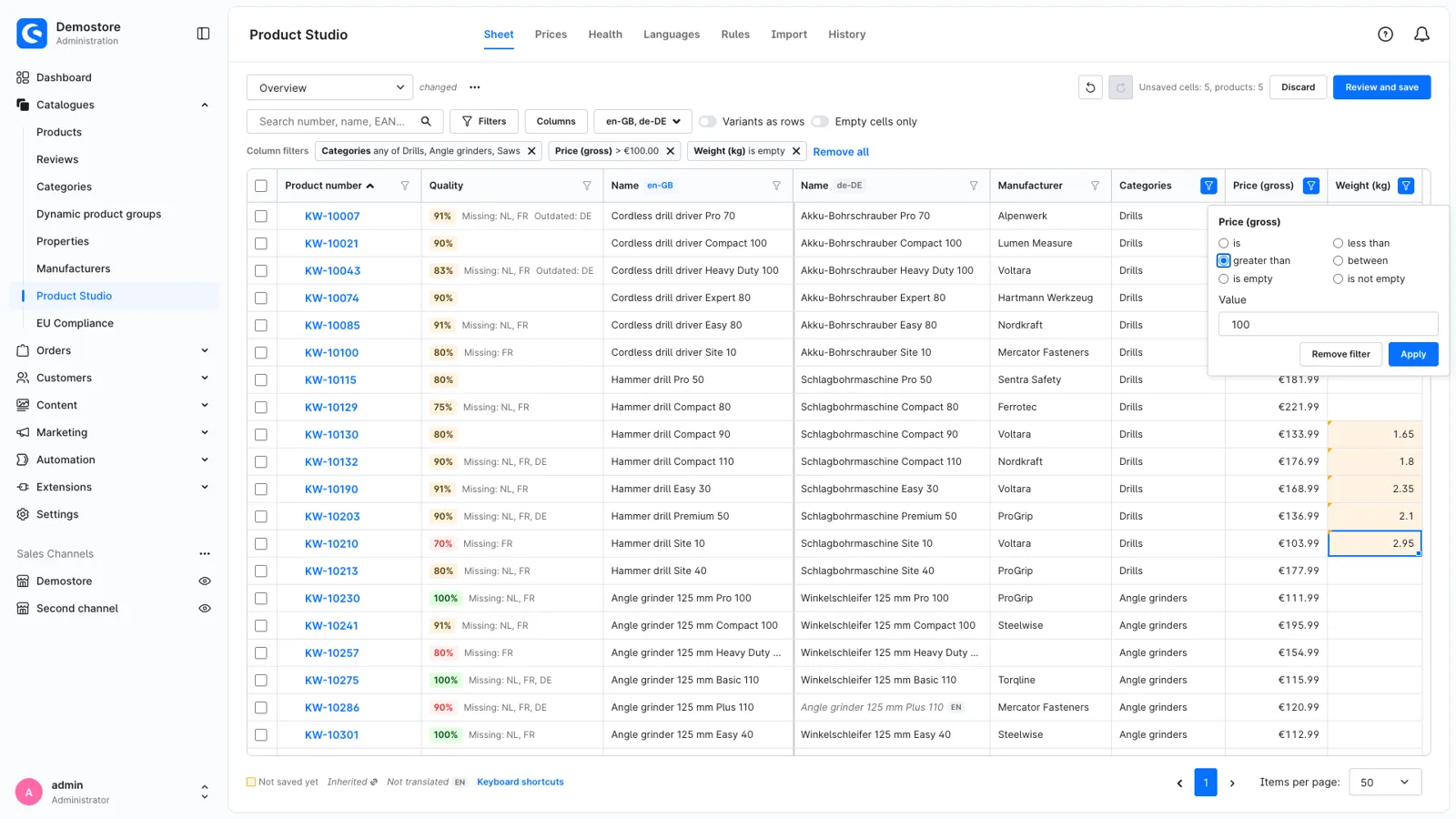
- Choose the columns you need: texts in several languages, prices, stock, manufacturer, categories, properties, custom fields, SEO and shipping data.
- Use the keyboard as in Excel: arrow keys, Shift to select a range, Enter to move down, Ctrl+D to fill down and Ctrl+Z to undo.
- Paste a block of cells from Excel or Google Sheets. Names of manufacturers, categories and property values are recognised.
- Filter any column, for example "weight is empty", "price above 100" or "no German name". Filters work per language and include the values variants inherit.
- Variants are listed under their main product, with inherited values in grey. Save columns, filters and languages as a view and share it with your team.
Prices
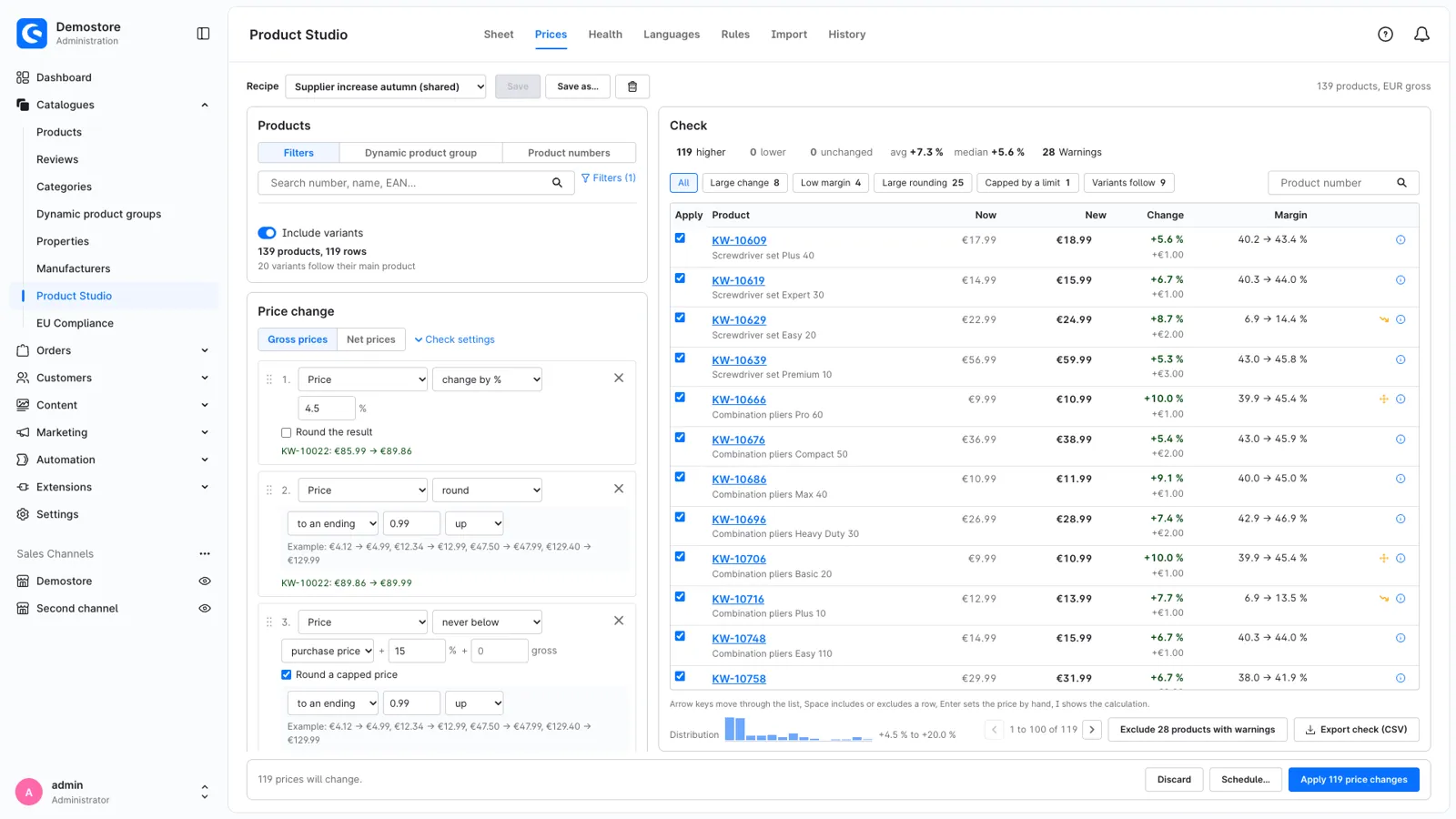
- Describe a price change in a few steps: a percentage or amount, a price from the purchase price or a target margin, rounding to .99 or to price bands, and a lower limit such as cost plus 15 %.
- Use different rules per category, manufacturer or price range in the same change. List prices, prices in other currencies, advanced prices and purchase prices from a supplier file are supported.
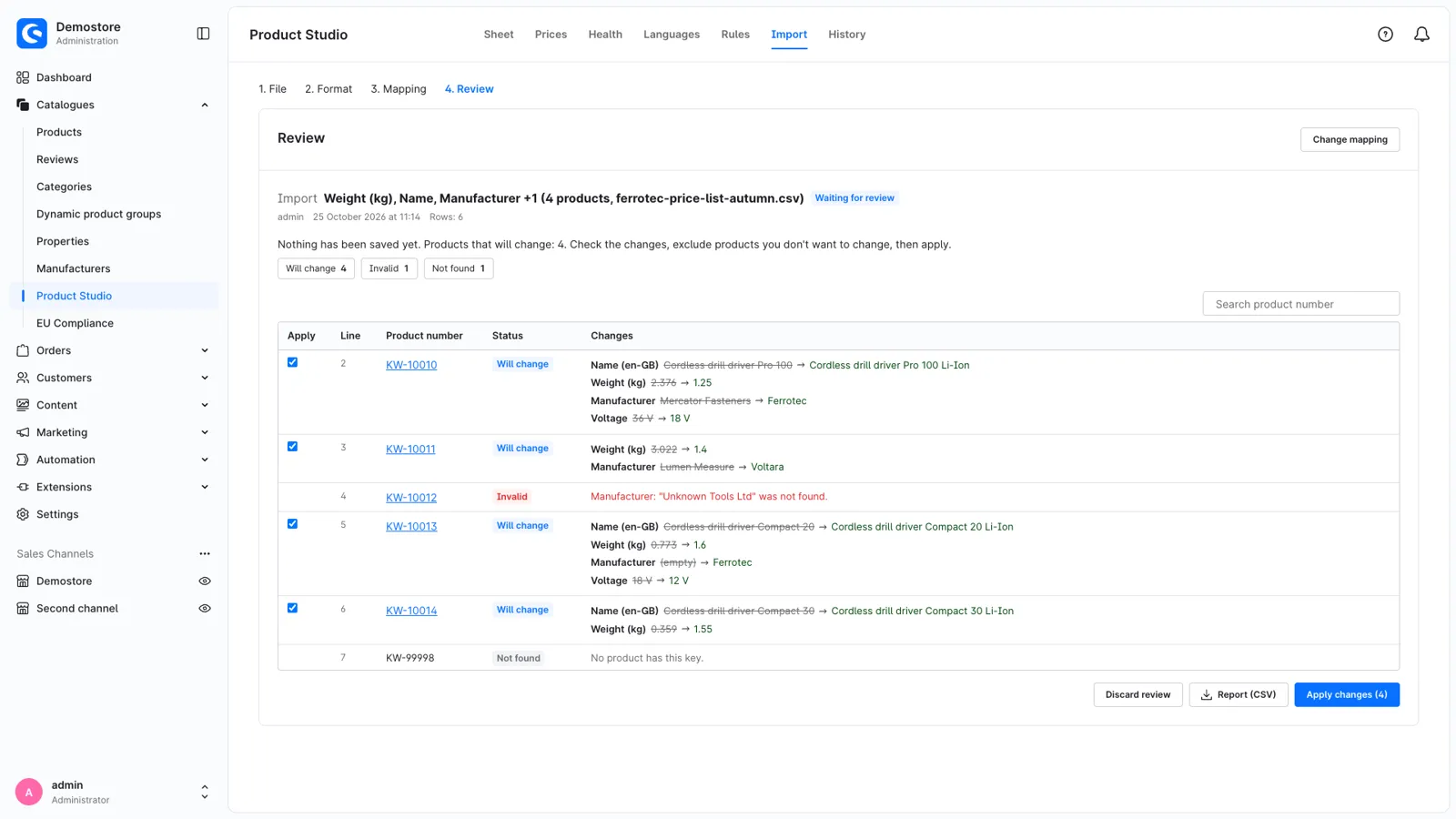
- Before anything is saved, a list shows every product with its old and new price, the difference, the margin and a warning for unusual changes. Leave out products or enter a different price.
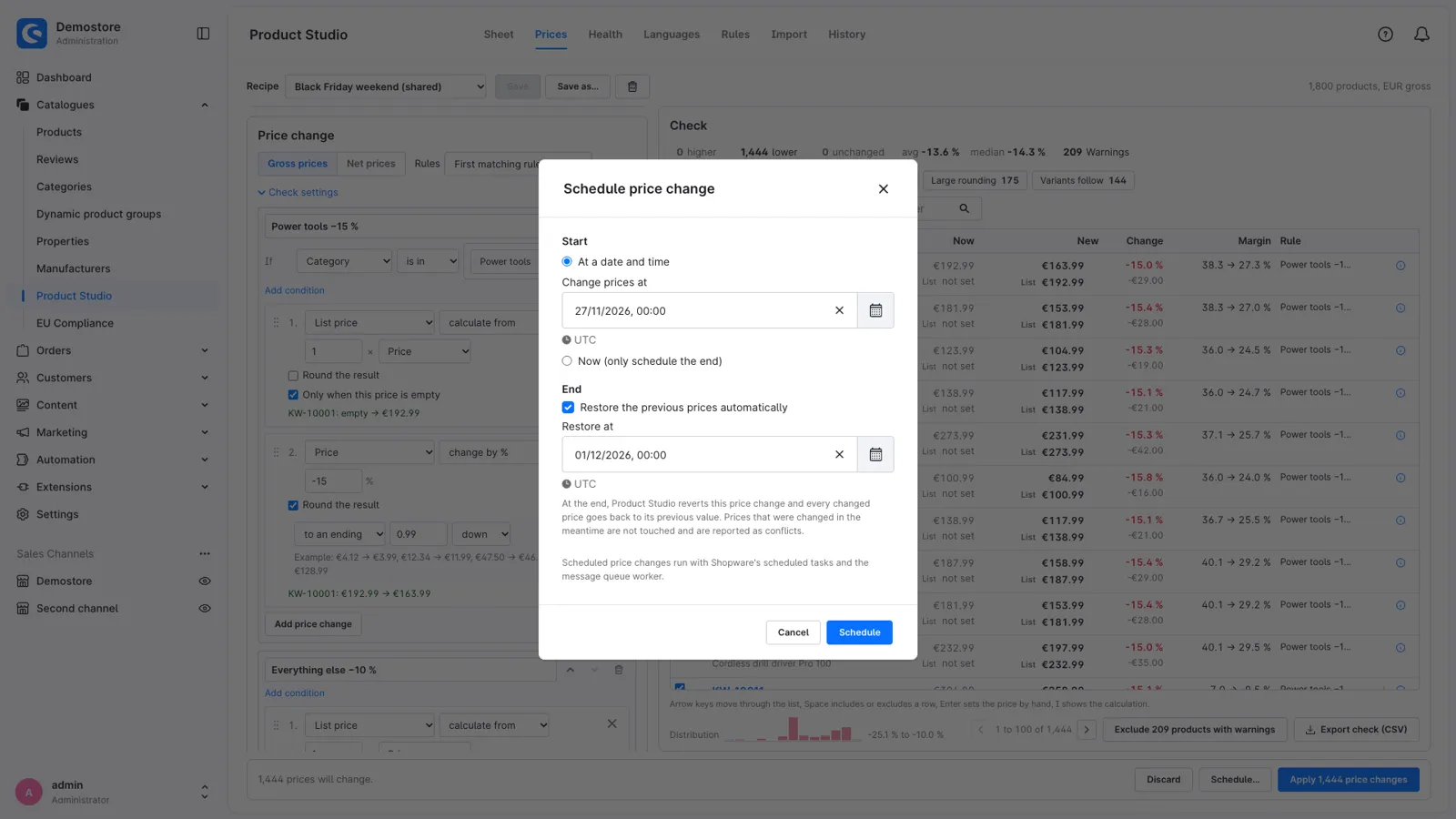
- Apply the change now or at a set time. A sale can end automatically and bring back the previous prices, and large price changes can wait for approval by a colleague.
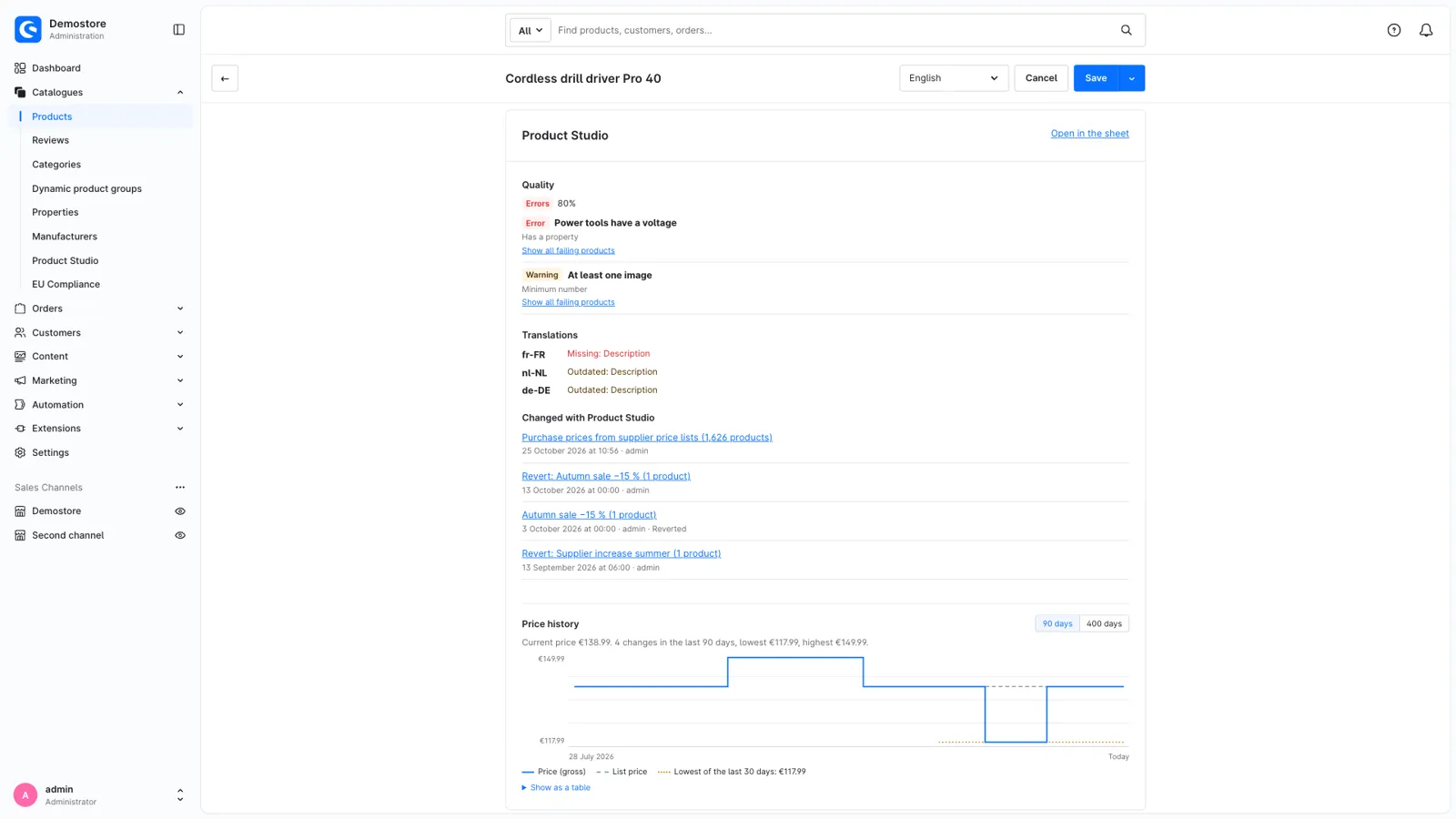
- A price history keeps the lowest price of the last 30 days, which the EU price indication rules ask for when you show a price reduction. The product page shows it in a chart.
Review and revert
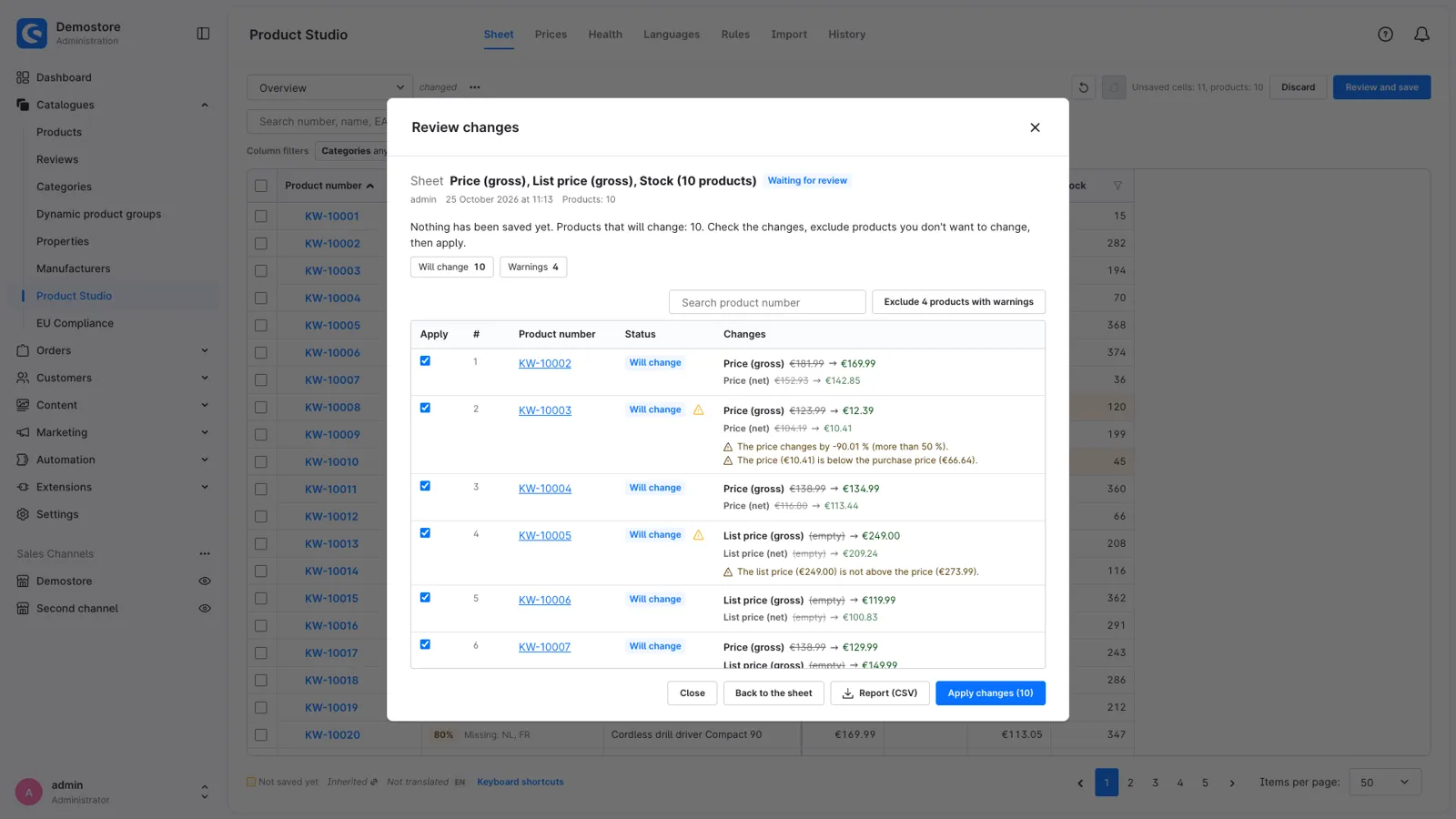
- Sheet edits, bulk edits, price changes and imports show the value before and after for each product before they are saved.
- If someone else changed a value in the meantime, it is reported as a conflict and not overwritten.
- Warnings point out likely mistakes, such as a price that drops by 90 %, a price below cost, a list price that is not above the price, an invalid EAN or placeholder text.
- Every change stays in the history with a report and can be reverted there.
Bulk edits
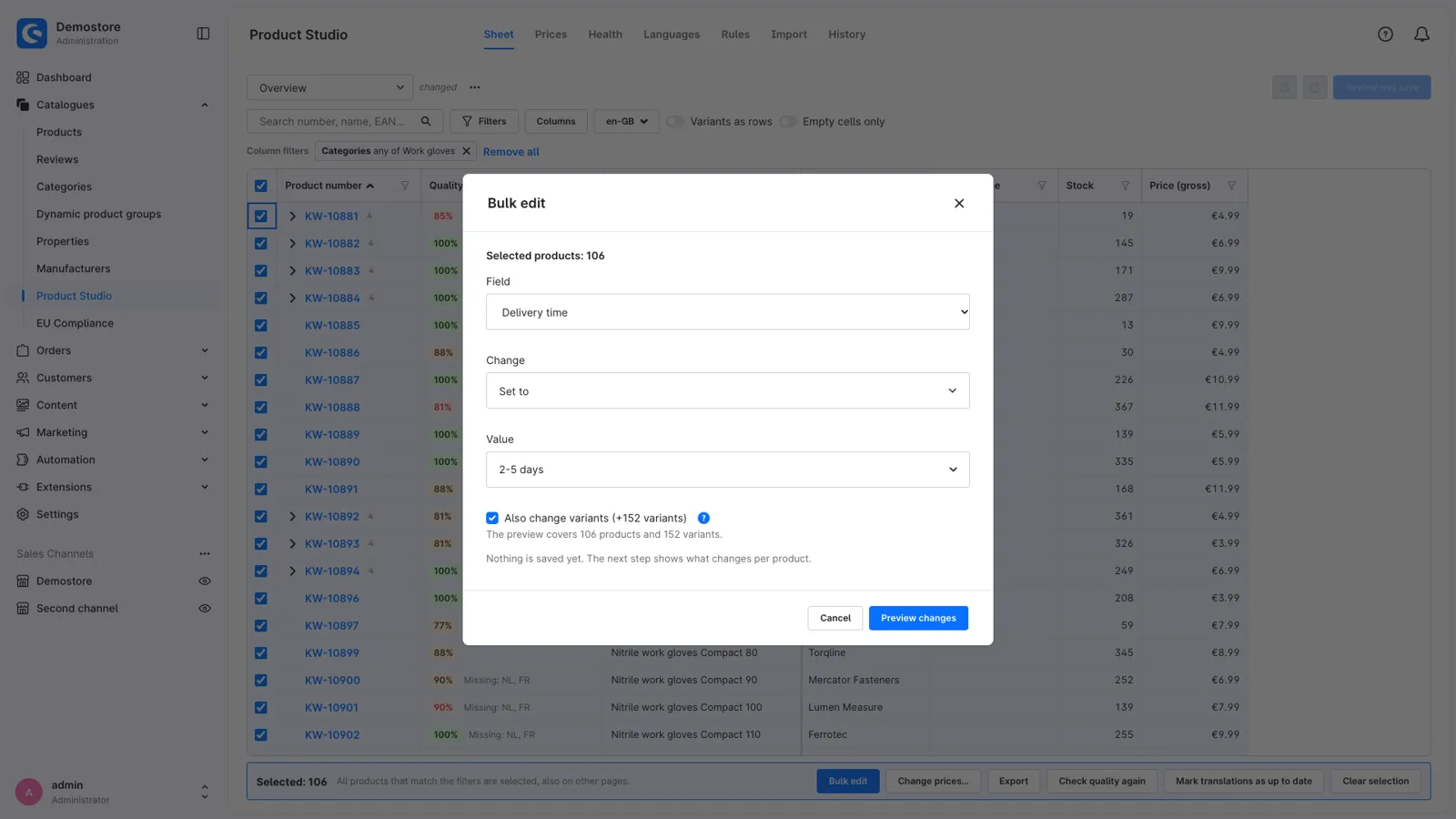
- Edit the selected products or all products that match your filters, with or without their variants, up to 50,000 products at a time.
- Set or clear a field, add or remove categories, tags, properties and sales channels, replace text without changing HTML tags, copy texts from another language or let variants inherit again.
- Large changes run in the background and show their progress.
Data quality
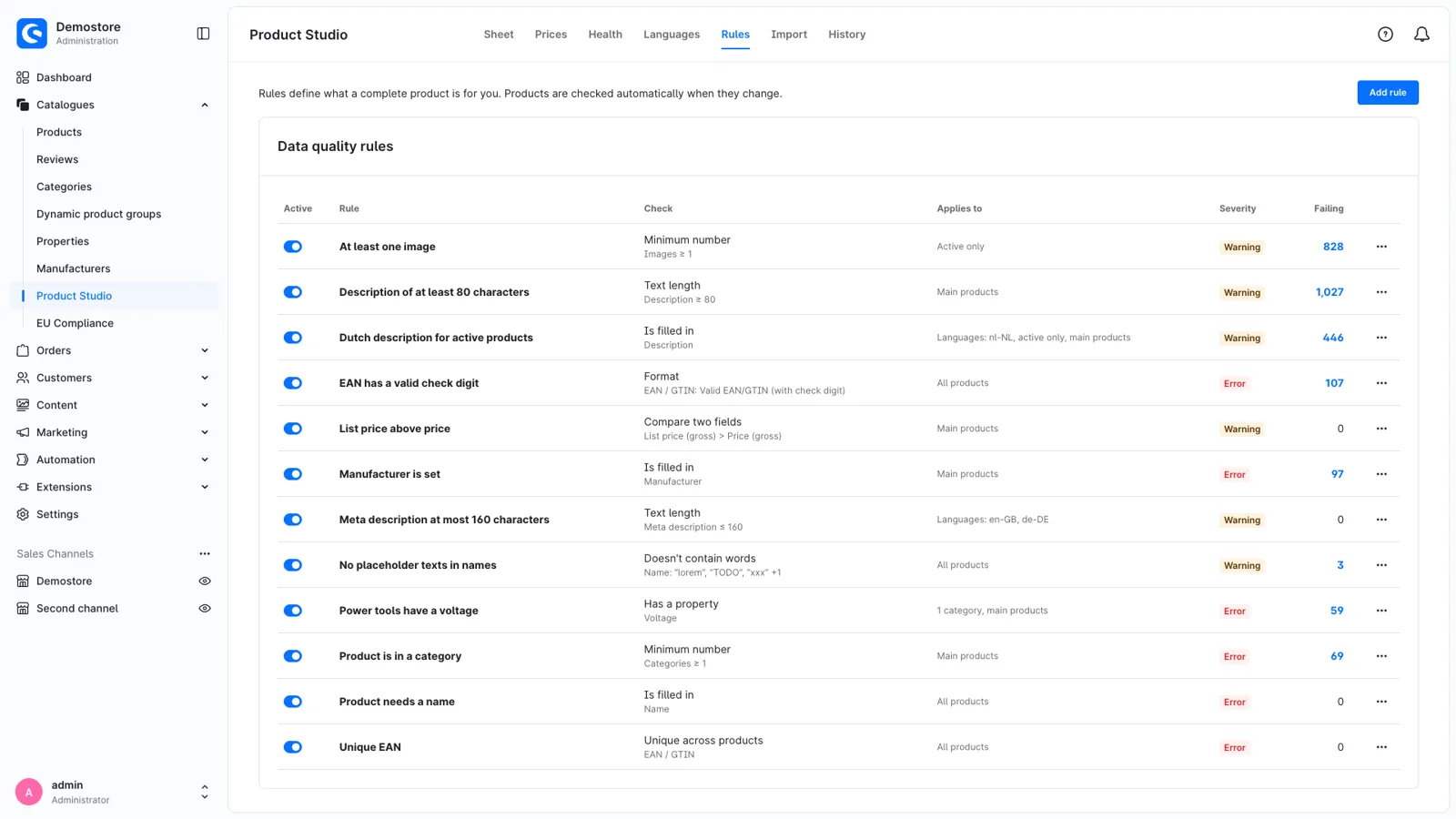
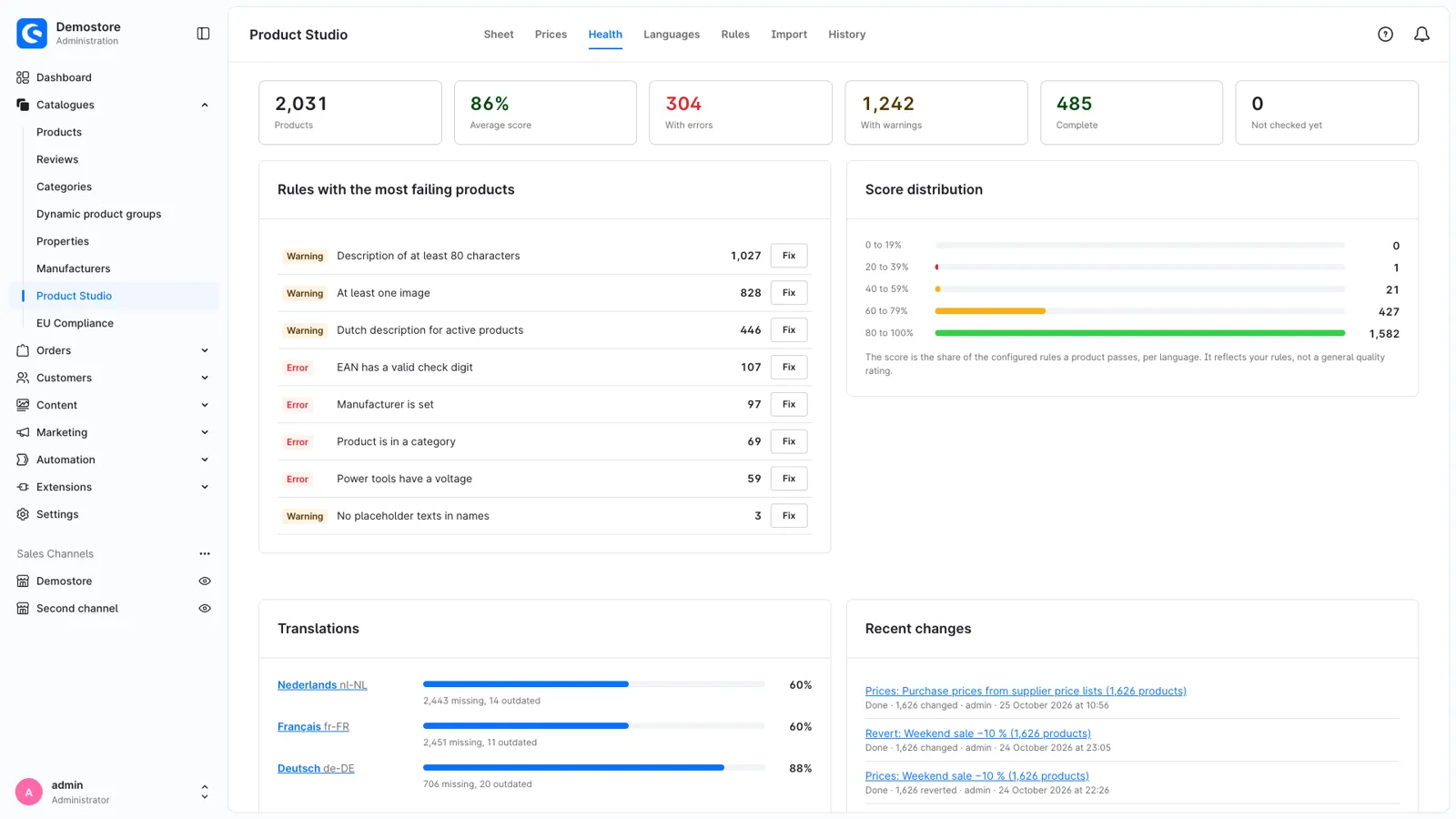
- Define what a complete product needs, for example a description of at least 300 characters, a valid GTIN, three images or a unique EAN.
- Apply a rule to all products, or only to a language, category, manufacturer, sales channel, tag or dynamic product group.
- Each product gets a score. An overview shows which rules fail most often and opens those products in the sheet.
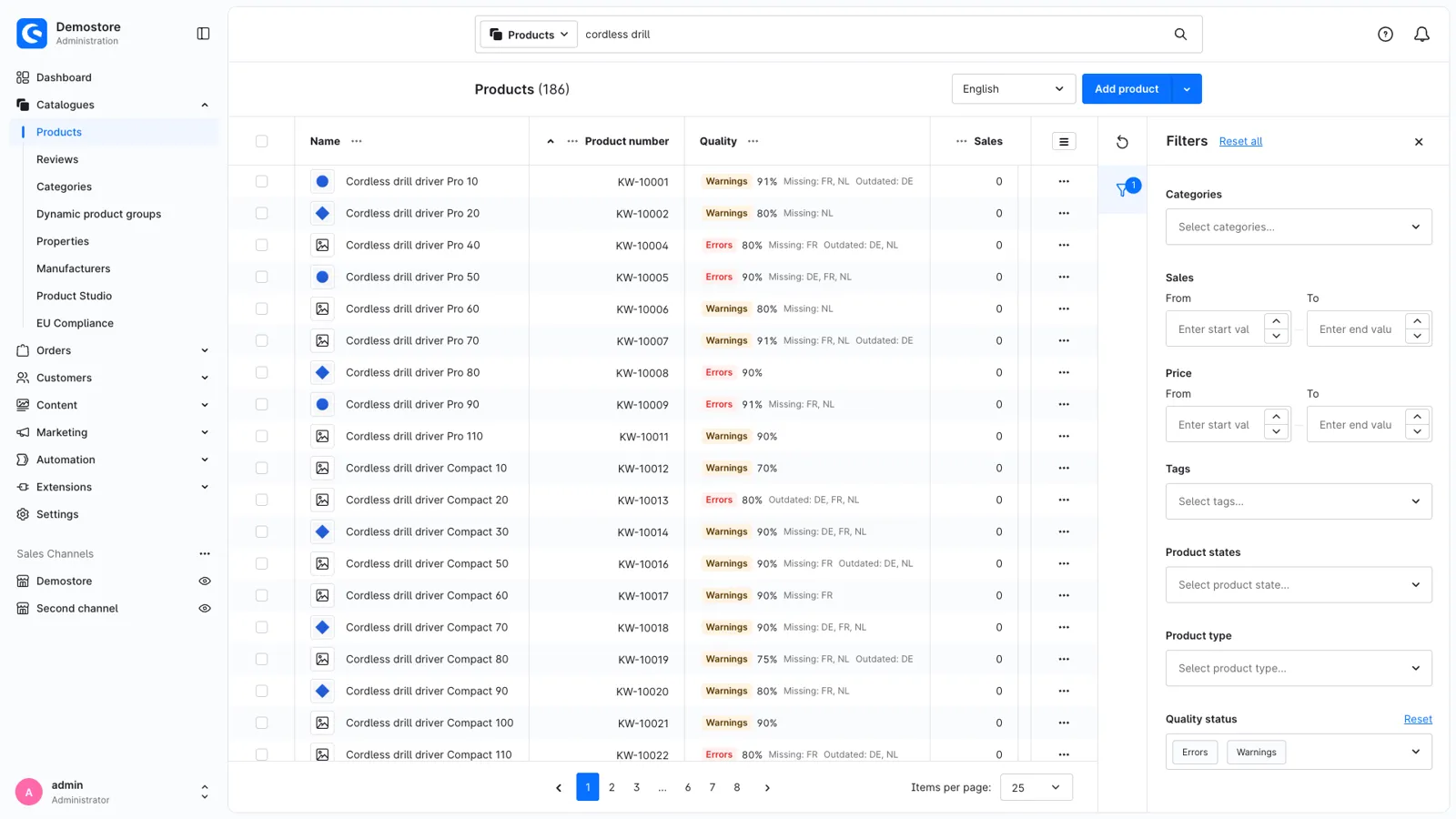
- The score is also shown in Catalogues > Products, as a column and a filter, and on the product page.
Translations
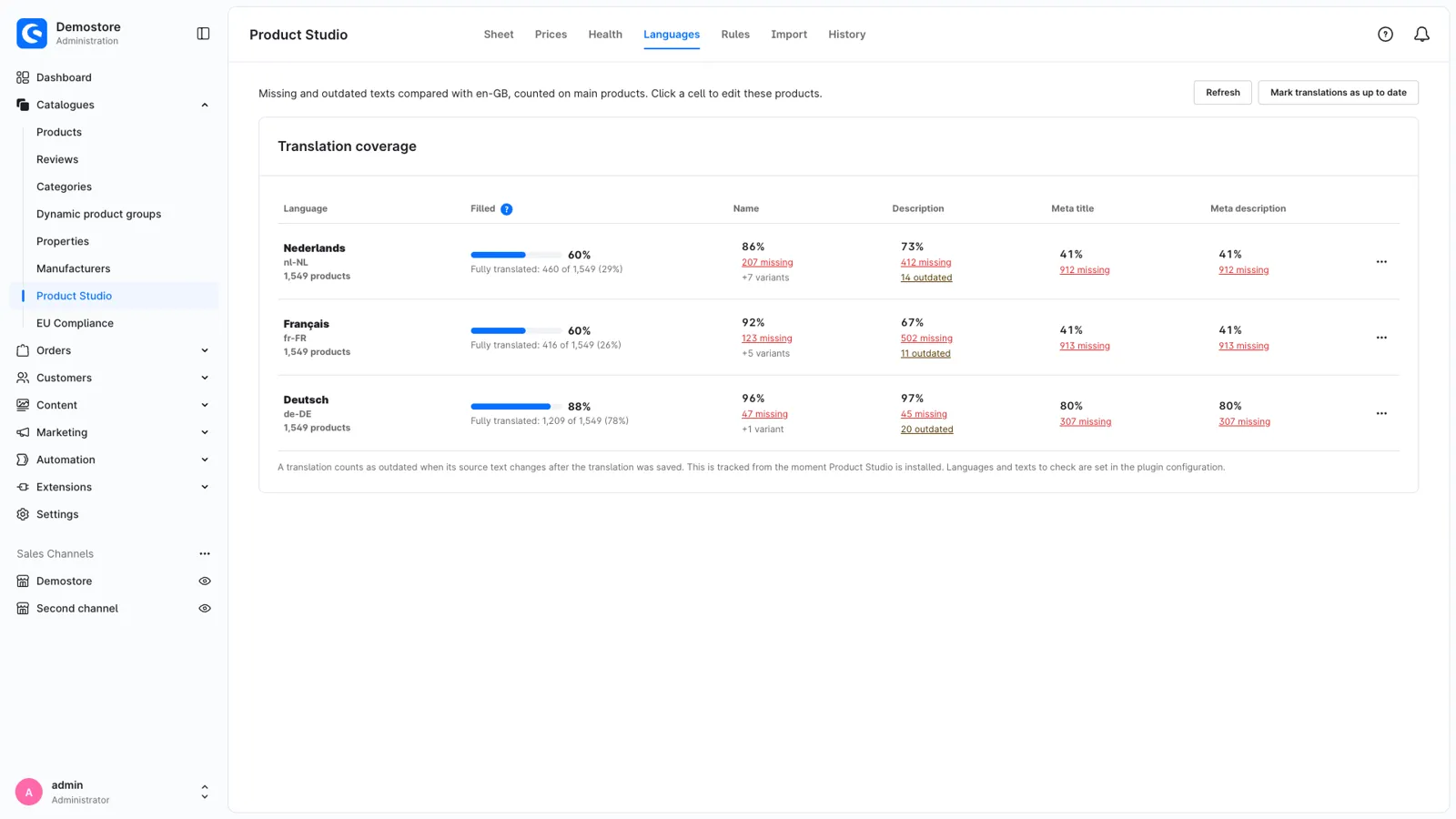
- See per language and field how many texts are missing or outdated.
- When a source text changes, its translations are marked as outdated. This also works for text custom fields.
- Translate in the sheet with the source text in the next column, or export the missing texts for a translation agency and import their file again.
Import and export
- Import CSV files from suppliers. The encoding and separator are detected, and the column mapping can be saved per supplier.
- Products are matched by product number, EAN or manufacturer number. Duplicate rows and unknown products are reported.
- An empty cell does not delete data unless you set that for the column. Every import starts as a dry run.
- Export any view to CSV for Excel, and import the edited file again.
Permissions and requirements
- Changes are saved with the permissions of the user who made them, also in the background. Bulk edits, imports, exports, reverts, rules, prices and price approvals each have their own permission.
- Changes to more than 100 products and scheduled price changes need the message queue worker and the scheduled tasks that Shopware recommends for live shops.
- The administration is available in English, German, Dutch, French, Spanish, Italian, Polish and Danish.
Support
If you have a question or an idea, or something does not work, contact us through the ticket form in your Shopware Account.
Get Product Studio: Bulk Editing, Data Quality & Translations for your store
It is in review at Shopware now and in the Shopware Store soon. Want it as soon as it is out? Ask us, the developers who built it.