

Content & CMS
Reusable Section Templates
Save CMS sections and reuse them to build new pages faster.
At a glance
- Save existing sections as templates
- Insert them into any CMS page
- Build consistent pages faster
Screenshots
About Reusable Section Templates
Build it once, use it everywhere
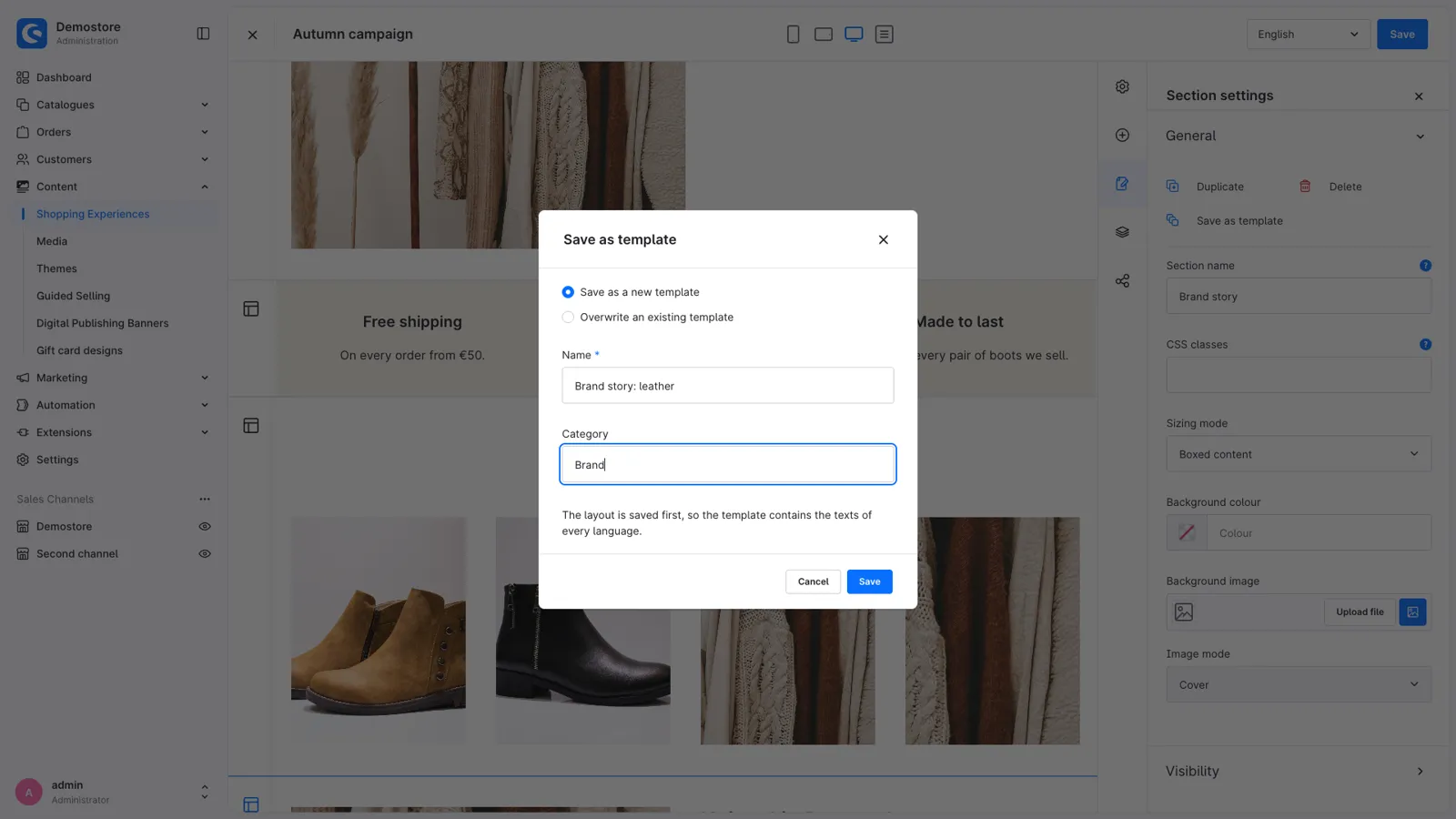
A good hero, a row of service promises or a newsletter teaser takes time to build in Shopping Experiences, and you need them on many pages. Save any section or block as a template, and insert it into any other layout in two clicks: with its blocks, images, settings and the texts of every language.
Section and block templates
- Save as template in the settings of every section and block. Give it a name and a category, or overwrite an existing template.
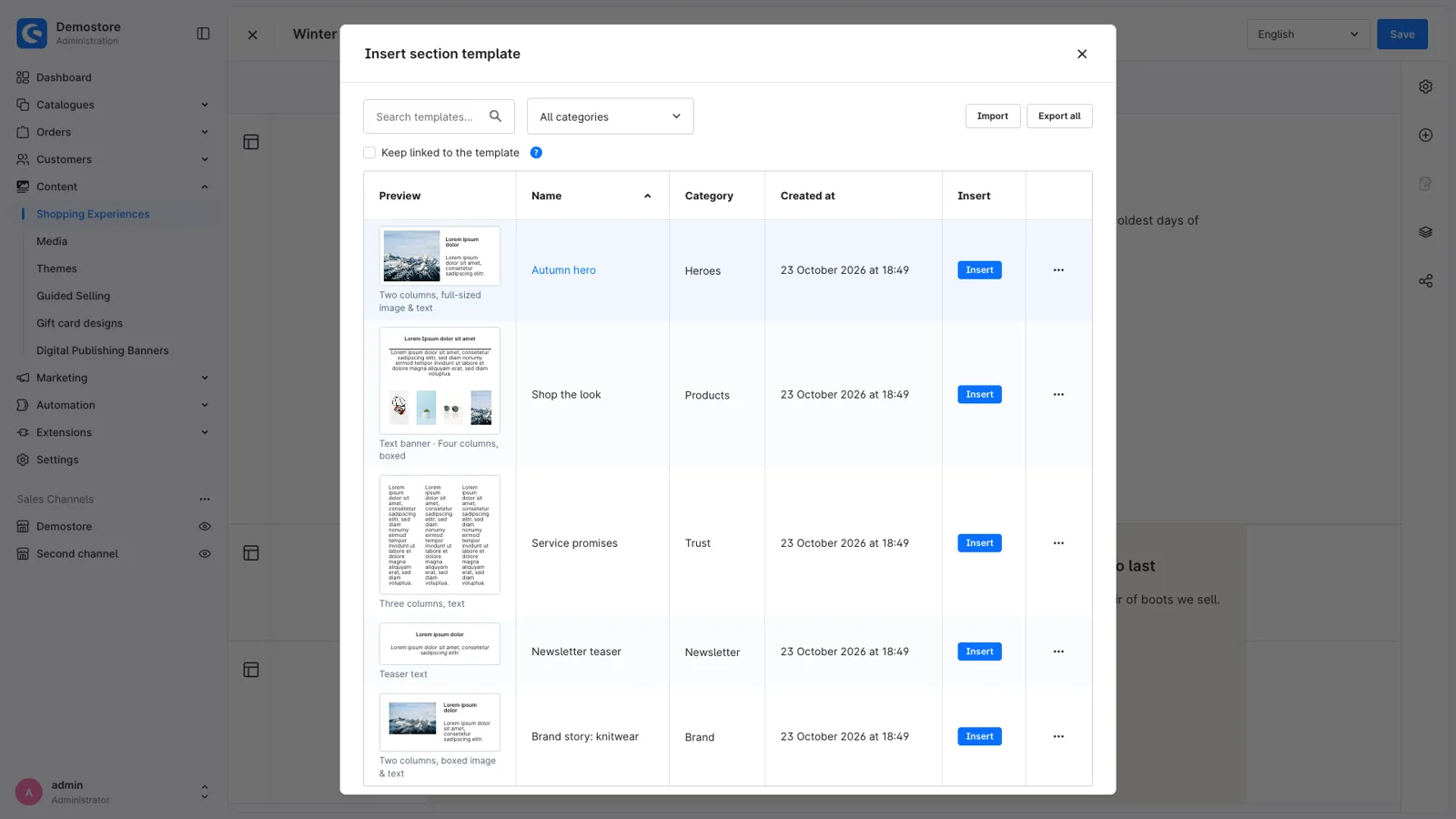
- Insert a section with the new "From template" section type. The template list shows a preview of the blocks, with search and categories.
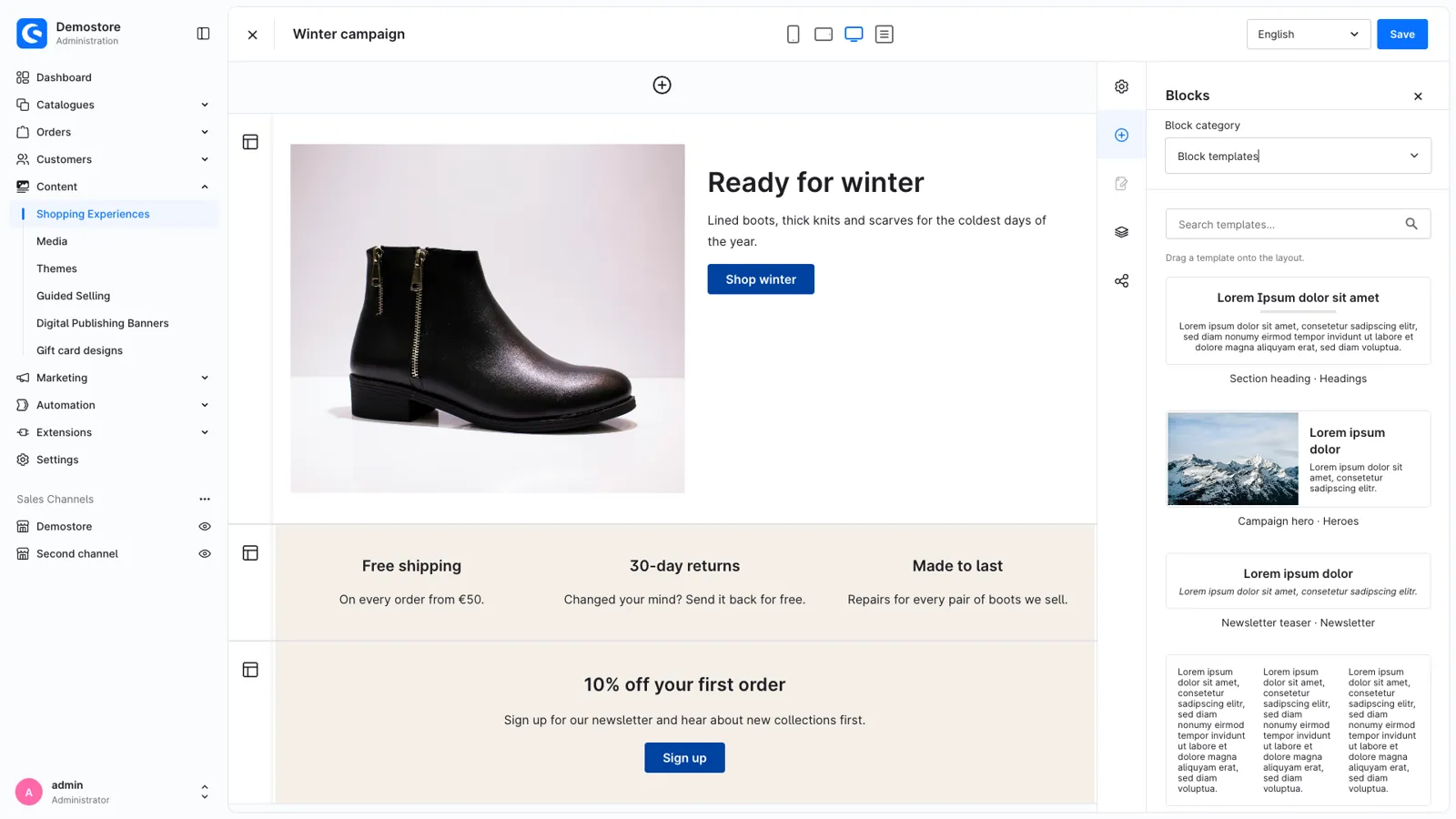
- Drag a block template onto the layout from its own category in the block library, like any other block.
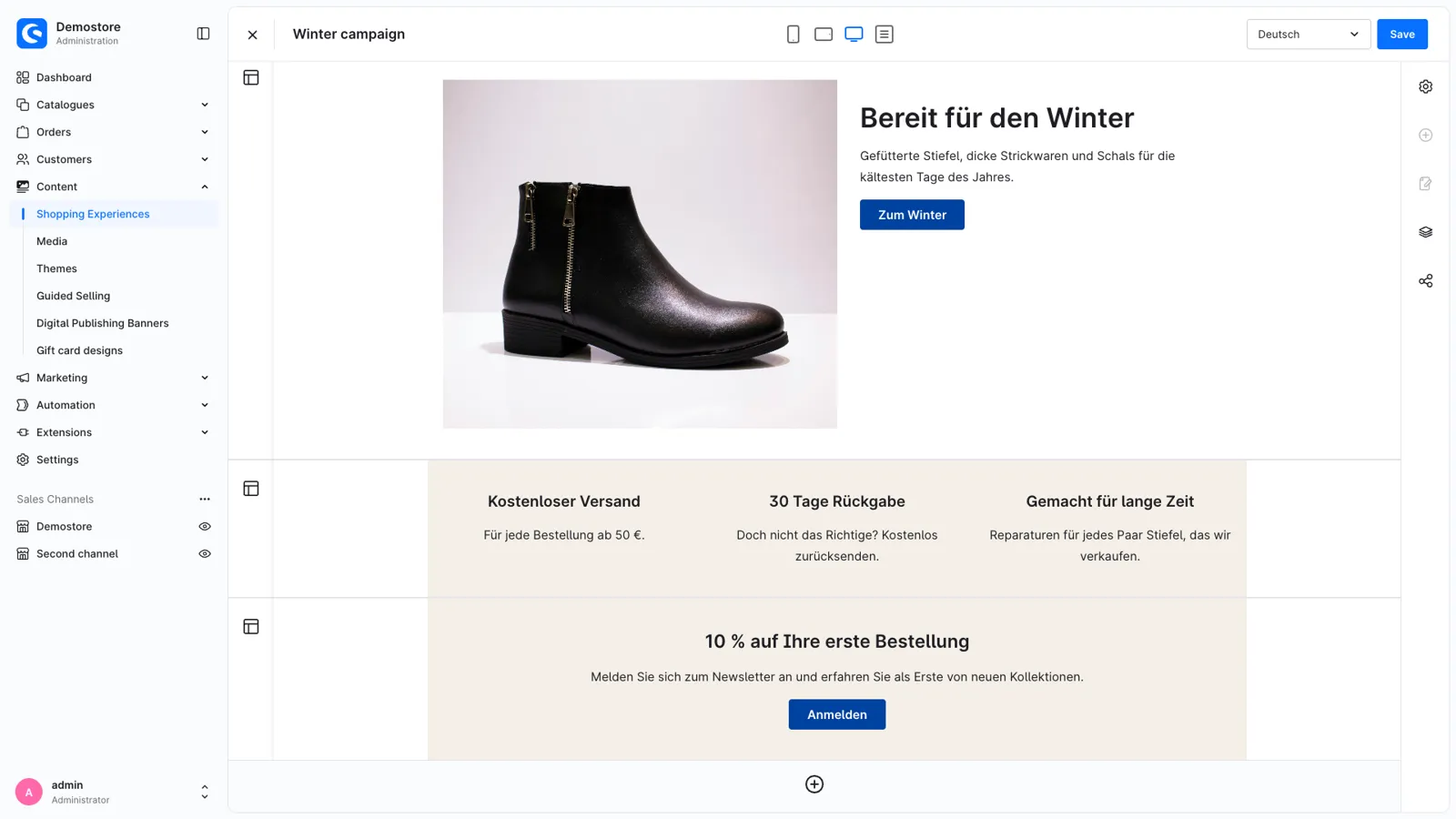
- Every language comes along: a multilingual shop doesn't need to fill in the texts again.
Linked sections
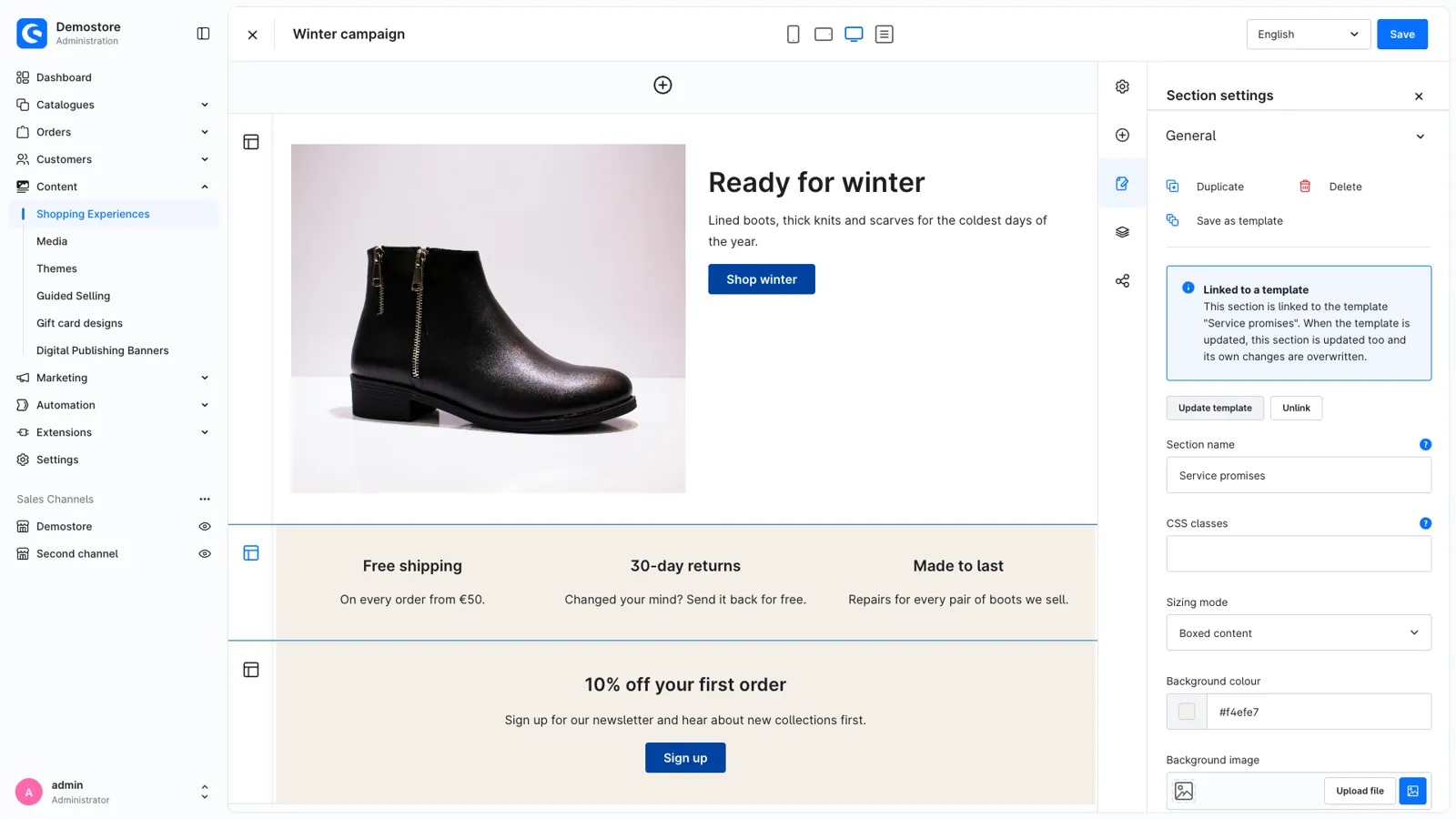
- Keep an inserted section linked to its template.
- Change one linked section and click "Update template": the template and every other linked section, on every page, follow.
- "Unlink" makes a section independent again.
Good to know
- Export and import templates as a JSON file, for example from staging to production.
- Works for every user with the Shopping Experiences permissions, not only administrators.
- Templates store any block, from Shopware or from other extensions.
- Administration in English, German, Dutch, French, Spanish, Italian, Polish and Danish.
Support
Questions, ideas or something not working? Contact us through the Shopware Account ticket form. We read every message.
Get Reusable Section Templates for your store
Install it from the Shopware Store. A question along the way? You get an answer from the developers who built it.