

Marketing & loyaliteit
Attribution Survey – How Did You Hear About Us?
Vraag direct na de bestelling "Hoe heb je ons gevonden?" en zie welke kanalen echt bestellingen en omzet opleveren.
In review bij Shopware, binnenkort in de Shopware Store
In het kort
- Eén klik voor je klant op de bevestigingspagina
- Vraag en opties aan te passen per taal en saleskanaal
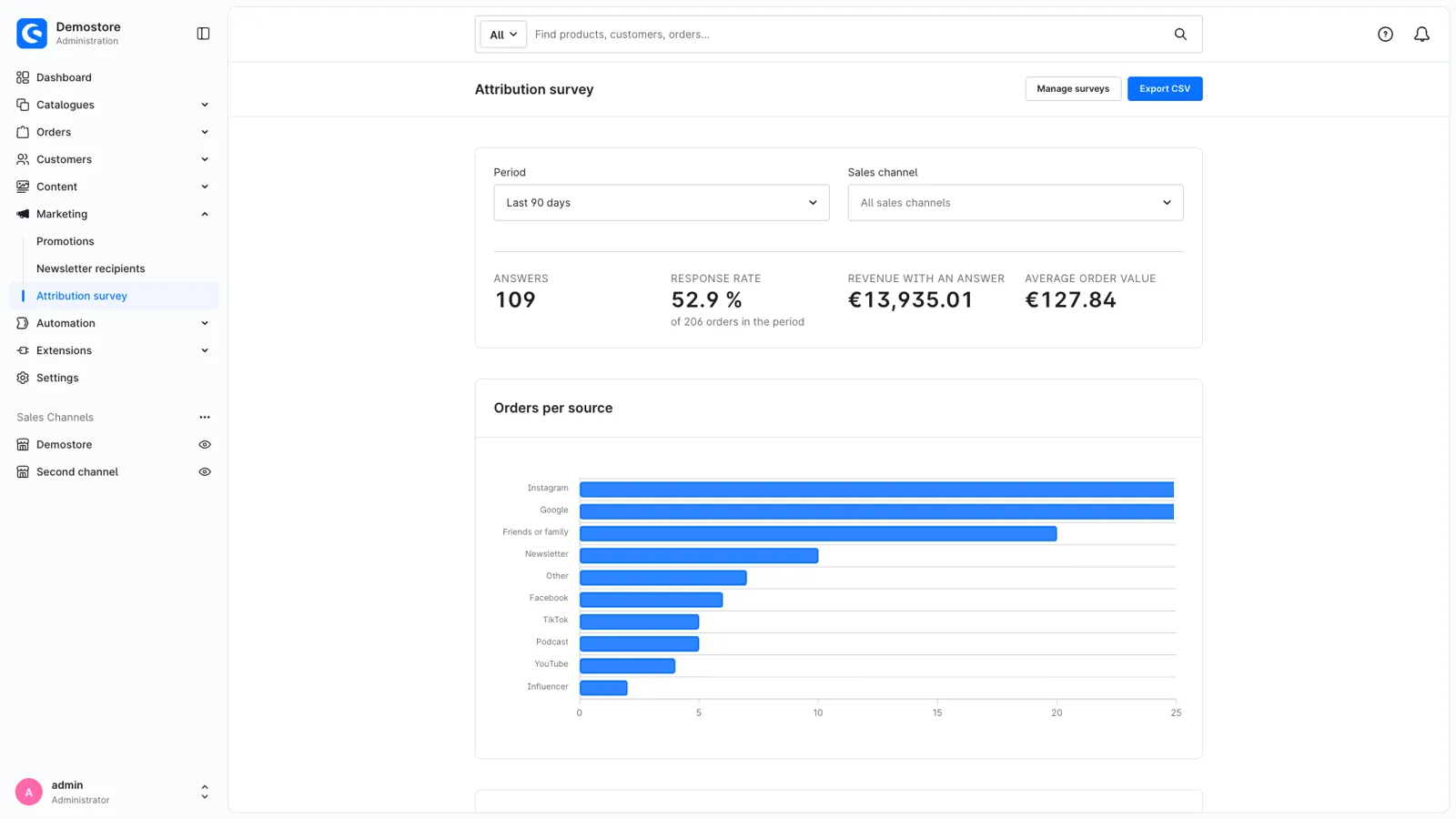
- Dashboard met bestellingen en omzet per kanaal
Screenshots
Over Attribution Survey – How Did You Hear About Us?
Deze beschrijving komt uit de Shopware Store en is enkel in het Engels beschikbaar.
Where do your customers really come from?
Cookie banners, ad blockers and privacy settings hide a large part of your traffic. Your analytics shows "direct" or nothing at all, while customers found you through a podcast, a friend, an Instagram story or a fair. Attribution Survey simply asks them, right after they ordered, when they're happy to give you one click.
One question, one click
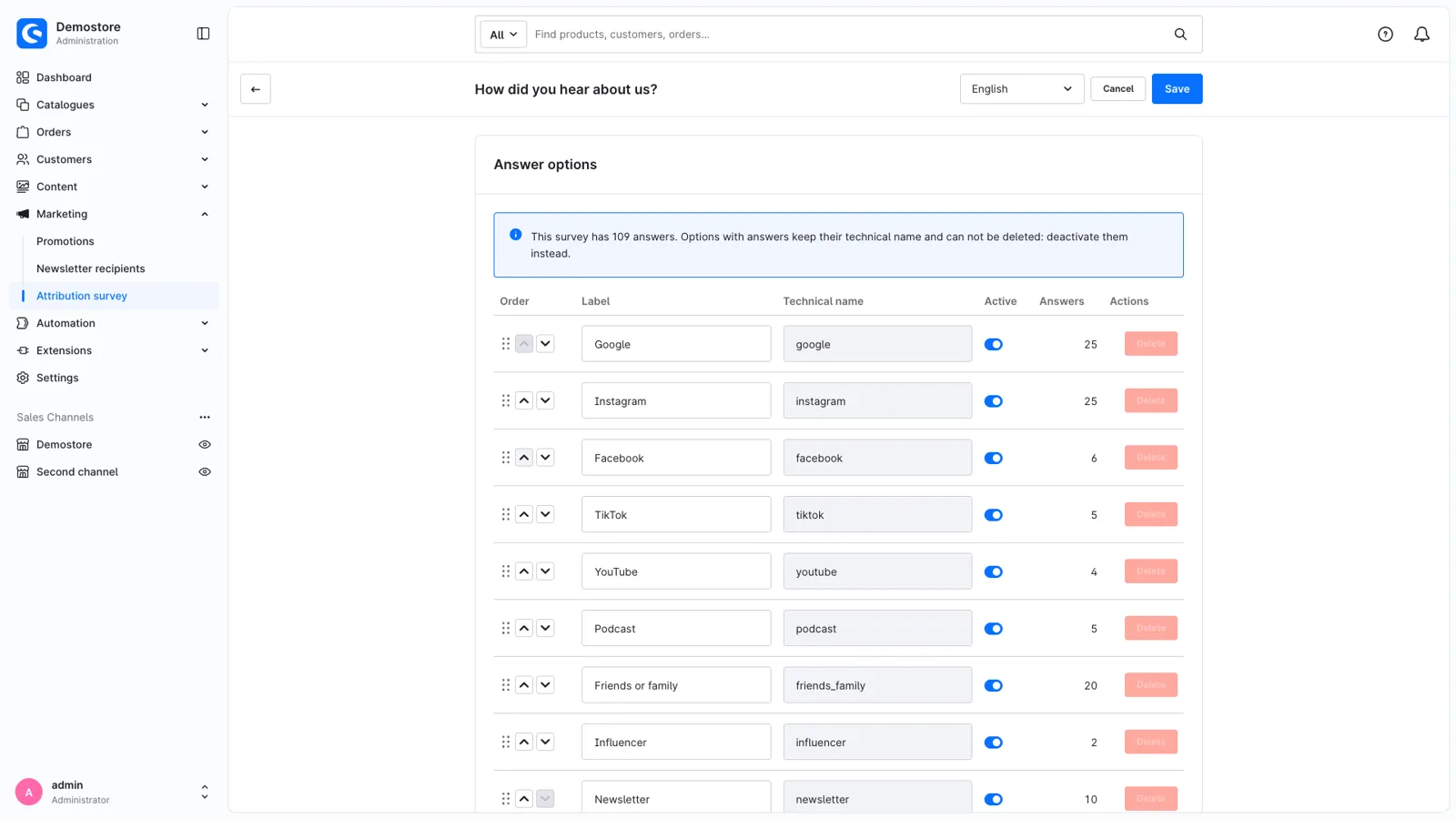
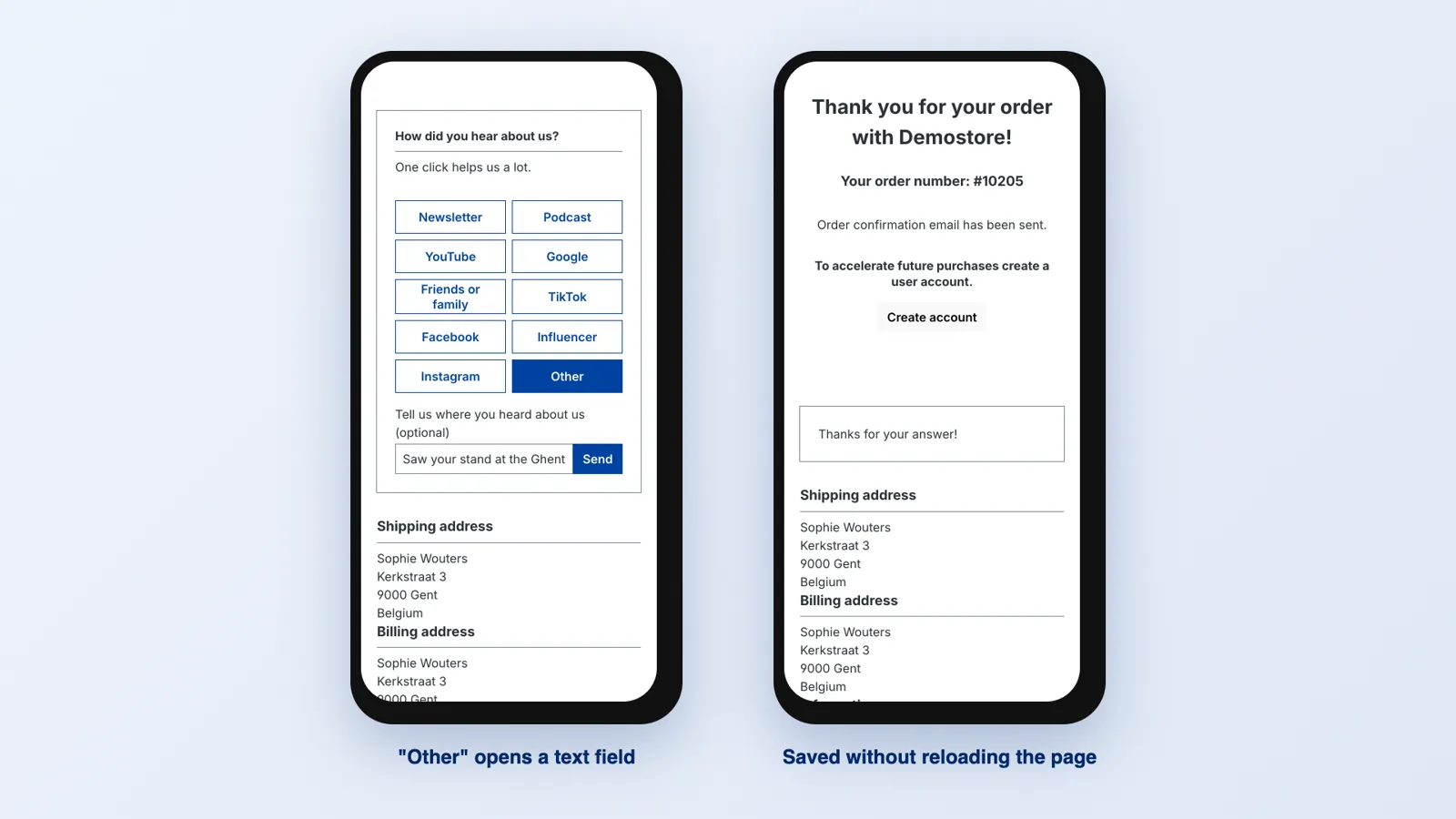
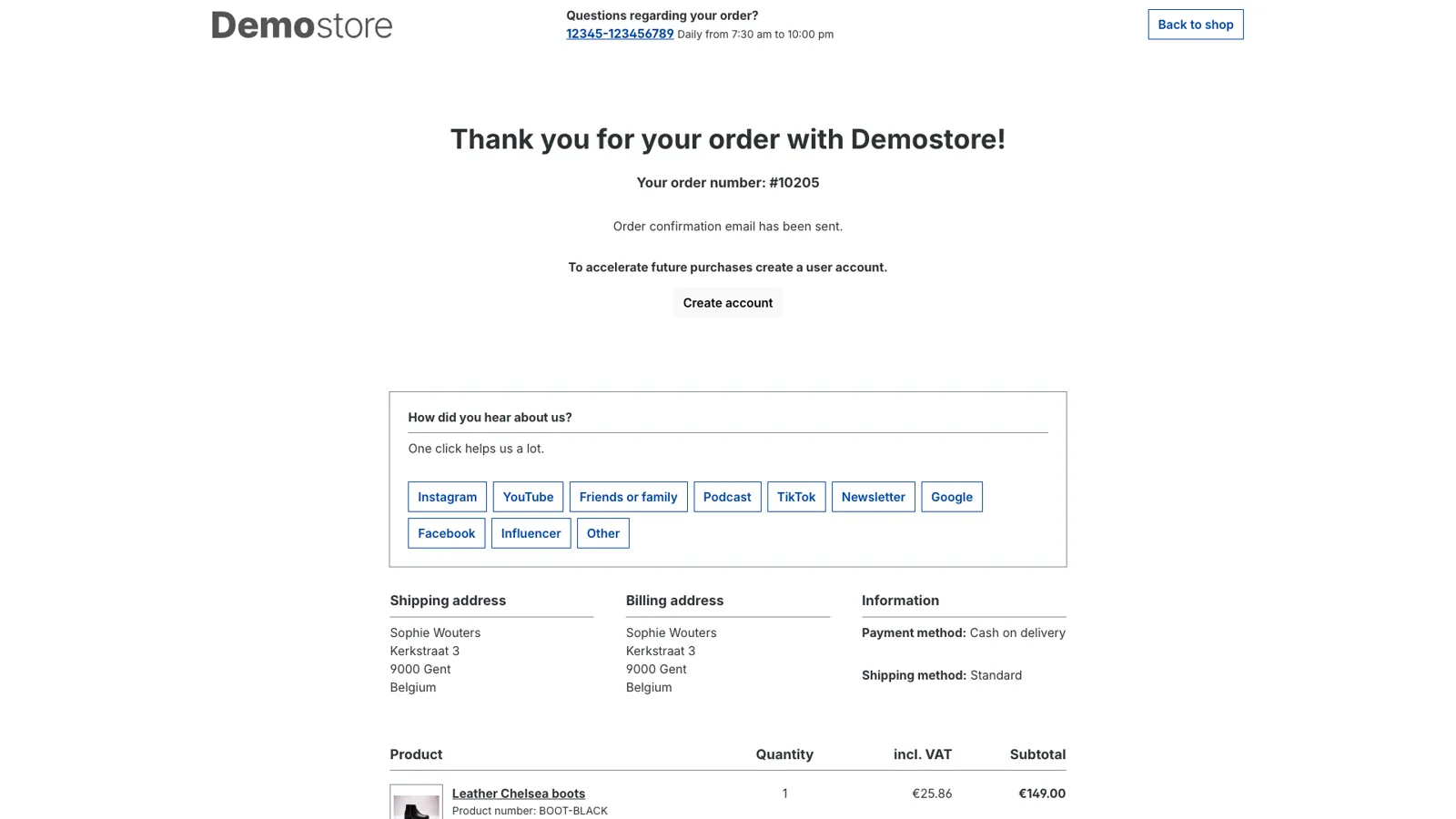
On the order confirmation page your customers see a short card: "How did you hear about us?" with buttons for Google, Instagram, Facebook, TikTok, YouTube, Podcast, Friends or family, Influencer, Newsletter and Other. One click saves the answer without reloading the page and shows your thank you text. "Other" opens a small text field, so customers can tell you about the fair or the blog where they saw you.
The card uses your theme's styles, works on phones and is accessible: real buttons, the question as a form legend, and the thank you message is read out by screen readers.
Your survey, your options
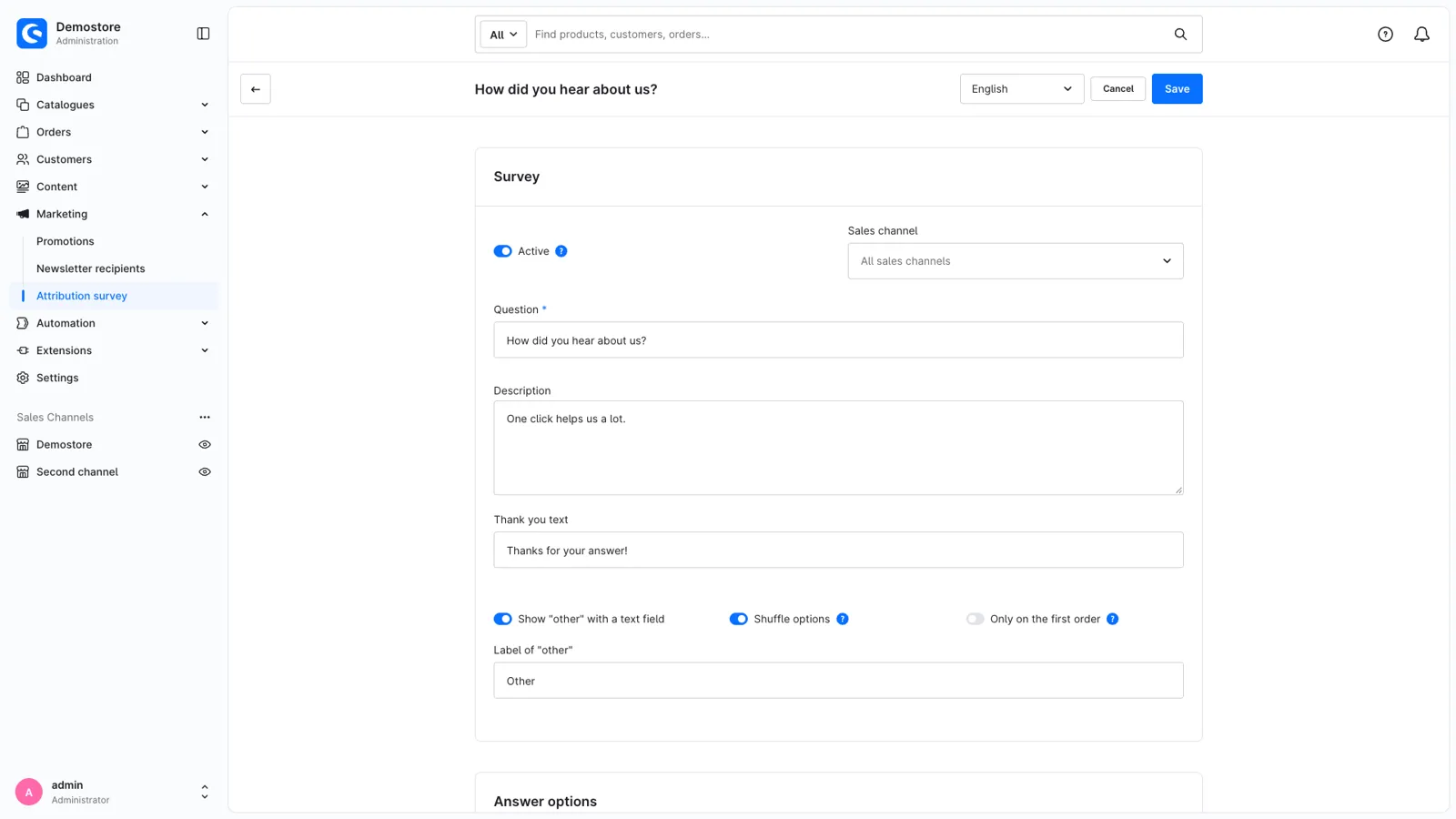
Change the question, the description, the thank you text and every option, in every language of your shop. Sort options with drag and drop, add your own (for example "Radio" or "Trade fair") and see a preview while you edit. Shuffle the options to reduce position bias, or only ask first-time customers. Guest orders count as well, because earlier orders are matched by e-mail address.
Run one survey for all sales channels, or a different one for a sales channel that needs other options.
A dashboard that answers the real question
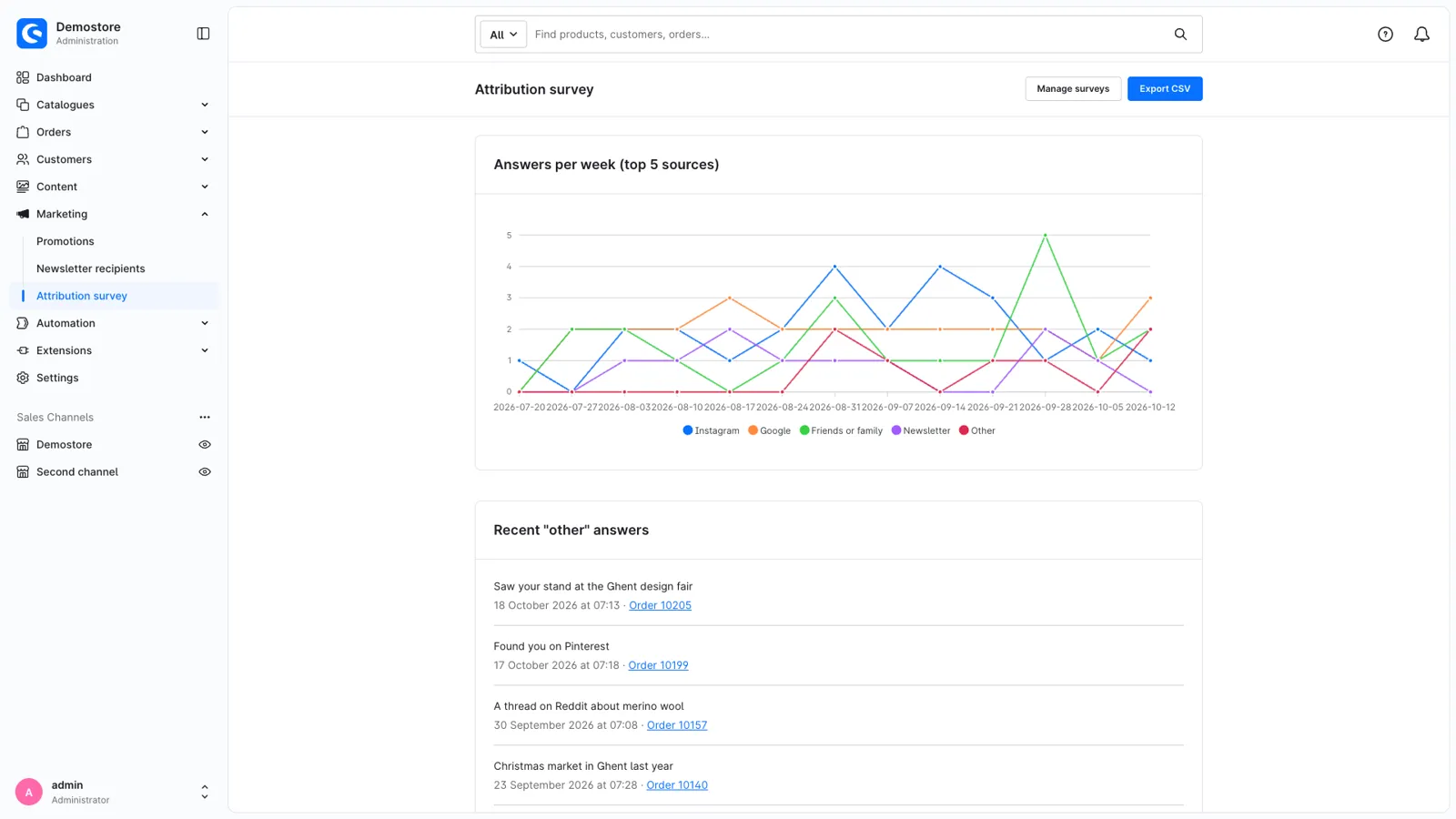
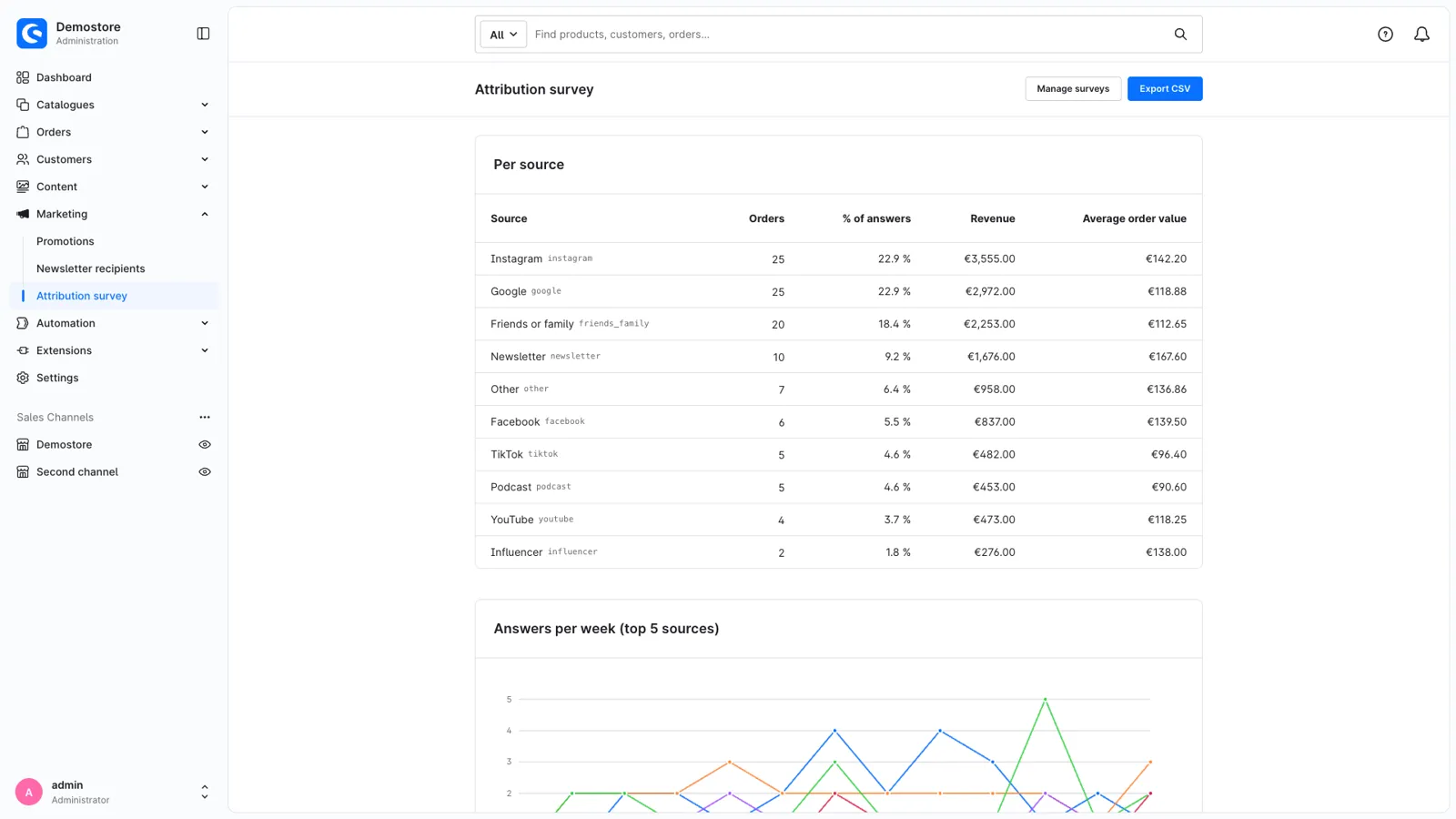
Under Marketing > Attribution survey you see, per period and sales channel:
- how many customers answered and your response rate,
- orders, share of answers, revenue and average order value per source,
- how your top 5 sources developed week by week,
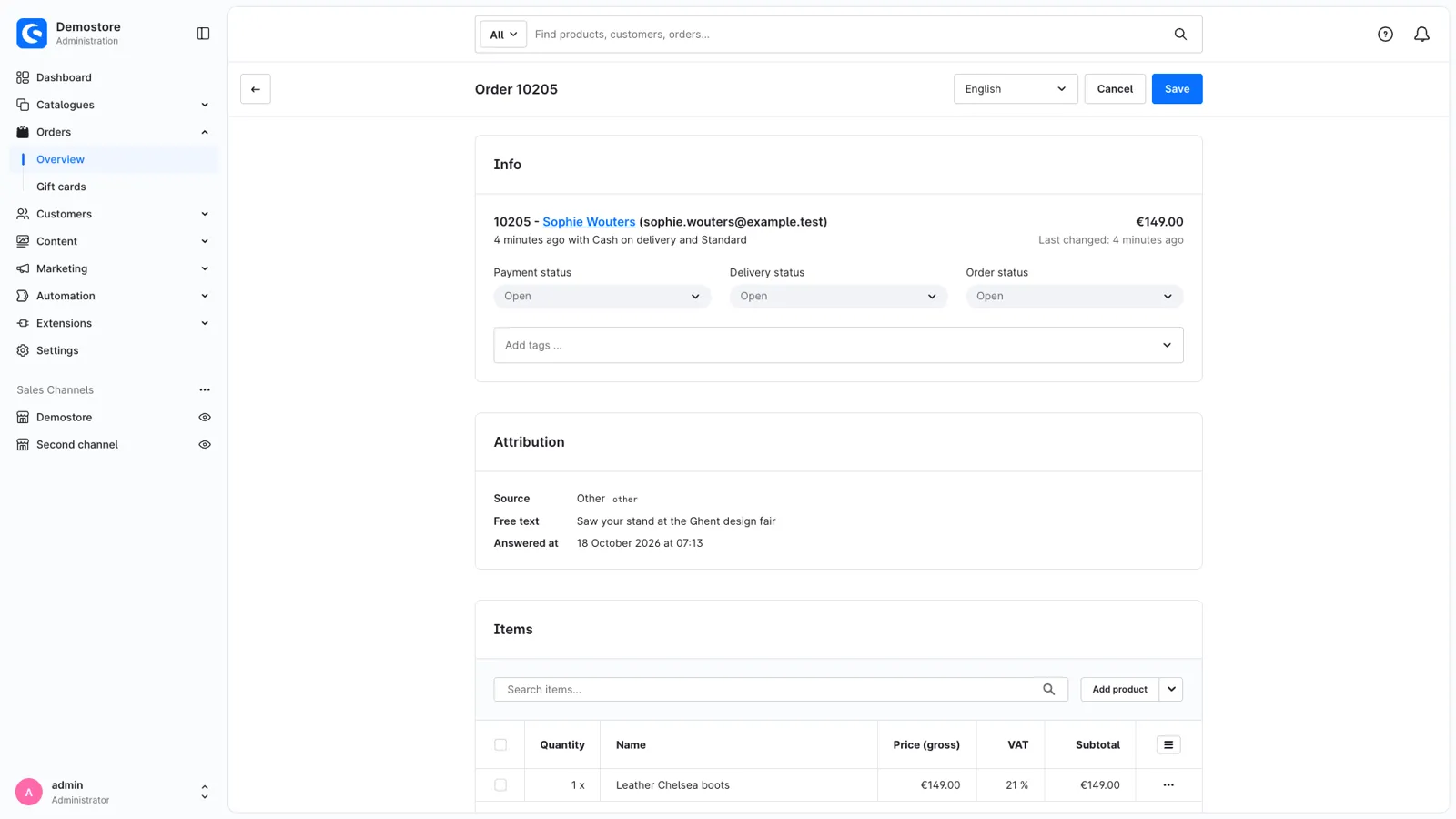
- the latest "Other" answers, with a link to the order.
Revenue in other currencies is converted to your default currency with the exchange rate of the order. Answers keep their source even when you rename or deactivate an option later, so your history stays correct.
Act on the answers
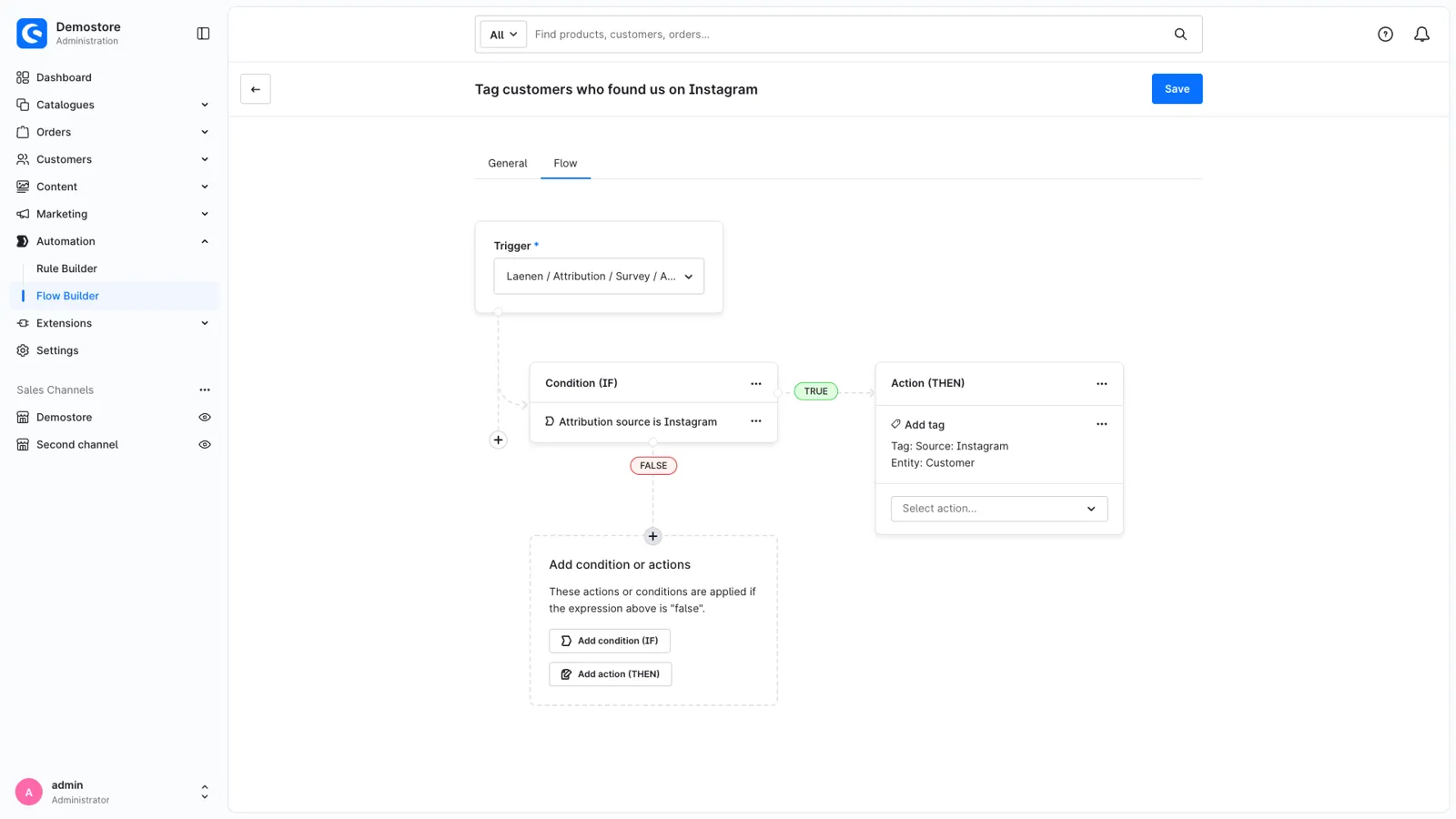
The answer is shown on the order in the Administration. With the Flow Builder trigger Laenen / Attribution / Survey / Answered and the condition "Attribution survey source" you can, for example:
- tag customers who came via Instagram,
- send your marketing team an e-mail with every "Other" answer,
- start any other flow action for orders and customers.
Export all answers to CSV with the dashboard's filters, for your spreadsheet or BI tool.
Headless and developer friendly
Headless storefronts fetch and submit the survey through the Store API (documented with OpenAPI). Every submission is checked: the order must belong to the customer, can only be answered once, and only within the time window you configure.
Privacy
No cookies, no tracking and no third parties. Answers belong to the order and are deleted with it. The customer e-mail is only in the export if you enable it. Free text answers can contain personal data, so mention the survey in your privacy policy.
Haal Attribution Survey – How Did You Hear About Us? in je winkel
De plugin is nu in review bij Shopware en binnenkort in de Shopware Store. Wil je hem meteen bij de release? Vraag het ons, de developers die hem bouwden.